KHIZHNYAKOV

← All templates

ABC-XYZ Product Range Analysis — Excel Template

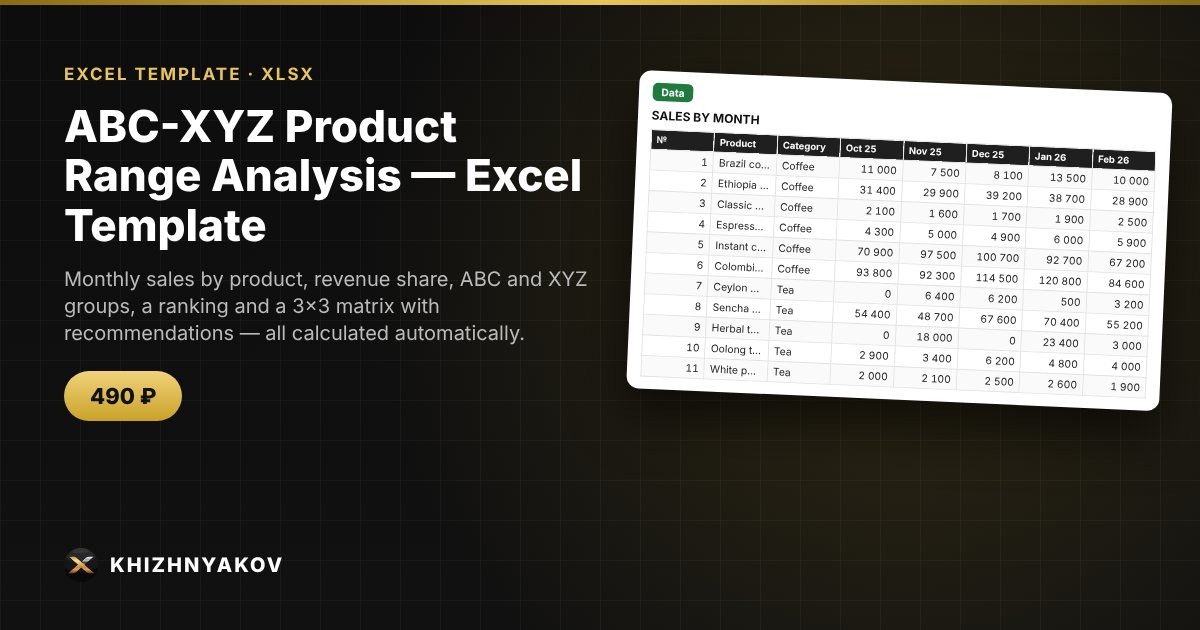
Monthly sales by product, revenue share, ABC and XYZ groups, a ranking and a 3×3 matrix with recommendations — all calculated automatically.

ABC-XYZ Product Range Analysis — Excel Template
490 ₽
≈ 5 USD
Blank template + filled-in example · Excel 2007+, LibreOffice, Google Sheets
Payment is processed securely by YooKassa in Russian rubles. If your card is declined, email us at info@хижняков.рф and we will arrange another way to pay.

What it's for

ABC analysis shows which products bring in most of your revenue, and XYZ shows how stable their demand is. Together they tell you what to always keep in stock and what to clear out. You enter monthly sales, and the spreadsheet calculates shares, cumulative percentage and coefficient of variation, and assigns the groups.

What's inside

  • "Settings": thresholds for groups A, B and X, Y — 80% and 95%, 10% and 25% by default.
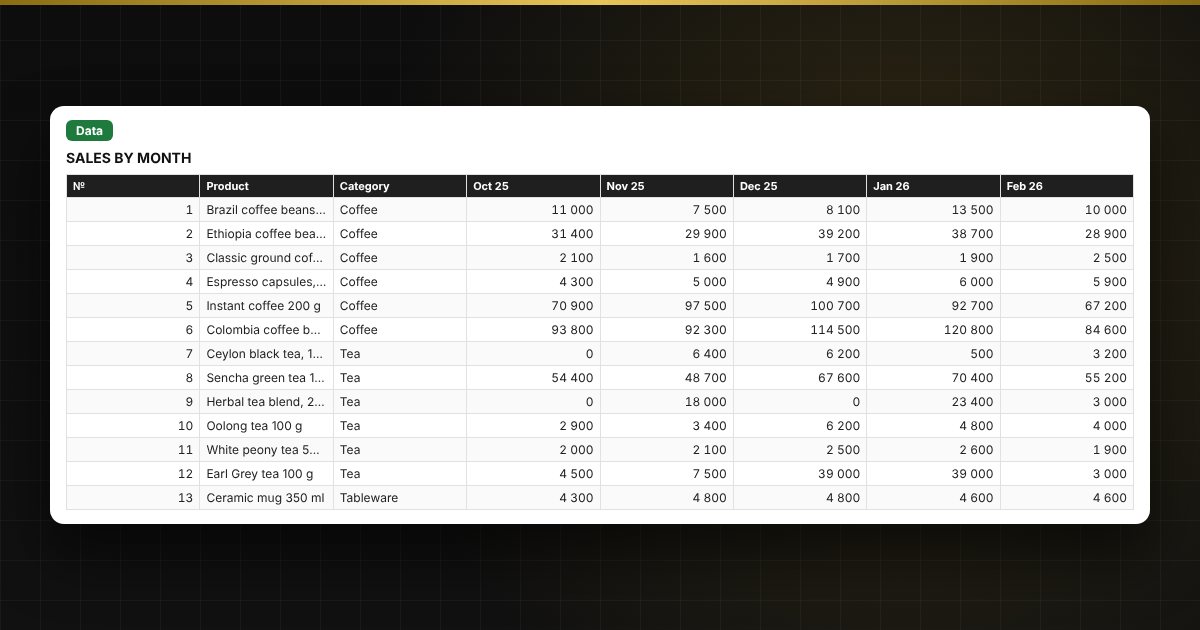
  • "Data": up to 300 products and 12 months of sales; on the right — total, share, cumulative share, ABC and XYZ groups.
  • "Ranking": products sorted by revenue with their groups.
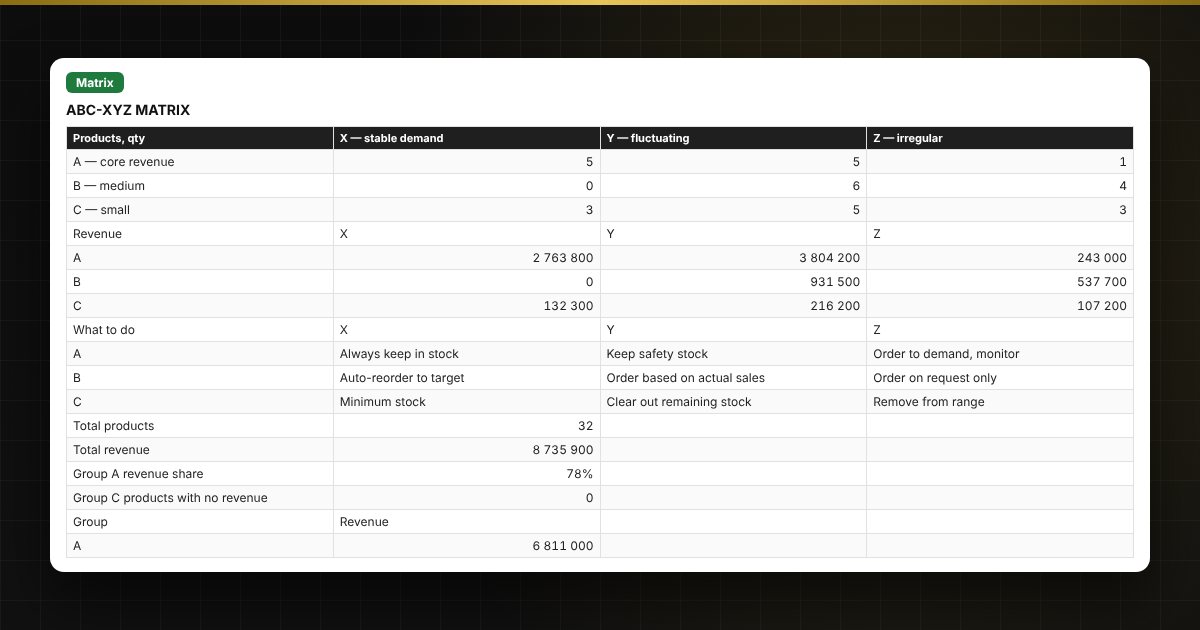
  • "Matrix": how many products and how much revenue in each of the nine groups, what to do with them, and a chart.

Who it's for

Owners of shops, online stores and cafés, purchasing and category managers, marketplace sellers — anyone who wants to optimise their product range and inventory.

Compatibility

Excel 2007 and later, LibreOffice. No macros. Thresholds and parameters are in the settings, so you can adjust them. The calculation is indicative.

The file is in English.

Questions and answers

What data do I need for the analysis?
Monthly sales of each product for the last 12 months — in money or units. Use one unit for all products.
How are the ABC groups determined?
Products are ranked by revenue. Group A gives the first 80% of revenue, B the next 15%, C the remaining 5%. You can change the thresholds in the settings.
What is XYZ?
It rates demand stability by the coefficient of variation: X — up to 10%, Y — up to 25%, Z — above. The lower it is, the more predictable the sales.
What should I do with AX, CZ and other groups?
The "Matrix" sheet has a short recommendation for each combination: for example, always keep AX in stock, and review or remove CZ from the range.
Do I need macros?
No. The file works in Excel 2007 and later and in LibreOffice; all calculations use ordinary formulas.