KHIZHNYAKOVGuides

← All templates

Event Budget and Plan — Excel Template

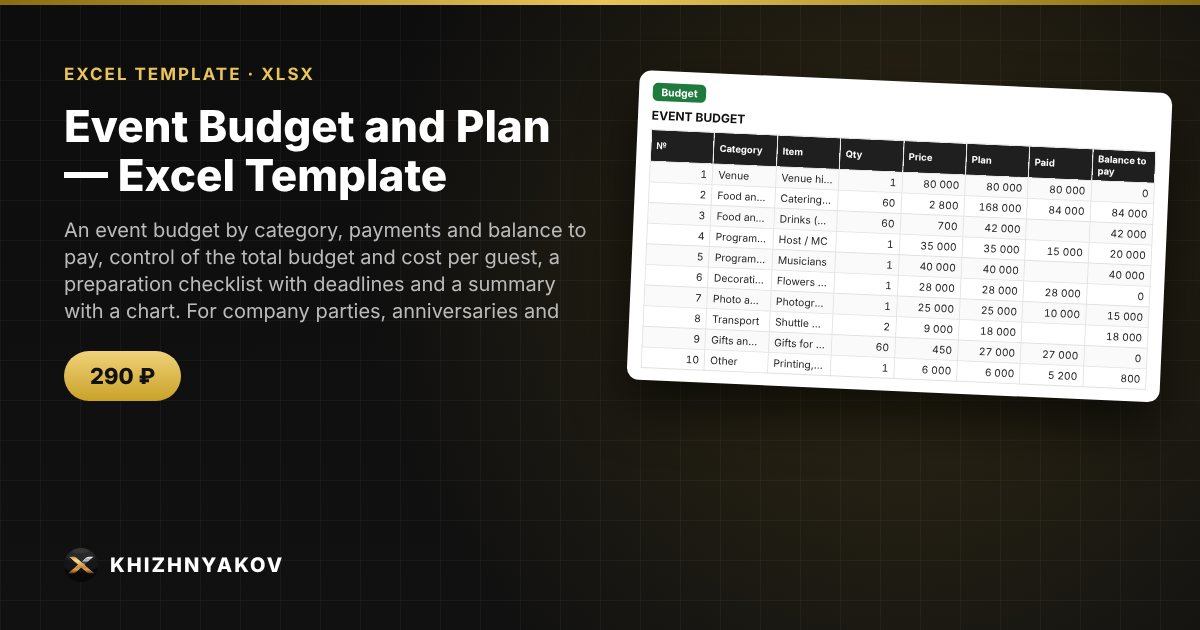
An event budget by category, payments and balance to pay, control of the total budget and cost per guest, a preparation checklist with deadlines and a summary with a chart. For company parties, anniversaries and conferences.

Event Budget and Plan — Excel Template
290 ₽
≈ 3 USD
Blank template + filled-in example · Excel 2007+, LibreOffice, Google Sheets
Payment is processed securely by YooKassa in Russian rubles. If your card is declined, email us at info@хижняков.рф and we will arrange another way to pay.

What it is for

An event is made up of dozens of expenses and tasks: venue, catering, host, decor, transport, gifts. The template keeps the budget by category, shows how much has been paid and how much is left, warns when the budget is exceeded, calculates the cost per guest and keeps a preparation checklist with overdue tasks highlighted.

What is inside

  • “Settings”: event, date, number of guests, total budget and the list of categories.
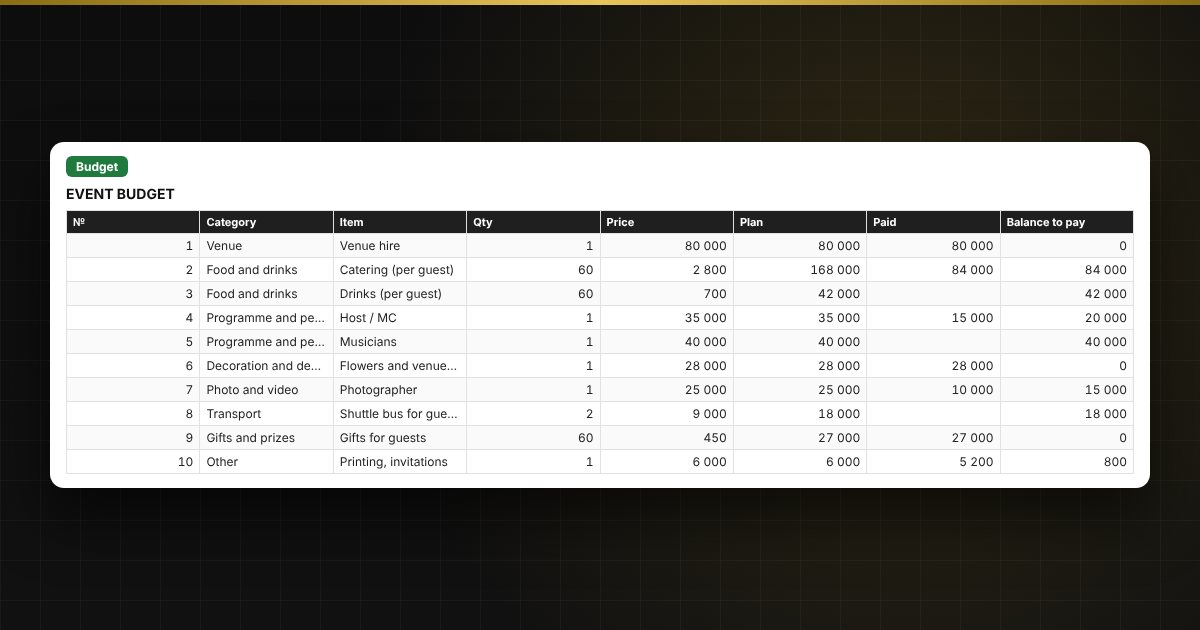
  • “Budget”: up to 60 items — category, quantity, price, paid; plan, balance and status are calculated automatically.
  • “Checklist”: up to 40 tasks — responsible person, deadline, status, “Due soon” and “Overdue” alerts.
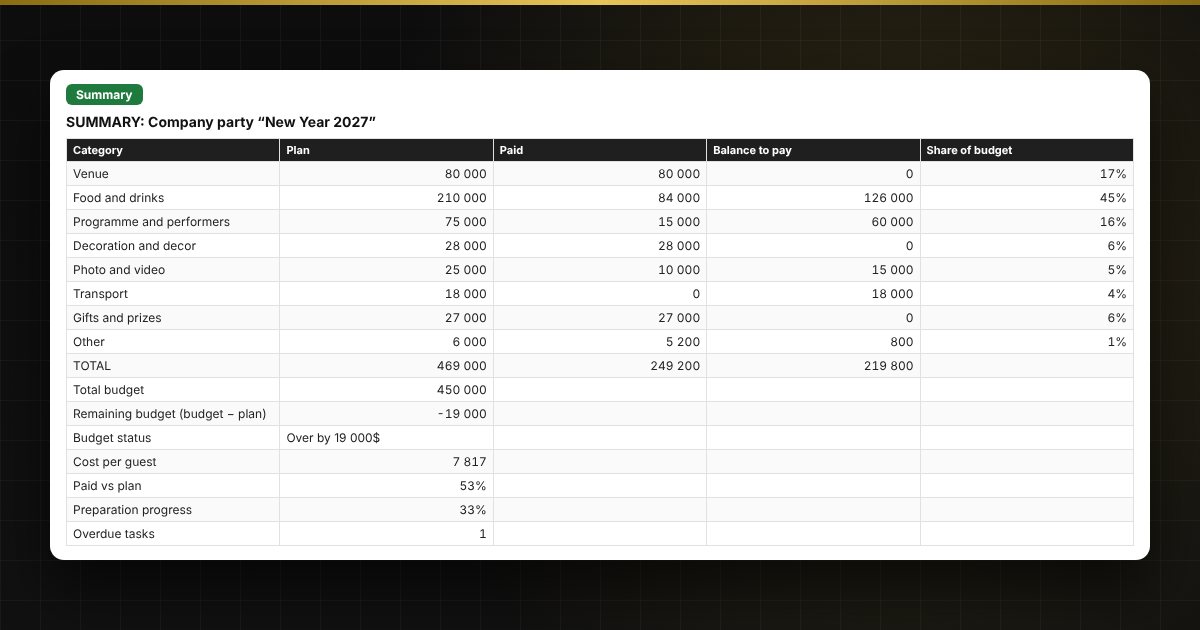
  • “Summary”: plan and actual by category, remaining budget, cost per guest, progress and a chart.

Who it suits

Organizers of company parties, anniversaries, conferences and celebrations, office managers, receptionists and parent committees.

Compatibility

Excel 2007 and newer, LibreOffice. No macros. The file is in English. The categories and thresholds are set in the parameters; adjust them to your event.

Questions and answers

What events is it suitable for?
Company parties, anniversaries, conferences, celebrations and any event with a budget and a task list. The expense categories can be changed.
How is the cost per guest calculated?
The planned total of all items is divided by the number of guests set in Settings.
How do I know if I have gone over budget?
The summary shows a status: “Within budget” or “Over by” with the amount exceeded.
How many items and tasks fit?
Up to 60 budget items and 40 checklist tasks.
Are macros needed?
No. The file works in Excel 2007 and newer and in LibreOffice, and all calculations use ordinary formulas.