 KHIZHNYAKOV
What it is for
Before putting extra money into your mortgage, it helps to see what it will do: how much shorter the term becomes, how much interest you save and how the payment changes. In the spreadsheet you enter your extra repayments (dates, amounts and mode), and it recalculates the balance month by month and compares the two scenarios.
What is inside
- "Settings": amount, rate, term up to 360 months, disbursement and first payment dates, payment and totals as of today.
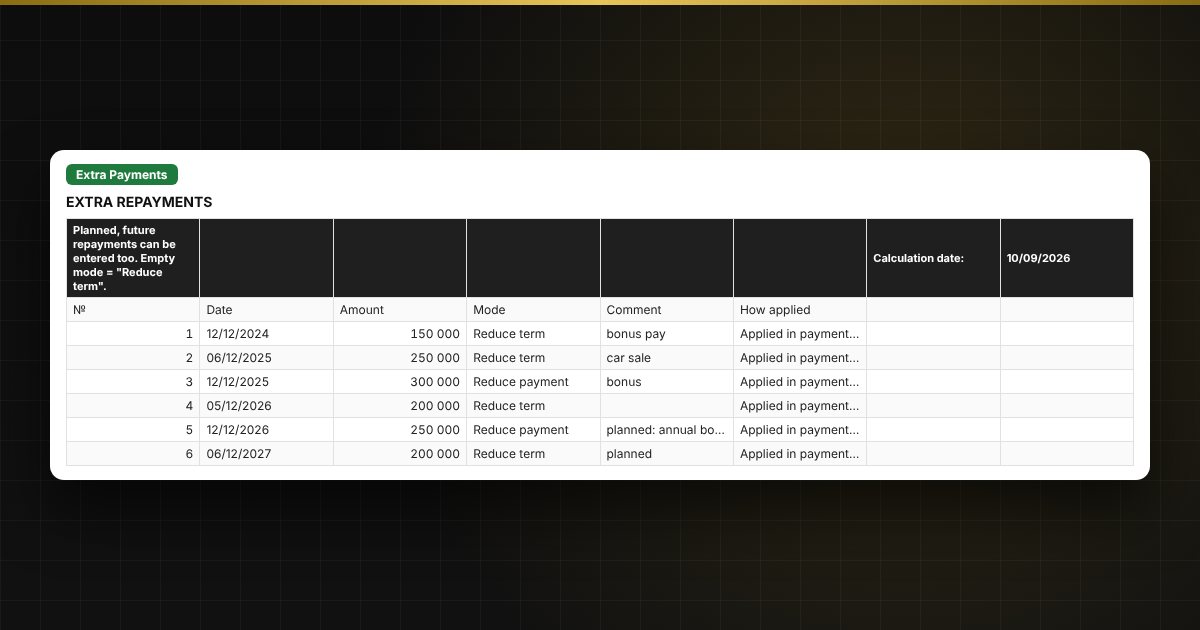
- "Extra Payments": up to 60 repayments: date, amount, mode "Reduce term" or "Reduce payment", with a note of which payment applies it; planned repayments can be entered.
- "Schedule": payment by payment: interest, principal, extra repayment, balance; repayments are highlighted in color and past payments in grey.
- "Schedule No Extras": the same loan without extra repayments.
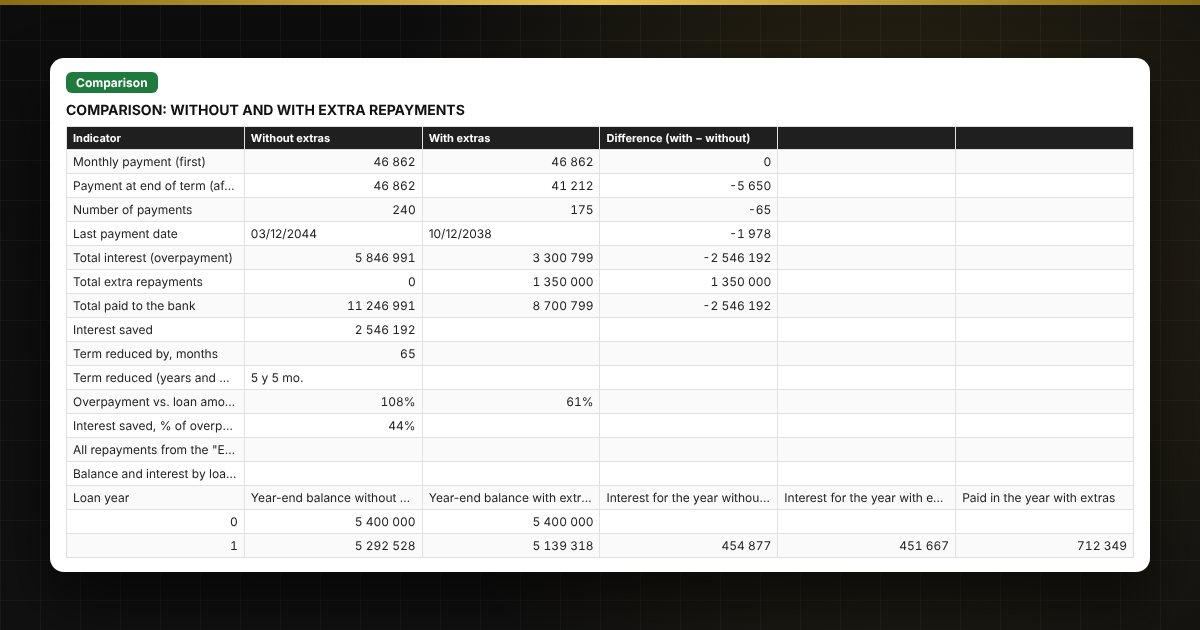
- "Comparison": term, payment, overpayment, interest saved and balance by year, with a balance chart with two lines.
Who it is for
Borrowers with a mortgage or another annuity loan who plan extra repayments and want to compare the "shorten the term" and "lower the payment" options.
What you get
The download includes a blank template and a filled-in sample with fictitious data, so you can see how the formulas and checks work. It is an Excel spreadsheet with ordinary formulas, not an accounting program. All fixes and new versions of the project are free.
Compatibility
Excel 2007 and later, LibreOffice. No macros. The file is in English. Rates and thresholds are set in the settings: check them against your loan agreement before use. Calculations are approximate.