KHIZHNYAKOV

← All templates

Markup, Margin and Break-even Calculator — Excel Template

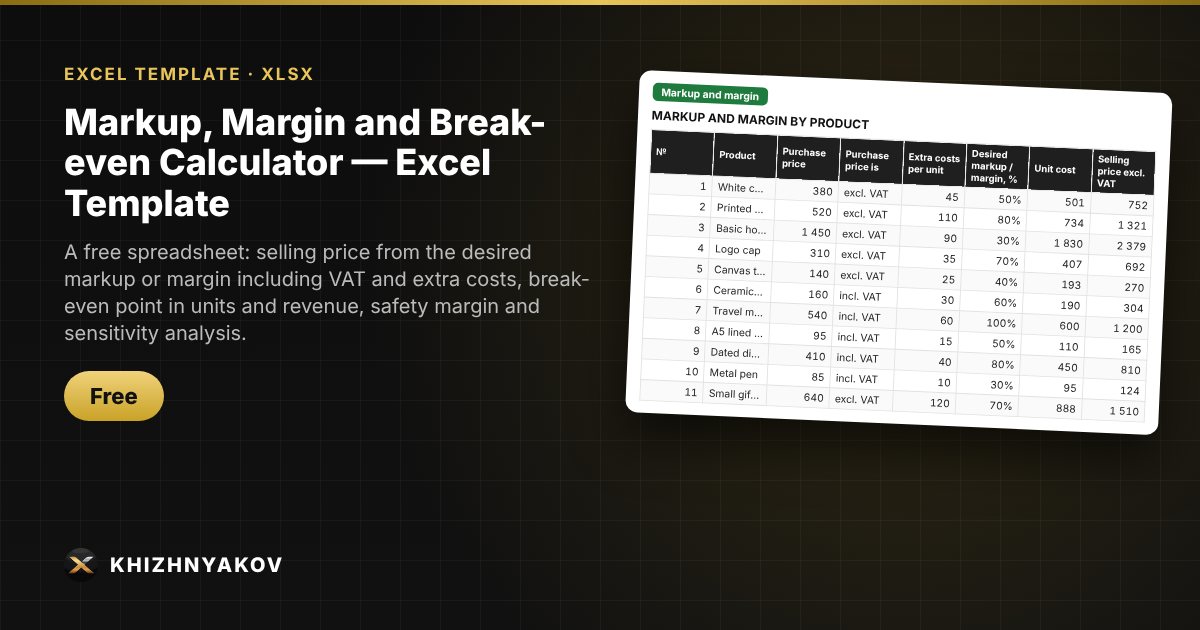
A free spreadsheet: selling price from the desired markup or margin including VAT and extra costs, break-even point in units and revenue, safety margin and sensitivity analysis.

Markup, Margin and Break-even Calculator — Excel Template
Free
Download free
Blank template + filled-in example · Excel 2007+, LibreOffice, Google Sheets

What it's for

Markup and margin are often confused, and prices are set by guesswork. Here the selling price is calculated from the purchase price, VAT and extra costs based on the desired markup or margin, and the break-even sheet shows how much you need to sell to break even and how volume and price affect that.

What's inside

  • "Settings": pricing mode (from markup or from margin), VAT, price rounding step, minimum margin and a markup-to-margin cheat sheet.
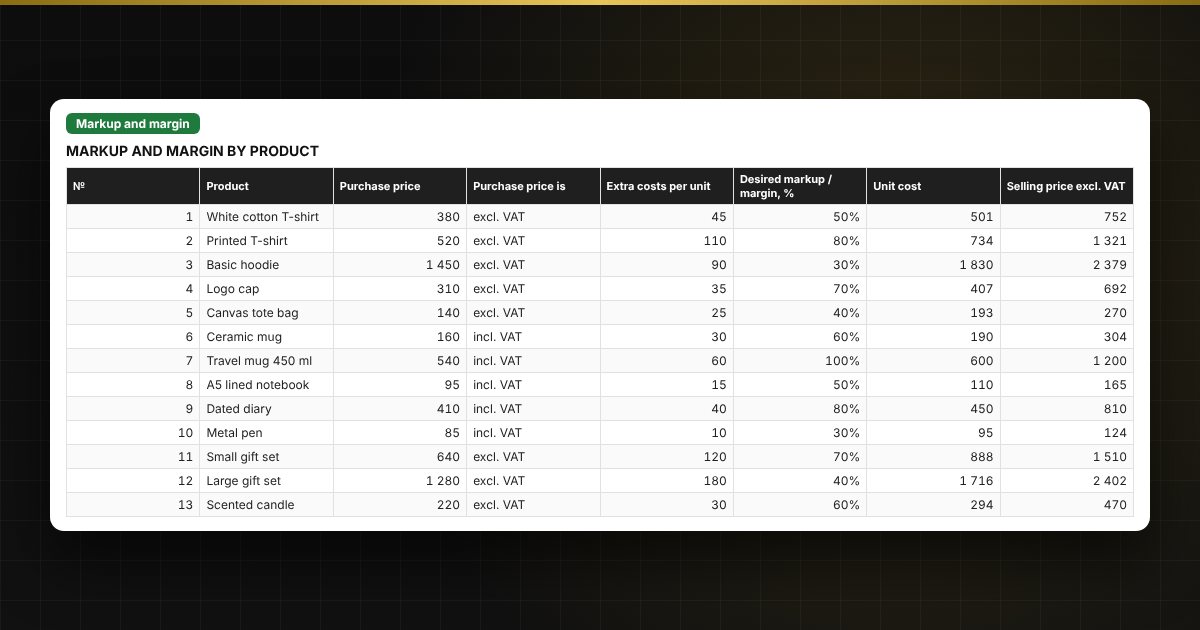
  • "Markup and margin": up to 100 products — purchase price, VAT, extra costs per unit, desired percentage; selling price, actual markup and margin, profit per unit.
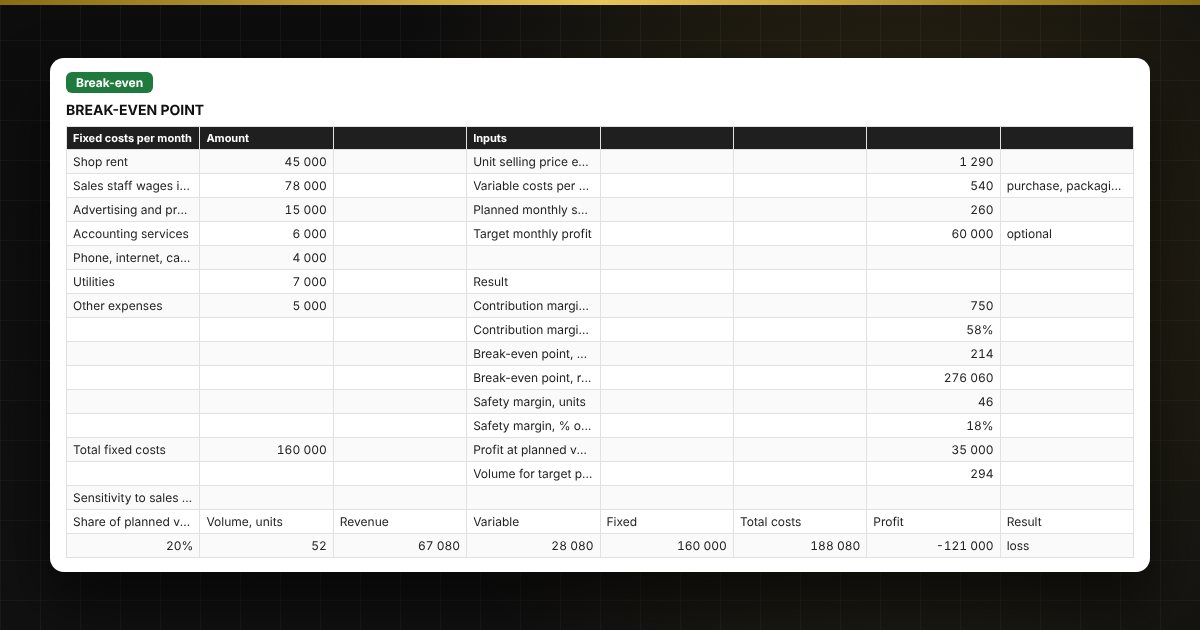
  • "Break-even": fixed costs, price and variable costs, break-even point in units and revenue, safety margin, two sensitivity tables and a chart.

Who it's for

Owners of small shops and workshops, sole traders, the self-employed, marketplace sellers and anyone who sets prices and wants to know how much they need to sell to avoid a loss.

Compatibility

Excel 2007 and later, LibreOffice. No macros. VAT rates and thresholds are in the settings: check them against the current rules in your country before use. The calculation is indicative.

The file is in English.

Questions and answers

What is the difference between markup and margin?
Markup is calculated from cost, margin from the selling price. A 50% markup gives a 33.3% margin, and to get a 50% margin you need a 100% markup.
How does the calculator handle VAT?
If you are VAT-registered, a purchase price "incl. VAT" is stripped of tax, the price is calculated excluding VAT, and the customer sees the price including VAT. If not, a purchase price "excl. VAT" is increased by the rate. The rate and mode are set on the "Settings" sheet.
What is the break-even point?
It is the sales volume at which revenue equals all costs. It is calculated as fixed costs divided by the difference between price and variable costs per unit.
Does the spreadsheet work for several products?
Markup and margin are calculated for a list of up to 100 products. Break-even is calculated for one product or an averaged "average sale": for a range, use the average price and average unit cost.