KHIZHNYAKOV

← All templates

Social Media and Website Content Plan — Excel Template

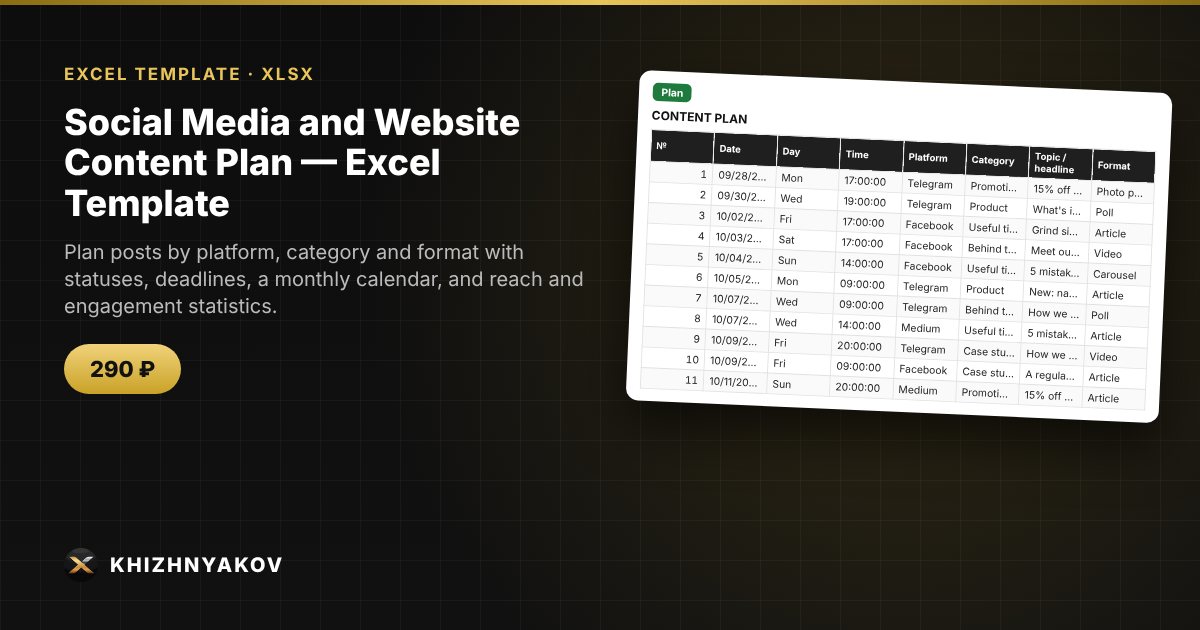
Plan posts by platform, category and format with statuses, deadlines, a monthly calendar, and reach and engagement statistics.

Social Media and Website Content Plan — Excel Template
290 ₽
≈ 3 USD
Blank template + filled-in example · Excel 2007+, LibreOffice, Google Sheets
Payment is processed securely by YooKassa in Russian rubles. If your card is declined, email us at info@хижняков.рф and we will arrange another way to pay.

What it's for

Social media posting without a plan turns into chaos: it's unclear what goes out tomorrow, what isn't ready and which categories work best. Here you keep the plan in one spreadsheet, see the monthly calendar, deadlines and post results, and engagement is calculated automatically.

What's inside

  • "Lists": platforms, categories, formats, people responsible, lead time in days before publication.
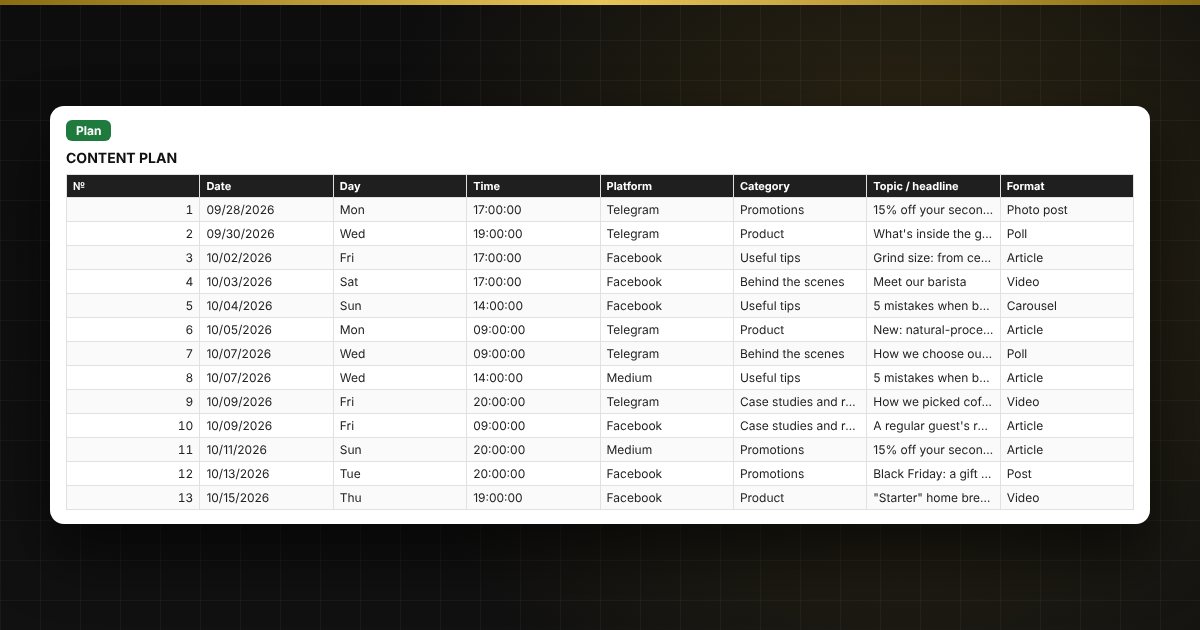
  • "Plan": up to 600 posts — date, platform, category, topic, format, owner, status, link, reach, likes, comments, shares, clicks.
  • "Calendar": a month with posts by day and the topic of the first post of the day.
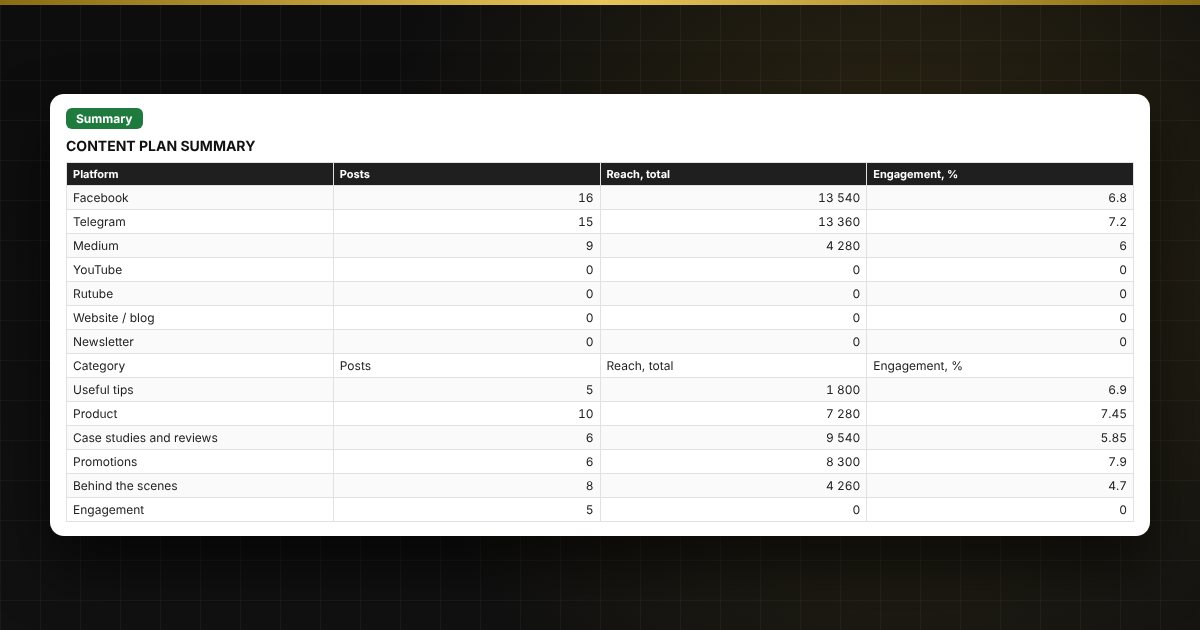
  • "Summary": posts by platform and category, reach, engagement, charts.

Who it's for

Small business owners, social media managers, marketers, freelancers, bloggers and community managers running Facebook or Instagram pages, a Telegram channel or a blog.

Compatibility

Excel 2007 and later, LibreOffice. No macros. Platforms, categories and lead times are in the lists, so you can adjust them.

The file is in English.

Questions and answers

Which platforms can I plan for?
Any: you define the list of platforms yourself. The sample includes Facebook, Instagram, Telegram, Medium, YouTube, a website and a newsletter.
How does the calendar work?
Enter the first day of the month and the calendar shows posts by day. If there are several posts on one day, the first one in row order is shown.
How is engagement calculated?
The sum of likes, comments and shares is divided by reach and multiplied by 100. If reach is not entered, the value is not calculated.
What does the traffic light in the plan mean?
It shows whether you are on track for the deadline: "Deadline missed", "Urgent", "In progress", "Ready" or "Not published!" for content that was scheduled but has not gone out.
Do I need macros?
No. The file works in Excel 2007 and later and in LibreOffice; all calculations use ordinary formulas.