 KHIZHNYAKOV
What it is for
The calculator shows what you really pay the lender: the monthly payment, total interest, term and savings from early repayments. After an early repayment you can choose what to reduce — the term or the payment.
What is inside
- “Calculation”: amount, rate, term, payment type, results, a table and a chart by year.
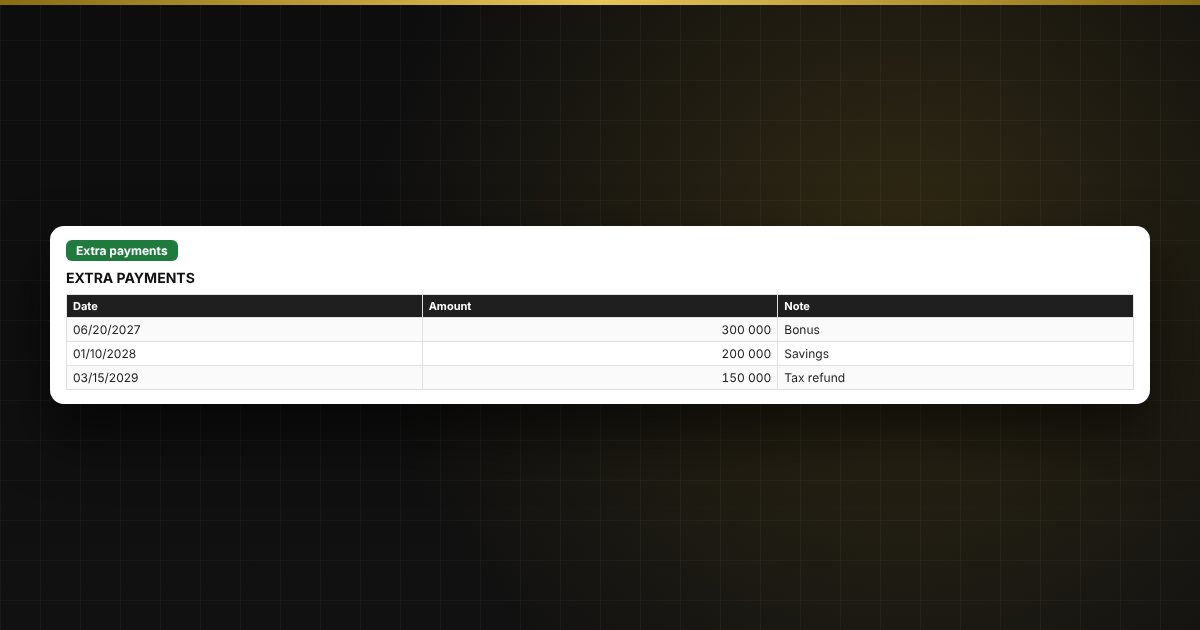
- “Extra payments”: up to 60 early repayments.
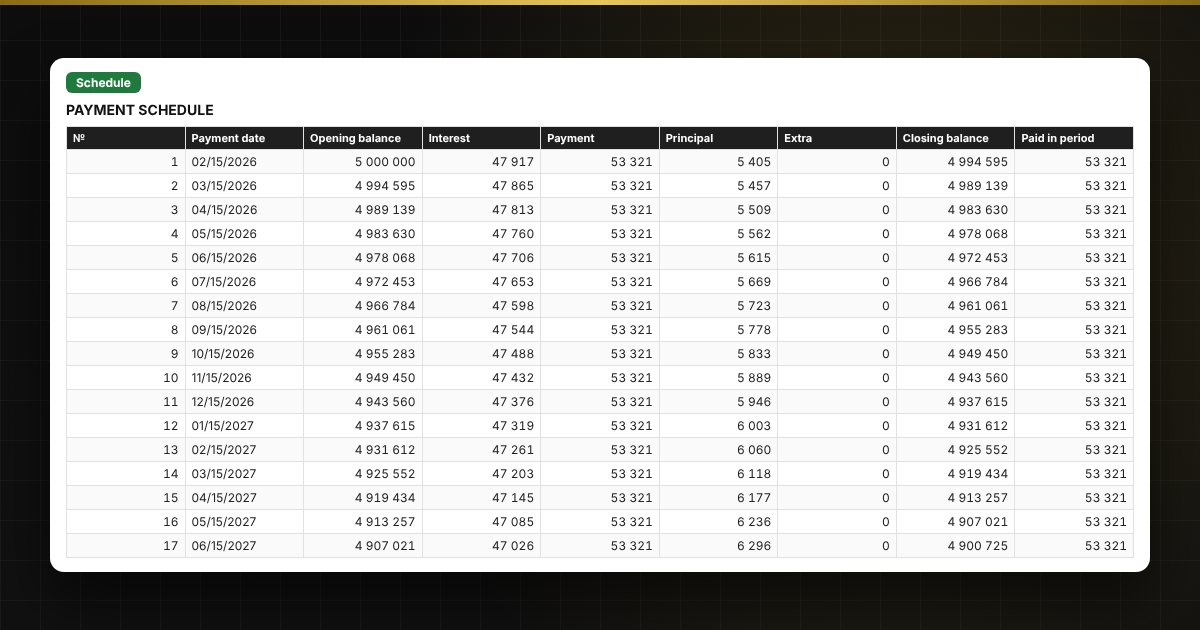
- “Schedule”: the full schedule up to 360 months with interest, principal and balance.
Who it is for
Borrowers, homeowners with a mortgage, self-employed people, and anyone comparing lenders’ offers and thinking about early repayment.
What you get
An empty template and a filled-in sample with fictitious data, so you can see how the formulas and checks work. It is an Excel template built on ordinary formulas. All fixes and new versions of the project are free.
Compatibility
Excel 2007 and later, LibreOffice. No macros. The calculation is indicative: the lender’s schedule is the final word. The file is in English.