 KHIZHNYAKOV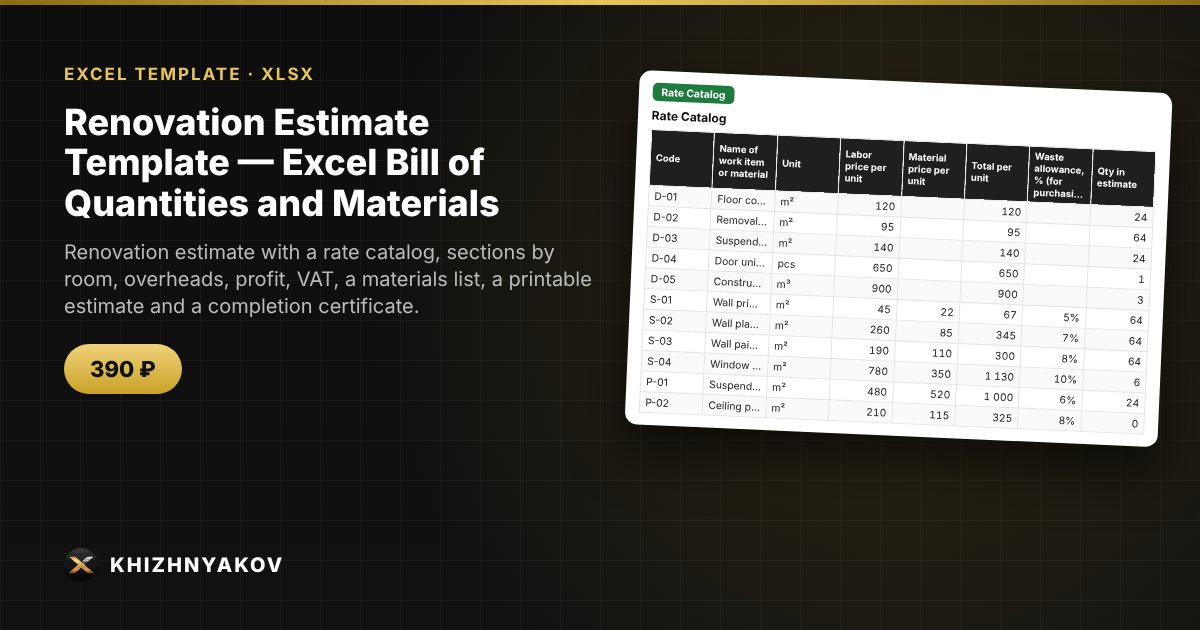
What it is for
An Excel estimate for renovating an office, a room or a small site: you keep a catalog of your own rates, pick items from a drop-down list, enter quantities, and the spreadsheet calculates labor and material costs by row and section, overheads, estimated profit, contingency and VAT. The result is a bill of quantities, a materials list for purchasing, a printable estimate and a completion certificate.
What is inside
- "Settings": site, client, contractor, VAT mode (no VAT, on top, included), percentages for overheads, profit and contingency, rounding, list of sections.
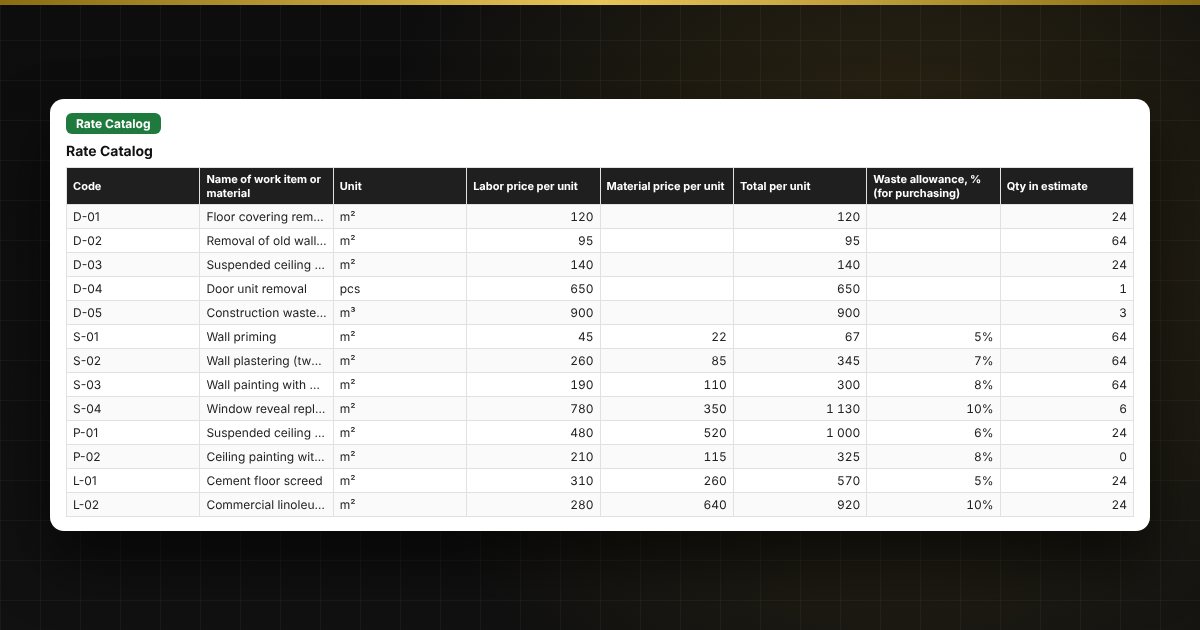
- "Rate Catalog": up to 300 work items and materials: code, name, unit, labor price, material price, waste allowance.
- "Estimate": up to 400 rows: section, item from the list, quantity, coefficient, labor, materials and row total, subtotals by section, row check.
- "Materials List": what to buy and in what quantity, with waste allowance and amount.
- "Summary": totals by section, overheads, profit, contingency, VAT, grand total, section shares on a chart.
- "Print Estimate": a simplified print form with sections, subtotals and signature blocks.
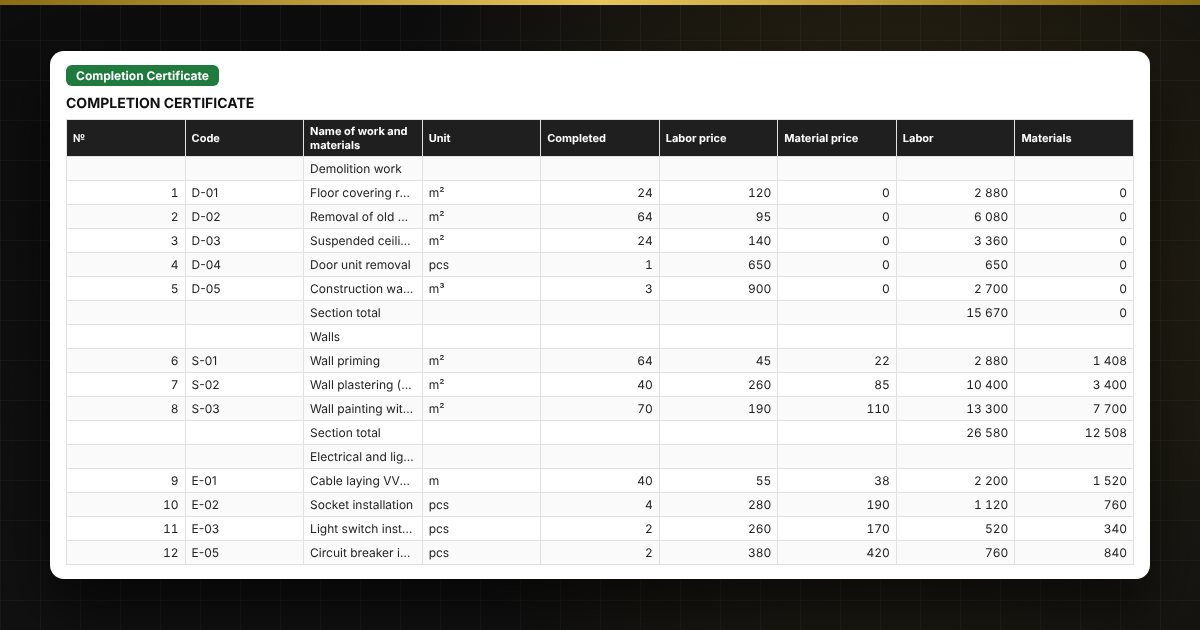
- "Completion Certificate": a certificate based on completed quantities, with overheads, profit and VAT recalculated automatically.
Who it is for
Facility managers, site engineers and estimators in small organizations, contractors and renovation crews, property owners, and anyone who needs a clear renovation estimate in Excel.
What you get
The download includes a blank template and a filled-in sample estimate for renovating an office, with fictitious data and a few "problem" rows to test the checks. The spreadsheet uses ordinary formulas, no macros.
Compatibility
Excel 2007 and later, LibreOffice. No macros. The file is in English. The overhead and profit percentages and the VAT rate are default placeholder values: set them according to your contract and check the current rates. The forms are simplified working forms, not official documents.