KHIZHNYAKOVGuides

← All templates

Supplier Quote Comparison — Excel Template with Scoring

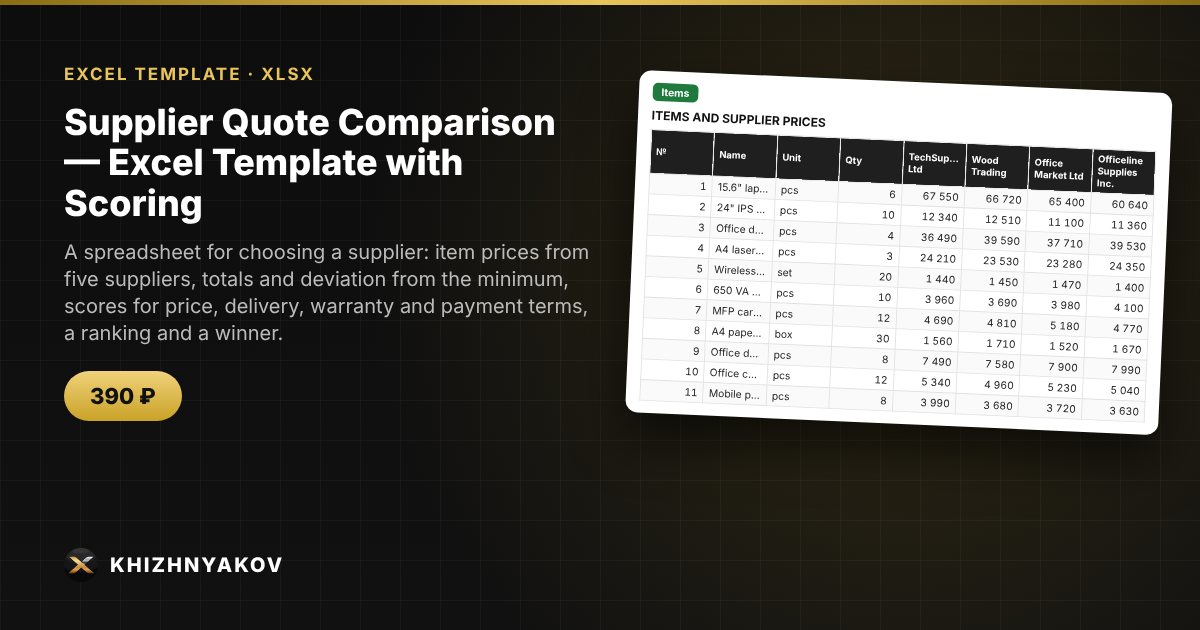
A spreadsheet for choosing a supplier: item prices from five suppliers, totals and deviation from the minimum, scores for price, delivery, warranty and payment terms, a ranking and a winner.

Supplier Quote Comparison — Excel Template with Scoring
390 ₽
≈ 4 USD
Blank template + filled-in example · Excel 2007+, LibreOffice, Google Sheets
Payment is processed securely by YooKassa in Russian rubles. If your card is declined, email us at info@хижняков.рф and we will arrange another way to pay.

What it is for

When quotes arrive in different formats, choosing a supplier by eye is hard: one has a lower price, another a shorter lead time, a third a longer warranty. Here you enter item prices and each supplier's terms, and the spreadsheet calculates the total, scores by criterion using your weights, ranks the suppliers and shows who is cheapest for each item and how much you could save by buying each item from the best supplier.

What is inside

  • «Settings»: purchase name, up to 5 suppliers with their terms (delivery time, warranty, payment deferral) and criteria weights.
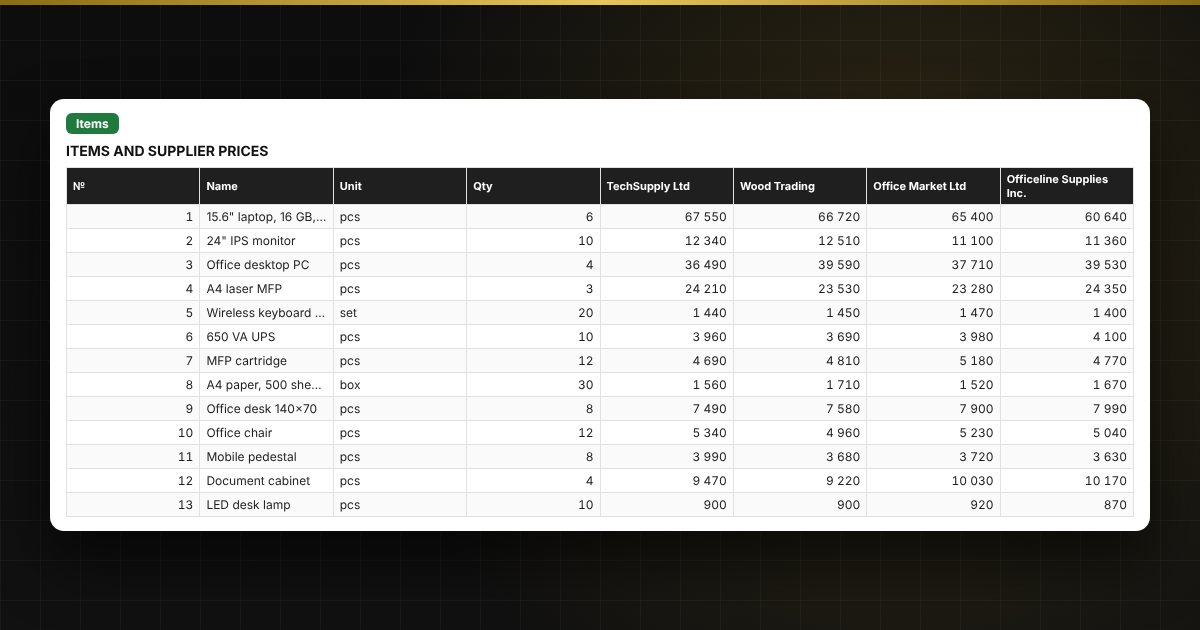
  • «Items»: up to 40 items — name, unit, quantity and the price from each supplier; the best price and best supplier for each item.
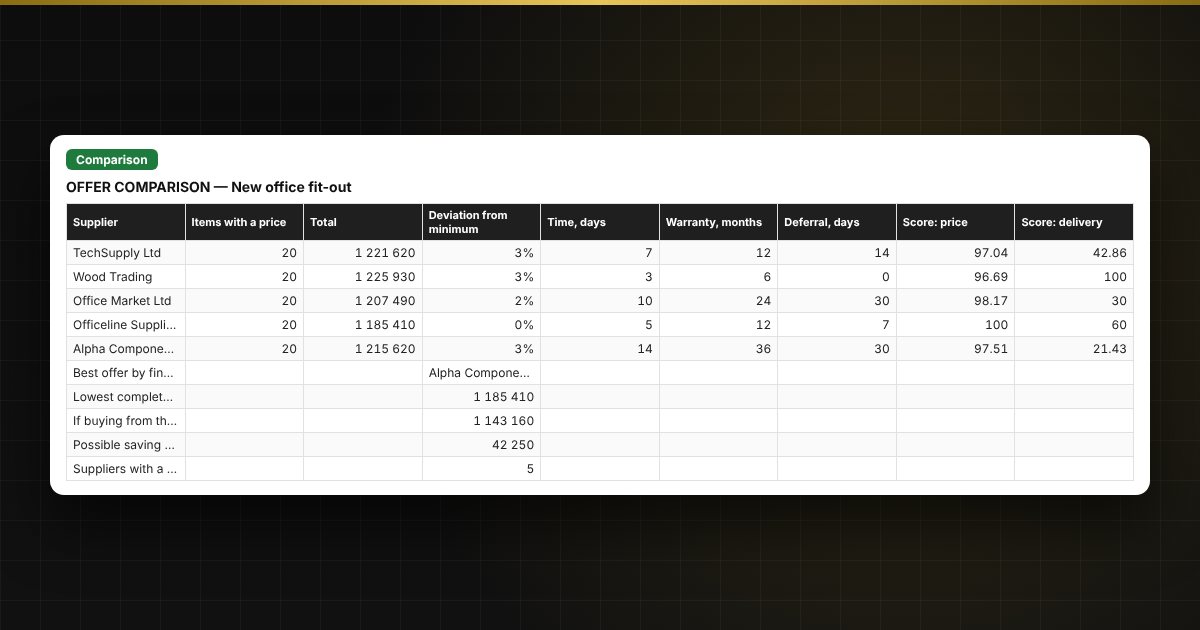
  • «Comparison»: totals by supplier, deviation from the minimum, scores on four criteria, final ranking, place and winner, a chart.
  • «Instructions»: how to fill it in and how the scores are calculated.

Who it is for

Buyers, procurement officers, small business owners, office managers and anyone comparing quotes before buying equipment, materials or services.

What you get

The package includes a blank spreadsheet and a filled-in sample with fictional data, so you can see how the formulas and checks work. It is a spreadsheet built on ordinary formulas, not an accounting program. All fixes and new versions of the project are free.

Compatibility

Excel 2007 and later, LibreOffice. No macros. Rates, thresholds and reference values are kept in settings: check them against the rules that apply to you before use. Calculations are approximate. The file is in English.

Questions and answers

How many suppliers and items can I compare?
Up to five suppliers and up to 40 items per file. For another purchase, save the file under a new name.
How are the scores calculated?
Price: the minimum total divided by the supplier's total. Delivery: the minimum time divided by the supplier's time. Warranty and payment deferral: the supplier's value divided by the maximum. The result is the sum of scores with your criteria weights.
What if a supplier did not quote all items?
Their total is not compared with the others, the spreadsheet shows «incomplete», and they are left out of the ranking. Missing prices are highlighted.
Is it suitable for formal tenders?
The spreadsheet helps compare offers and prepare a justification. Define the procedure and evaluation criteria according to your own procurement policy and the rules that apply to you.
Do I need macros?
No. The file works in Excel 2007 and later and in LibreOffice; all calculations use ordinary formulas. A version with buttons is released separately.