KHIZHNYAKOV

← All templates

Accounts Receivable Tracker — Excel Template

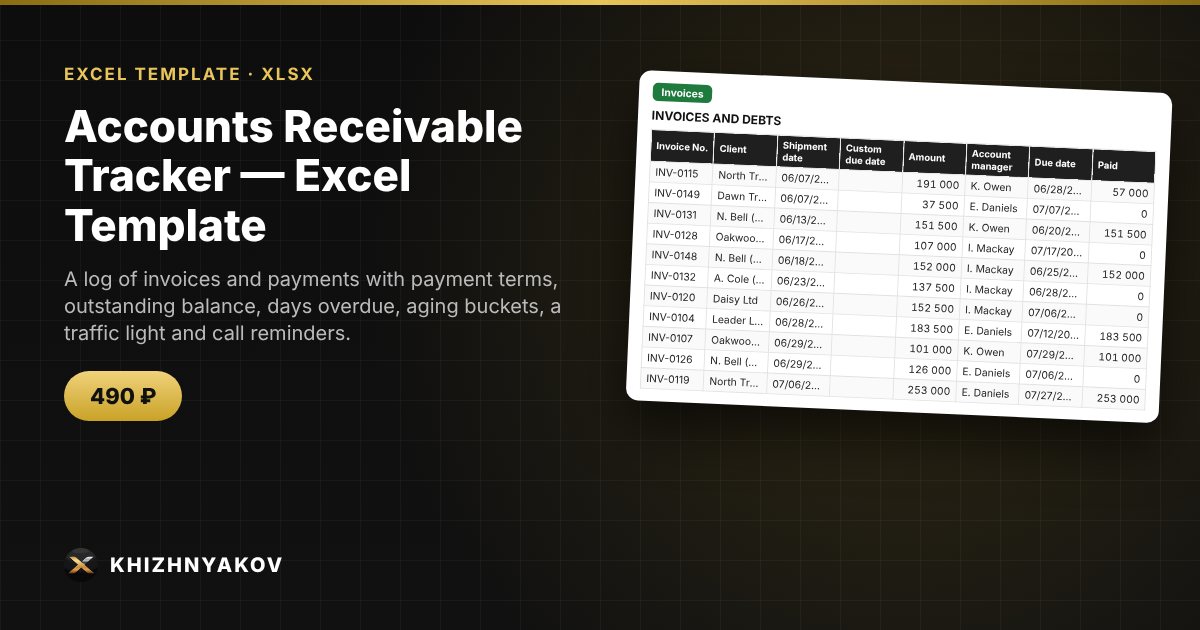
A log of invoices and payments with payment terms, outstanding balance, days overdue, aging buckets, a traffic light and call reminders.

Accounts Receivable Tracker — Excel Template
490 ₽
≈ 5 USD
Blank template + filled-in example · Excel 2007+, LibreOffice, Google Sheets
Payment is processed securely by YooKassa in Russian rubles. If your card is declined, email us at info@хижняков.рф and we will arrange another way to pay.

What it's for

When clients pay on credit terms, debts are easy to lose track of: who owes how much, how late they are and who needs a call all have to be pieced together from emails. Here each invoice is one row, payments are entered separately by invoice number, and the spreadsheet calculates the balance, days overdue and aging bucket, and highlights late payers.

What's inside

  • “Clients”: customers, payment terms in days and account managers.
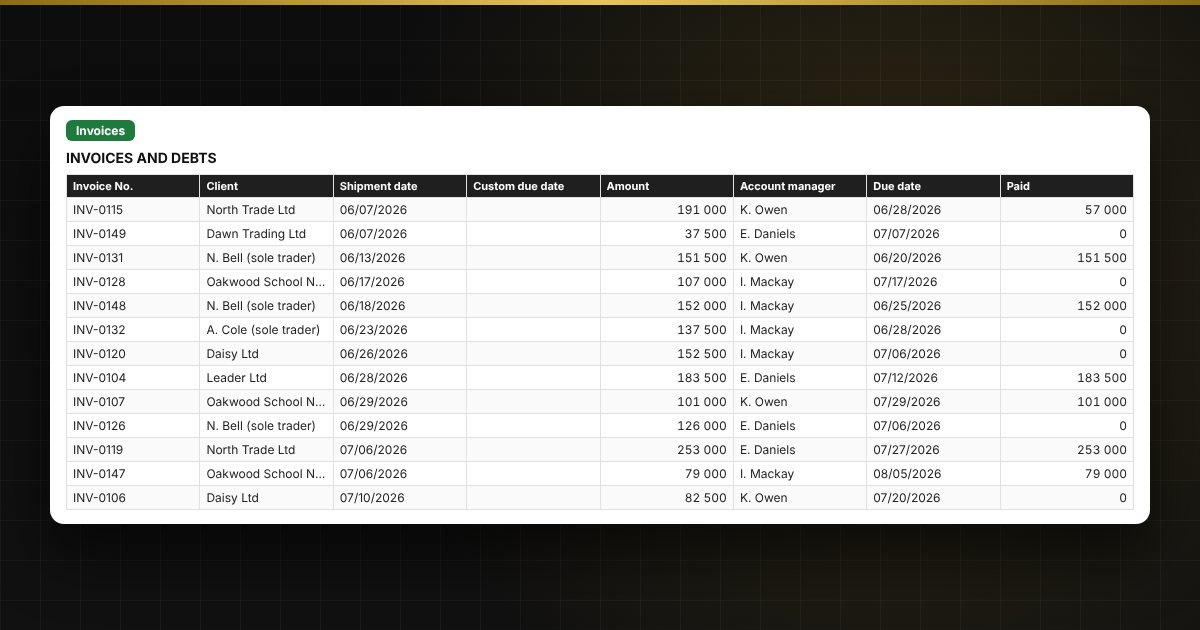
  • “Invoices”: up to 800 invoices: client, shipment date, amount, due date, balance, days overdue, aging bucket, traffic light and next contact date.
  • “Payments”: up to 1500 payments by invoice number; partial payments are added up.
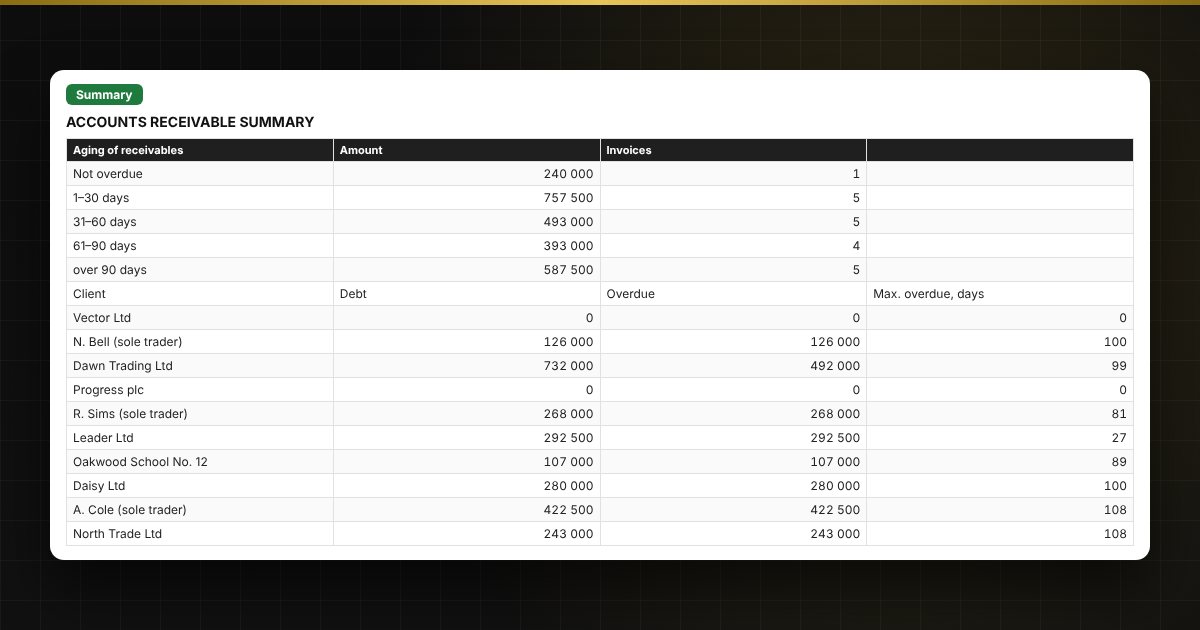
  • “Summary”: total receivables, overdue share, aging 1–30, 31–60, 61–90 and over 90 days, debt by client and charts.

Who it's for

Small businesses, wholesalers, contractors, agencies and sole traders who offer payment terms, as well as sales managers and accountants responsible for receivables.

Compatibility

Excel 2007 and later, LibreOffice. No macros. Calculations are approximate. The file is in English.

Questions and answers

How is the due date calculated?
Shipment date plus the client's payment terms from the client list. If different terms were agreed for an invoice, enter the date in the “Custom due date” column.
How are partial payments handled?
Enter each payment as a separate row on the “Payments” sheet with the invoice number. The spreadsheet adds them up and shows the balance.
What is receivables aging?
It splits debt by how long it has been overdue: not overdue, 1–30, 31–60, 61–90 and over 90 days. The older the debt, the lower the chance of collecting it.
How does the “Call” reminder work?
If the next contact date has arrived and the debt is not paid, the row shows “Call”. If the debt is overdue and no contact is scheduled, it shows “no contact”.
Do I need macros?
No. The file works in Excel 2007 and later and in LibreOffice; all calculations use standard formulas. A version with buttons is released separately.