KHIZHNYAKOV

← All templates

Car Expense Tracker — Excel Template

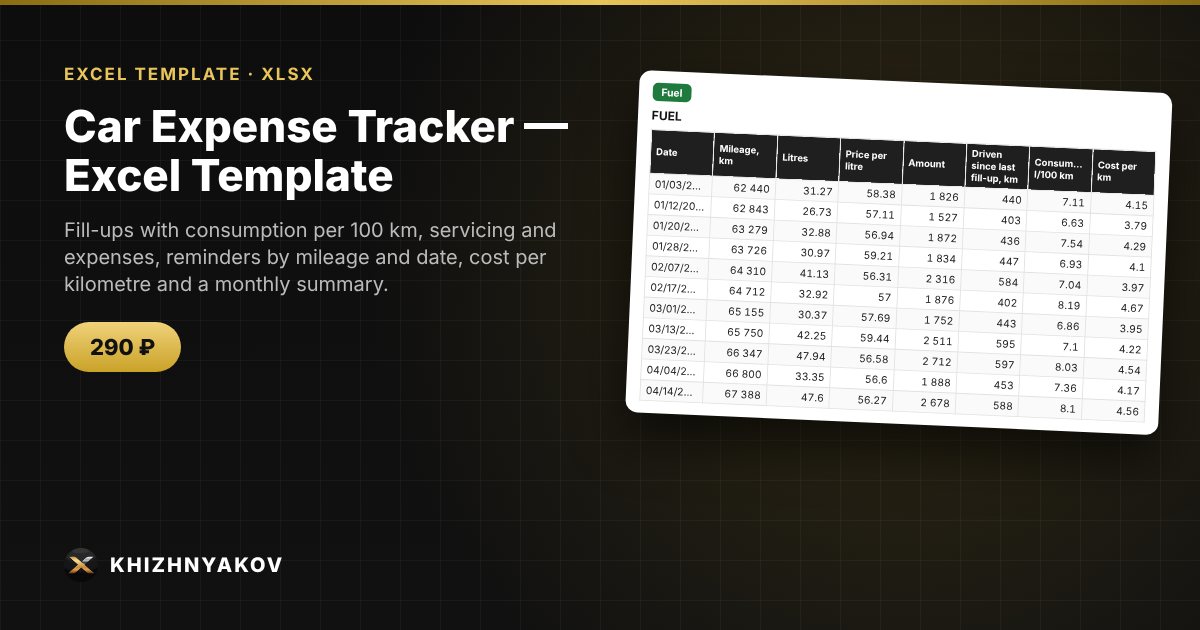
Fill-ups with consumption per 100 km, servicing and expenses, reminders by mileage and date, cost per kilometre and a monthly summary.

Car Expense Tracker — Excel Template
290 ₽
≈ 3 USD
Blank template + filled-in example · Excel 2007+, LibreOffice, Google Sheets
Payment is processed securely by YooKassa in Russian rubles. If your card is declined, email us at info@хижняков.рф and we will arrange another way to pay.

What it's for

A car eats up more than fuel: servicing, repairs, insurance, car washes, taxes. The spreadsheet collects everything in one place, calculates fuel consumption and cost per kilometre, and reminds you when it's time to change the oil and brake pads.

What's inside

  • “Car”: vehicle details, starting mileage, expense categories.
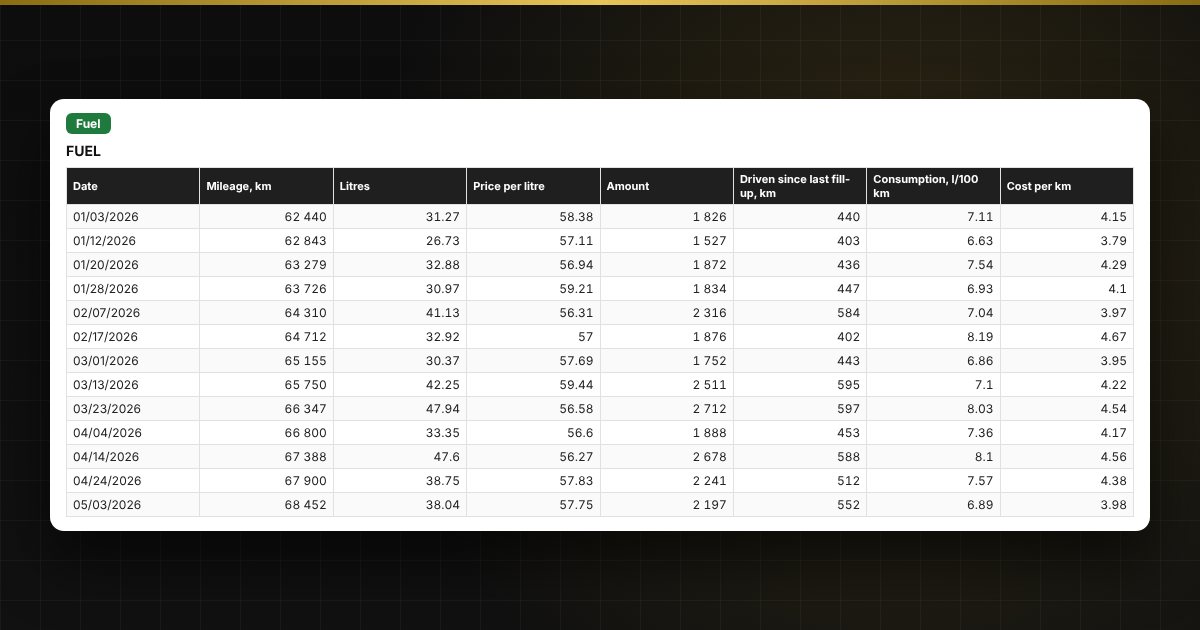
  • “Fuel”: date, mileage, litres, price: consumption per 100 km and cost per kilometre.
  • “Expenses”: other costs by category.
  • “Service”: scheduled jobs with intervals in kilometres and months and a “Due” status.
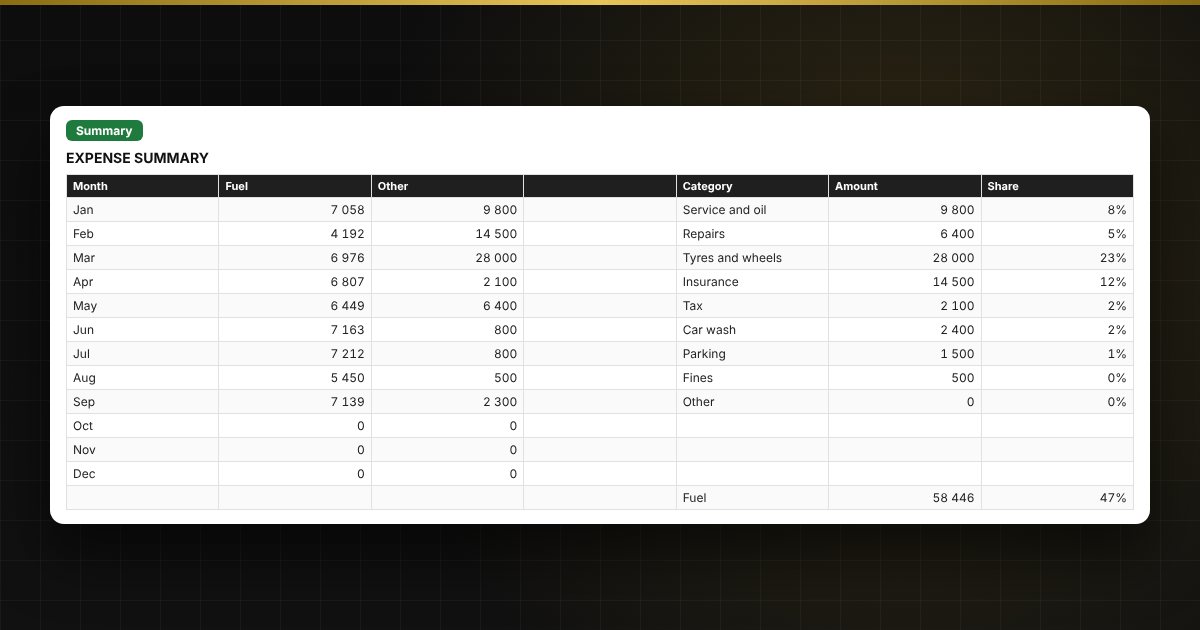
  • “Summary”: totals, expenses by month and category, and a chart.

Who it's for

Car owners, taxi and delivery drivers, self-employed people who use a car for work, and small fleets.

Compatibility

Excel 2007 and later, LibreOffice. No macros. Calculations are approximate. The file is in English.

Questions and answers

How is fuel consumption calculated?
The litres filled are divided by the kilometres since the previous fill-up and multiplied by 100; fill the tank to full each time.
How do service reminders work?
Each job has an interval in kilometres and months; the sheet shows “Due” and “Overdue”.
Where does the current mileage come from?
It is the highest value from fill-ups and expenses, so enter mileage carefully.
What is the cost per kilometre?
All expenses (fuel plus other) divided by the kilometres driven.