 KHIZHNYAKOV
What it is for
A course or studio administrator keeps a list of groups, remembers who has paid and who has not, and how many sessions each person missed. When this lives in a notebook, debts get lost. Here the cost after discount, payment, debt and attendance are calculated for each student, and the summary shows how each group is doing and who owes the most.
What is inside
- "Settings": the name of the school or studio and the administrator.
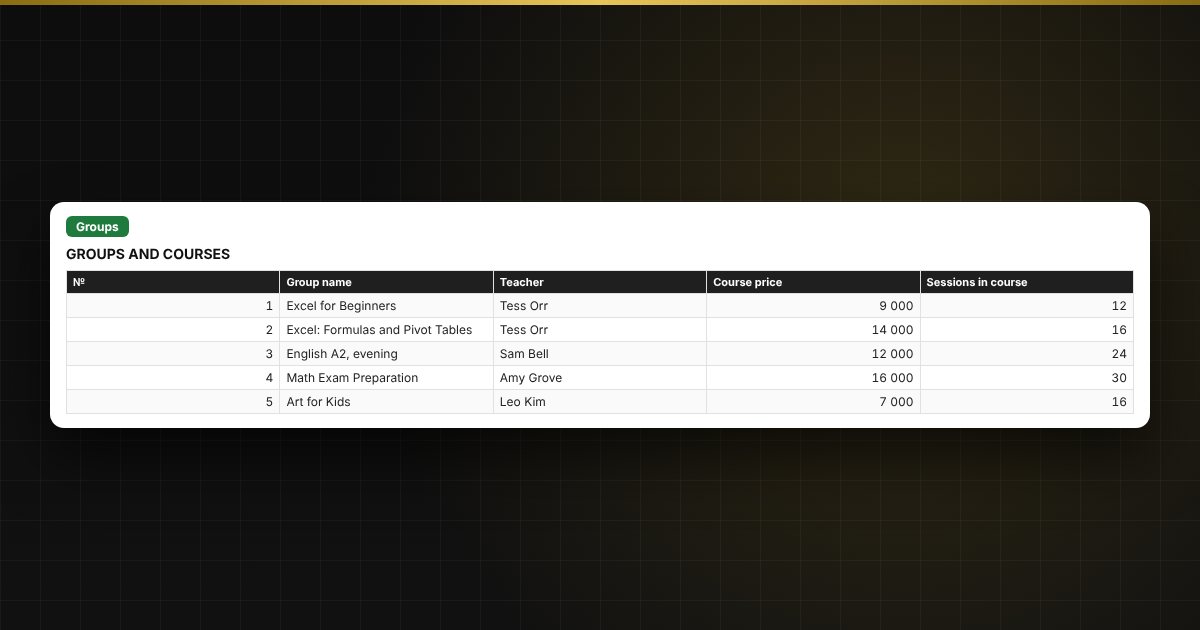
- "Groups": up to 8 groups: teacher, course price and number of sessions.
- "Students": up to 150 people: group from a list, discount, attended sessions; amount due, paid, debt and status are calculated automatically.
- "Payments": up to 500 payments: date, student, amount, method.
- "Summary": by group, the number of people, amount charged, paid, debt and attendance; a list of debtors and a chart.
Who it is for
Administrators of language and training centers, dance and art schools, tutoring and children's studios, clubs and sports sections.
What you get
The download includes a blank template and a filled-in sample with fictitious data, so you can see how the formulas and checks work. It is an Excel spreadsheet with ordinary formulas, not an accounting program. All fixes and new versions of the project are free.
Compatibility
Excel 2007 and later, LibreOffice. No macros. The file is in English. Thresholds are set in the settings: adjust them to your needs. Calculations are approximate.