KHIZHNYAKOV

← All templates

Time Tracking by Project and Client — Excel Timesheet Template

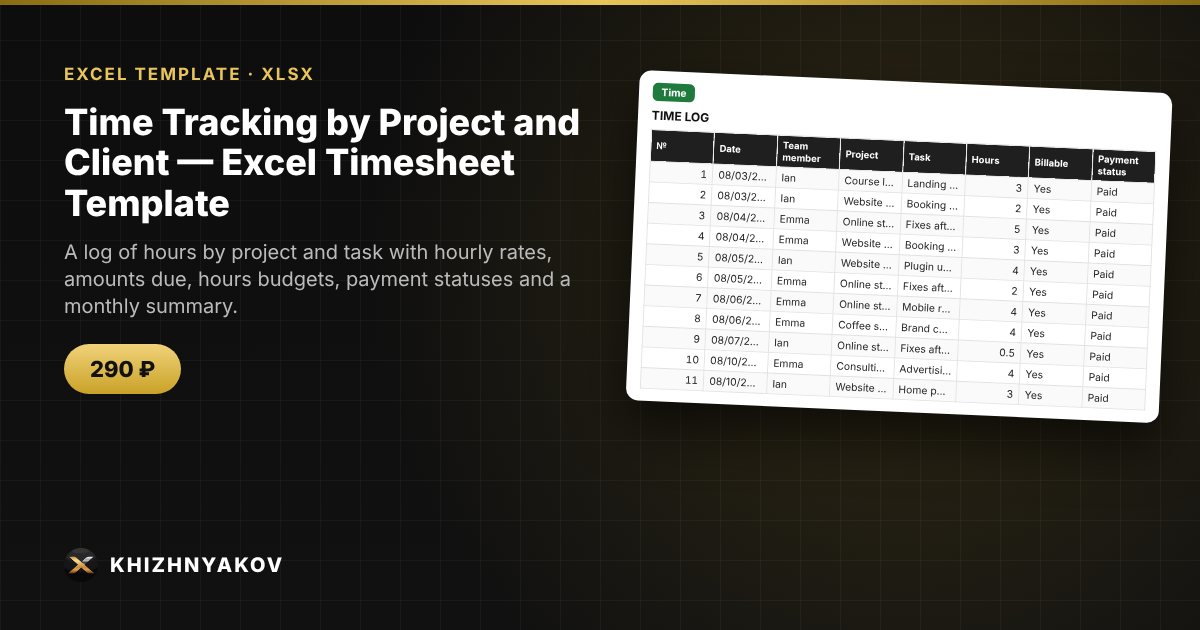
A log of hours by project and task with hourly rates, amounts due, hours budgets, payment statuses and a monthly summary.

Time Tracking by Project and Client — Excel Timesheet Template
290 ₽
≈ 3 USD
Blank template + filled-in example · Excel 2007+, LibreOffice, Google Sheets
Payment is processed securely by YooKassa in Russian rubles. If your card is declined, email us at info@хижняков.рф and we will arrange another way to pay.

What it's for

Freelancers and small studios lose money when they don't track their hours: it's hard to invoice, unclear what a project really costs and whether it has gone over budget. Here you log hours by project, and the spreadsheet calculates the amount, budget usage and how much is still unpaid.

What's inside

  • “Projects”: projects, clients, hourly rate, hours budget, team members; hours spent and budget percentage are calculated automatically.
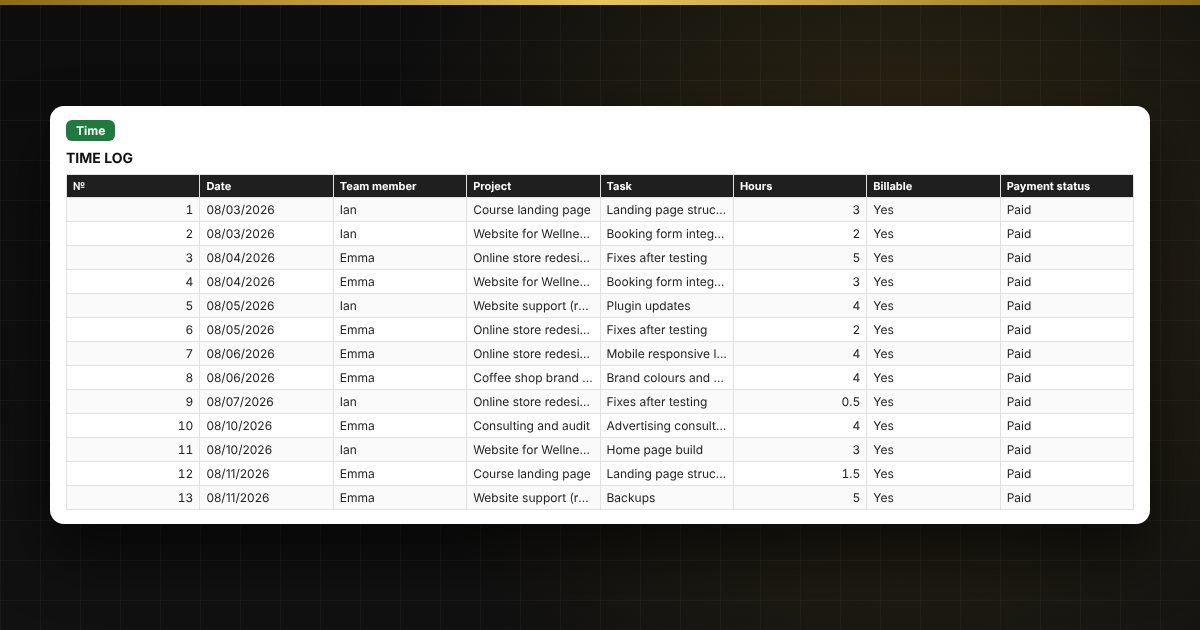
  • “Time”: up to 3000 entries: date, team member, project, task, hours, billable or not, payment status; rate, amount, week and month are calculated automatically.
  • “To invoice”: for each project, how much is not invoiced, invoiced and paid.
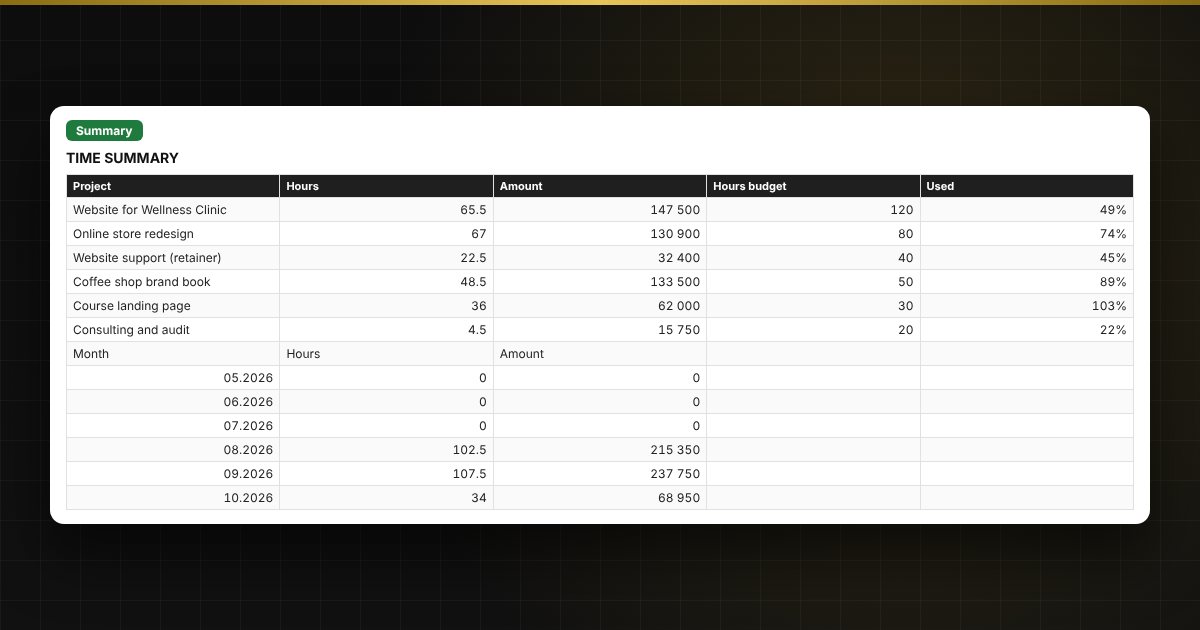
  • “Summary”: hours and money by project and month, budget usage and charts.

Who it's for

Freelancers, designers, developers, consultants, small studios and agencies, tutors and other professionals who bill by the hour and invoice clients.

Compatibility

Excel 2007 and later, LibreOffice. No macros. The file is in English.

Questions and answers

How is the amount calculated?
Hours are multiplied by the project rate if they are marked as billable. Non-billable hours are counted in time but not in the amount.
How do I keep track of a project budget?
Enter the hours budget on the “Projects” sheet. The spreadsheet shows the share used; if it goes above 100%, the row turns red.
How do I see what is still unpaid?
The “To invoice” sheet shows amounts by status for each project: not invoiced, invoiced, paid.
Can I track several team members?
Yes, the list of team members is set on the “Projects” sheet, and you choose the right one in the time log.
Do I need macros?
No. The file works in Excel 2007 and later and in LibreOffice; all calculations use standard formulas.