 KHIZHNYAKOV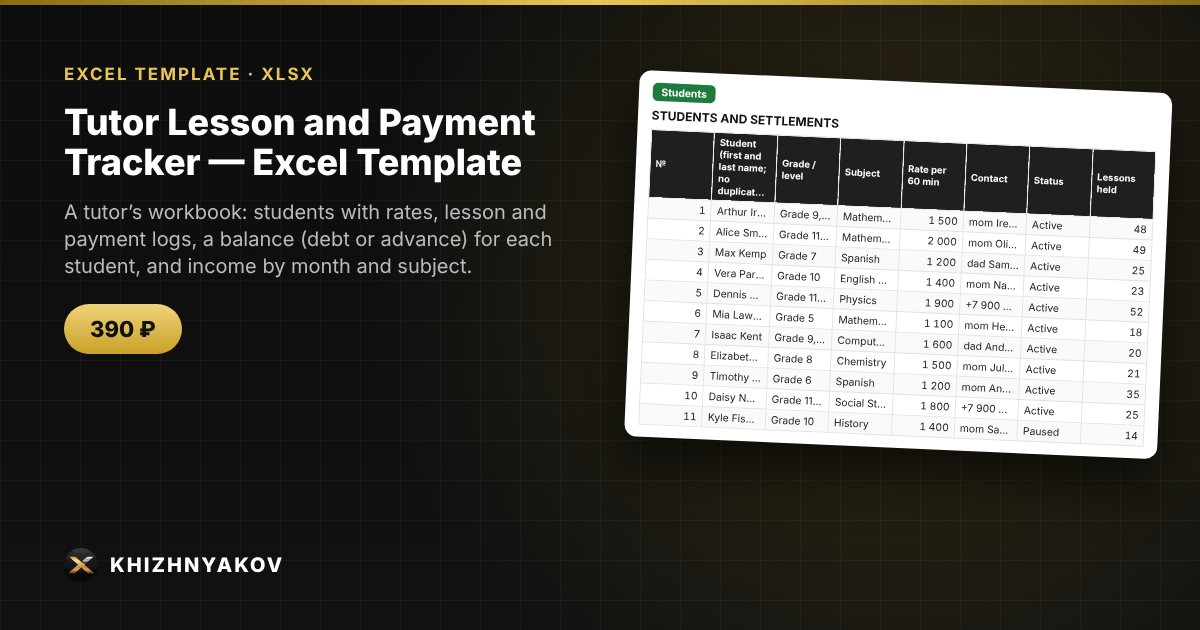
What it is for
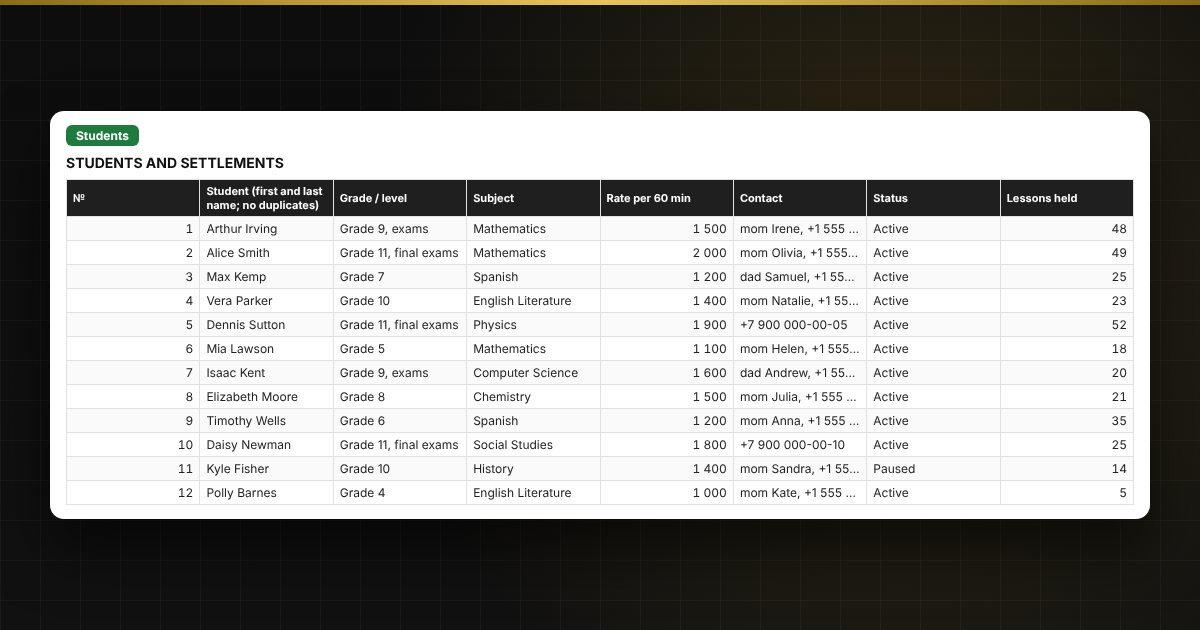
When you have a dozen students and payments arrive at different times, it is easy to lose track of who has had how many lessons and who owes you. Here a lesson is entered as one row, the rate and amount fill in automatically, and the students table shows the debt or advance, the date of the last payment and how many lessons the money covers.
What is inside
- “Lists”: subjects, lesson statuses with a charge percentage (late cancellation, trial and others), lesson formats and payment methods.
- “Students”: up to 40 students with rate, contacts, number of lessons, charged, paid, balance and a settlement traffic light.
- “Lessons” and “Payments”: logs for 2,000 and 1,000 records.
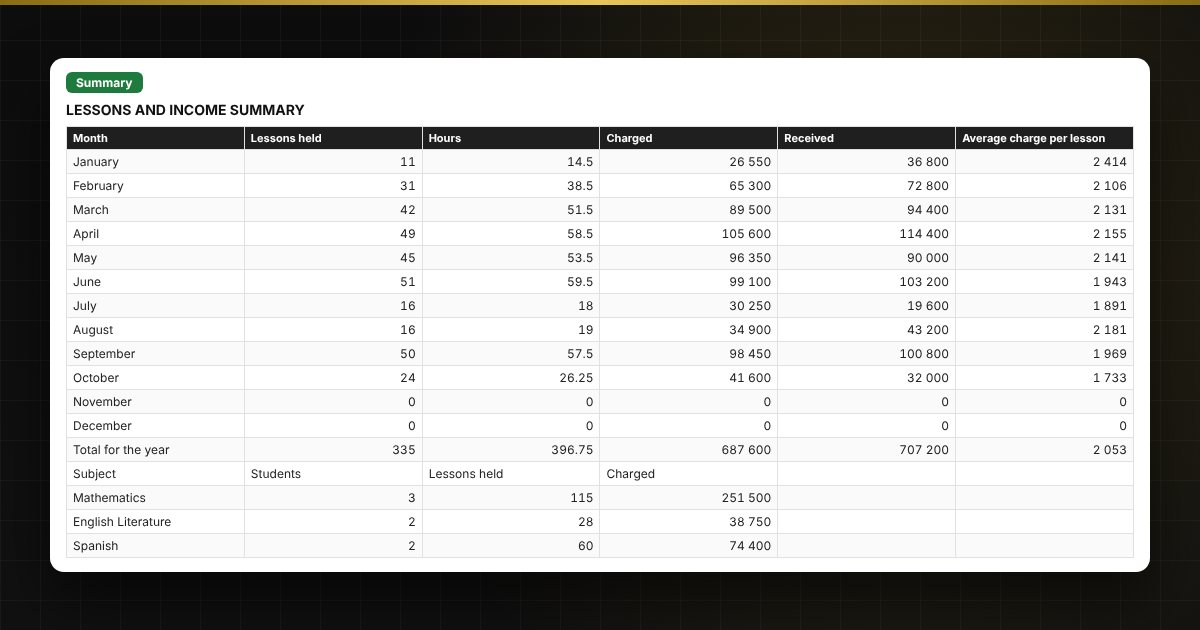
- “Summary”: income by month (charged and received), hours, average charge, breakdown by subject, charts.
Who it is for
Private tutors and teachers, music and language instructors, coaches and speech therapists who give one-to-one lessons and want to see debts and income without manual calculations.
What you get
An empty template and a filled-in sample with fictitious data, so you can see how the formulas and checks work. It is an Excel template built on ordinary formulas, not an accounting program. All fixes and new versions of the project are free.
Compatibility
Excel 2007 and later, LibreOffice. No macros. Rates and thresholds are kept in settings. The calculation is indicative. The file is in English.