 KHIZHNYAKOV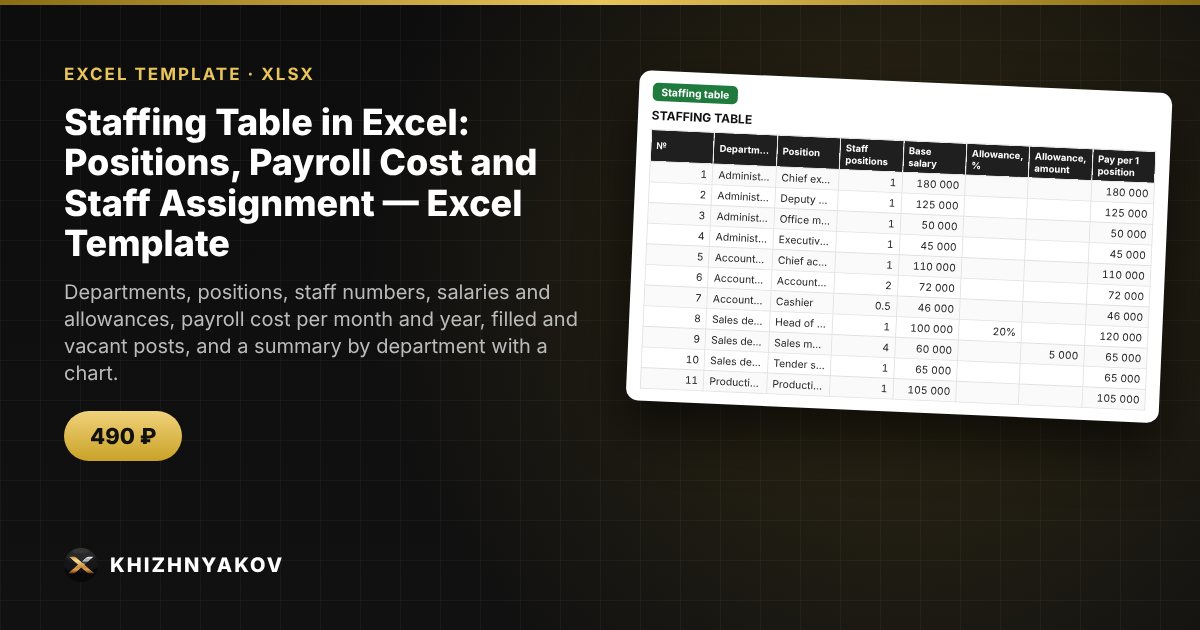
What it is for
A staffing table usually lives in one document and the list of employees in another, so it is unclear where the vacancies are and what the payroll costs. Here you describe positions, salaries and allowances, then assign employees to them: the spreadsheet calculates filled and vacant posts, planned and actual payroll cost, and the staffing level of each department.
What is inside
- "Settings": organization, order, regional pay coefficient, contribution rate and the list of departments.
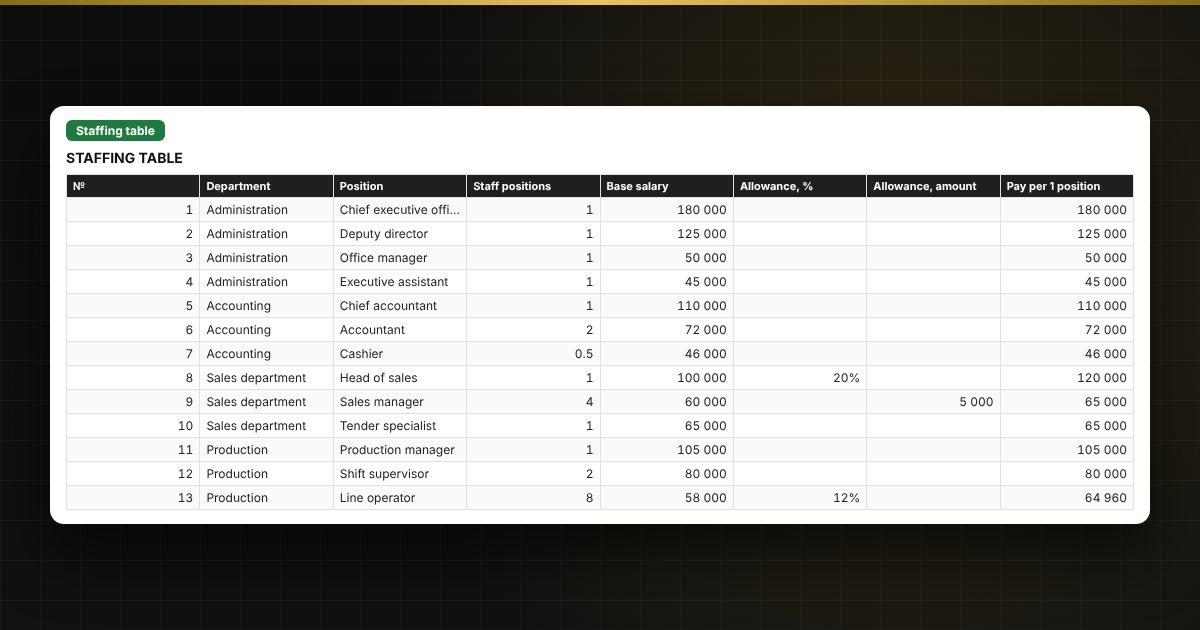
- "Staffing table": up to 120 positions — staff numbers, salary, allowances as a percentage and a fixed amount, payroll cost per month and year, filled, vacant and status for each position.
- "Staff assignment": up to 300 records — name, position from the list, FTE share, hire date, department, salary and pay, and a check for exceeding the headcount.
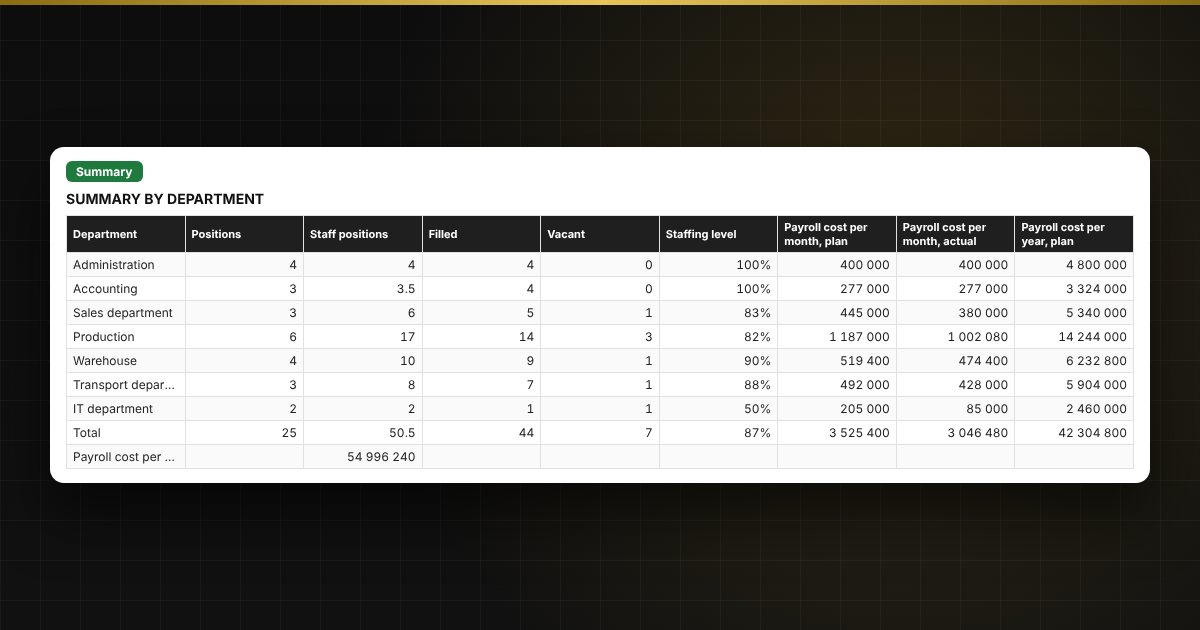
- "Summary": by department — staff positions, filled, vacant, staffing level, planned and actual payroll cost, contributions and a chart.
Who it is for
Managers, HR specialists, accountants and small business owners who draw up or revise a staffing table and want to see vacancies and personnel costs.
Compatibility
Excel 2007 and later, LibreOffice. No macros. Rates, thresholds and regulatory values are in the settings: check them against the rules that apply to you before use. The calculation is indicative. The file is in English.