KHIZHNYAKOV
How to Create a Staffing Table in Excel: Positions, Payroll Cost and Vacancies
Staffing Table in Excel: Positions, Payroll Cost and Staff Assignment — Excel Template — Open the template →
Many organizations keep the staffing table in one document and the list of actual employees in another. Nobody can answer a simple question quickly: how many vacancies do we have, and what do all the posts cost us per year?
If you connect the two lists, the answer takes seconds. This guide explains how to design a staffing table in Excel with positions, salaries, allowances and assignments, and how to calculate vacancies and payroll cost with a handful of formulas.
Start with positions, not people
The staffing table describes what the organization is supposed to have. Each row is a position:
- Department
- Position title
- Number of staff posts (headcount)
- Base salary per post
- Allowance as a percentage and a fixed amount, if you use both
- Regional or other pay coefficient, if applicable
People do not belong in this table. They go in a second table, the assignment list: name, position, FTE share (1, 0.5, 0.25), hire date and department.
Step 1: Payroll cost per post
=(Salary*(1+AllowancePercent)+FixedAllowance)*Coefficient
Monthly cost for the position is that amount multiplied by the number of posts; yearly cost is monthly cost multiplied by 12. If you add employer contributions, put the contribution rate in a settings cell and multiply once. Bonuses and variable pay are outside this simple model, and you should state that openly in the file.
Step 2: Filled and vacant posts
Use SUMIFS on the assignment list to add up FTE shares by position:
Filled = SUMIFS(FTE, PositionColumn, A2)
Vacant = Posts - Filled
A status formula then labels the row: vacancy if Vacant is above 0, fully staffed if it is 0, exceeded if it is negative. The exceeded status is a useful control, because it shows when someone was assigned to a post that does not exist.
Step 3: A worked example
The accounting department has a position "Accountant", 3 posts, base salary 2,000 USD, a 10% allowance and a fixed 100 USD allowance, coefficient 1.
- Cost per post: 2,000 x 1.10 + 100 = 2,300 USD
- Monthly cost: 3 x 2,300 = 6,900 USD
- Yearly cost: 82,800 USD
Two accountants work full time and one works half time: filled = 2.5, vacant = 0.5. Actual monthly payroll cost is 2.5 x 2,300 = 5,750 USD, so the planned figure exceeds the actual figure by 1,150 USD a month, which is exactly the saving from the unfilled half-post.
Step 4: Summary by department
Build a table with one row per department: staff posts, filled, vacant, staffing level (filled divided by posts), planned and actual payroll cost, contributions and a bar chart. This is the view you show a director or a budget committee.
Common mistakes
- Mixing people and positions in one table. You then cannot show vacancies.
- Ignoring part-time shares. Count FTE, not heads.
- Forgetting the pay coefficient in some rows but not others.
- Hard-coding contribution rates. They change; keep them in settings.
- Treating the sheet as the legal document. The approved staffing table is issued in the form and by the procedure your rules require; the spreadsheet is a working tool for preparing and analysing it.
Ready-made template: staffing table
The Staffing Table template is a paid Excel file that implements this structure.
- Settings: organization, order, regional pay coefficient, contribution rate and the list of departments.
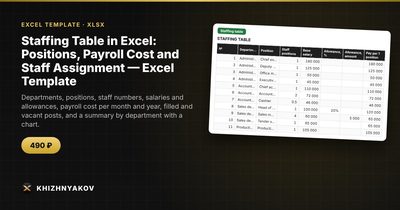
- Staffing table: up to 120 positions with staff numbers, salary, allowances as a percentage and a fixed amount, payroll cost per month and year, filled, vacant and status for each position.
- Staff assignment: up to 300 records with name, position from the list, FTE share, hire date, department, salary and pay, and a check for exceeding the headcount.
- Summary: by department, with staff positions, filled, vacant, staffing level, planned and actual payroll cost, contributions and a chart.
It works in Excel 2007 and later and LibreOffice, with no macros. Rates, thresholds and regulatory values are in the settings, so check them against the rules that apply to you. The calculation is indicative.
FAQ
What is the difference between a staffing table and a staff list?
The staffing table defines the positions and their pay. The staff list shows who actually occupies them. Comparing the two gives you vacancies.
How do I show a part-time employee?
Enter an FTE share, such as 0.5, in the assignment. The filled count and the actual payroll cost use that share.
Can I model a new department before approving it?
Yes. Add the positions in a draft copy of the file and read the planned payroll cost from the summary. Keep the approved version separate.
How often should I update it?
Every time someone is hired, leaves or changes position, and at least once a year when you review salaries.