KHIZHNYAKOV
How to Track Employee Lateness and Attendance in Excel
Employee Lateness and Discipline Tracking in Excel — Excel Template — Open the template →
A manager who says "you are always late" without any records is in a weak position. The employee remembers three occasions when the bus broke down; the manager remembers fifteen. Neither can prove anything, and the conversation turns into an argument about memory.
Facts fix this. A simple log of events, with dates and minutes, makes discussions calmer and fairer. This guide describes a lightweight Excel method for tracking lateness and attendance, using points that you define yourself.
A caution first: a spreadsheet records facts and produces statistics. It is not a basis for disciplinary action. Follow labor law and your internal rules, and check your local rules before drawing any consequences.
What to record
Keep the log short. One row per event:
- Date
- Employee
- Event type: late arrival, early departure, absence, overtime
- Minutes (where relevant)
- Comment, such as "informed in advance"
The department is looked up from the employee table, so nobody retypes it. An employee table needs only name, department and position.
Step 1: Assign points to event types
Points turn different events into one comparable number. Put them in a settings table, for example:
| Event | Points |
|---|---|
| Late arrival | 1 |
| Early departure | 1 |
| Absence without notice | 3 |
| Overtime | 0 |
Overtime is recorded but does not add points, since it is not a violation. The values are yours to choose; make them reflect the seriousness of the event in your workplace.
Step 2: Count for a chosen period
Put the period start and end in two cells. Then, for each employee:
- Number of events:
=COUNTIFS(Employee,A2,Date,">="&Start,Date,"<="&End,Type,"Late arrival") - Minutes:
=SUMIFS(Minutes,Employee,A2,Date,">="&Start,Date,"<="&End,Type,"Late arrival") - Points: sum of events multiplied by points for each type, via
SUMPRODUCTor a points column in the log
Changing the two period cells re-runs the whole report for another month.
Step 3: Thresholds and statuses
Define two thresholds, for instance 3 points for a warning and 6 for a conversation with the manager. A status formula returns "OK", "Warning" or "Review":
=IF(Points>=6,"Review",IF(Points>=3,"Warning","OK"))
The status is a signal to talk, not a verdict.
A worked example
In March, Daniel had four late arrivals (12, 5, 20 and 8 minutes), one early departure and no absences.
- Events: 5
- Minutes: 12 + 5 + 20 + 8 + the early departure minutes, say 30 = 75
- Points: 4 x 1 + 1 x 1 = 5, which is "Warning"
Next to him, a colleague with two late arrivals scores 2 and stays "OK". A comparison by department then shows whether the issue is personal or structural: if everyone in one department is late on Mondays, look at schedules and transport before blaming people.
Common mistakes
- Recording only the negative. Log overtime too; it keeps the picture balanced.
- Changing the rules mid-period. Announce points and thresholds in advance.
- Skipping comments. "Informed in advance" matters for fairness.
- Using the numbers as the whole story. Always hear the employee's explanation.
- Sharing the file widely. Attendance data is personal; restrict access.
Ready-made template: lateness and discipline tracking
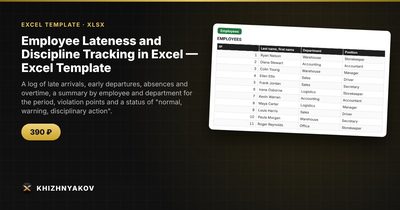
The Employee Lateness and Discipline Tracking template is a paid Excel file that implements this method.
- Settings: organization, period, points for each event type, and "warning" and "disciplinary action" thresholds.
- Employees: up to 60 people with name, department and position.
- Log: up to 1,500 events with date, employee, type, minutes and comment; points and department fill in automatically.
- Summary: for each employee over the period, events, minutes, points and status.
- By department: violations by department and a chart.
It suits heads of departments, small companies, HR staff and managers of shops, warehouses and salons. It works in Excel 2007 and later and LibreOffice, with no macros. The spreadsheet records facts and shows statistics; it is not a basis for disciplinary action.
FAQ
Should I tell employees that I keep this log?
Yes. Transparency is both fairer and, depending on where you are, may be required. Check your local rules.
How long should I keep the records?
As long as your internal policy and local rules require, and no longer. Delete or archive old data on a schedule.
Can I change the points system later?
Yes, but apply the change to future periods and tell people in advance, so past results stay comparable.
What if lateness is caused by a late shift or a changed schedule?
Add a comment or a separate event type such as "excused" with zero points, so the record stays honest without penalizing the person.