KHIZHNYAKOV
Power of Attorney Register in Excel: Track Expiry Dates with a Traffic Light
Powers of Attorney and Document Expiry Tracker in Excel: Traffic Light and Upcoming List — Open the template →
A power of attorney expires on a Tuesday. On Wednesday, a purchase cannot be signed, a tender is delayed or a representative is turned away. The document itself was easy to renew; the date was simply forgotten.
A register with automatic countdowns removes this risk. This guide shows how to build one in Excel for powers of attorney and for any other document with an expiry date: certificates, licenses, policies and lease agreements.
What the register should contain
One row per document:
- Document type
- Number
- Issue date
- Principal (who grants the authority)
- Representative (who receives it)
- Scope of authority, in a few words
- Validity: either an end date or a term in months/days
- Days left and status, both calculated
Keep types in a separate list with a warning threshold in days for each. A power of attorney might warn at 30 days, a license at 90, a lease at 60.
Step 1: Work out the end date
If the document states a term instead of an end date, calculate it:
=EDATE(IssueDate,TermMonths)
For a term in days: =IssueDate+TermDays. If a power of attorney states no term, leave the end date empty and mark it "No expiry". Check how long such a document remains valid under your local rules and enter the date manually if needed.
Step 2: Days left and status
Days left = EndDate - TODAY()
Status:
=IF(EndDate="","No expiry",IF(DaysLeft<0,"Expired",IF(DaysLeft<=Threshold,"Expiring","Valid")))
The threshold comes from the type list through VLOOKUP. Color expired in red, expiring in yellow, valid in green.
A worked example
| Document | Issued | Term | Ends | Threshold | Status on 1 Oct |
|---|---|---|---|---|---|
| Power of attorney, purchasing | 10 Jan | 12 months | 10 Jan next year | 30 days | Valid |
| E-signature certificate | 1 Nov last year | 12 months | 1 Nov | 30 days | Valid (31 days left) |
| Lease agreement | 15 Oct two years ago | 24 months | 15 Oct | 60 days | Expiring (14 days left) |
The second row shows why thresholds matter: with 31 days left it is still valid under a 30-day threshold, and tomorrow it turns yellow. If a type takes a while to renew, give it a 60-day threshold and the warning arrives a month earlier.
Step 3: A list of what to renew
The most useful view is a sorted list of expired and expiring items, most urgent first. A helper column creates a sort key:
=IF(OR(Status="Expired",Status="Expiring"),EndDate+ROW()/100000,"")
On a separate sheet, SMALL(Keys,n) returns the nth smallest key and MATCH finds its row, so INDEX can show the details. The row-based fraction keeps equal dates from colliding. No macros are needed.
Step 4: Summaries
Count documents by type and status with COUNTIFS, and by month of expiry for the year ahead. The second view is excellent for planning: you see that five documents expire in September and can prepare in July.
Common mistakes
- Mixing issue date and end date. Always calculate the end date from the issue date and term.
- One threshold for everything. A document that takes weeks to renew needs a longer warning.
- Forgetting revoked documents. Add a "Revoked" status so they do not show as valid.
- Leaving the representative blank. The register then loses its main use.
- Assuming silent documents never expire. Check what applies to you.
Ready-made template: powers of attorney and expiry tracker
The Powers of Attorney and Document Expiry Tracker is a paid Excel template that implements the register.
- Lists: document types, the warning threshold in days for each type and the current date.
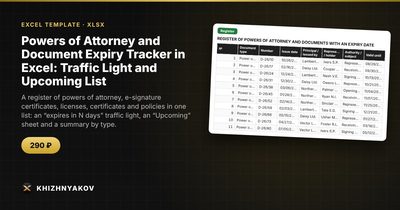
- Register: up to 500 documents with type, number, issue date, principal, representative, authority, validity period, days left and a traffic light.
- Upcoming: an automatic list of expired and expiring documents in order of expiry date, built with array formulas and updated with every edit.
- Summary: counts by type and status, expiries by month for a year ahead and two charts.
It suits secretaries, lawyers, accountants, procurement specialists, HR staff and managers of small organizations. It works in Excel 2007 and later and LibreOffice, with no macros. Thresholds and standard values are in the settings; check them against your own rules and local requirements. The calculation is approximate.
FAQ
Can I track documents other than powers of attorney?
Yes. Add types such as certificates, licenses, policies or lease agreements and set a threshold for each.
How far ahead should I warn?
Thirty days is typical for simple renewals. Use 60 to 90 days when the process involves other organizations.
What if a document is renewed?
Add the new document as a new row, and mark the old one as replaced or delete it from the active list, so there is no false alarm.
Does the register replace the original documents?
No. It tracks dates. Keep originals and copies in your usual archive and record where they are in a notes column.