KHIZHNYAKOV
Electronic Signature and Certificate Expiry Tracker in Excel
Electronic Signature and Certificate Tracker — Excel Template — Open the template →
An expired electronic signature never expires conveniently. It happens on the day of a tender deadline, a reporting submission or a payment run. The renewal itself might take a day or two; the damage is done by finding out too late.
A register in Excel with automatic countdowns is the cheapest insurance. This guide shows what to store, what never to store, and how to build a renewal plan that sorts itself.
What not to store
Start with a security rule. The register must never contain private keys, passwords or PIN codes. It is a reference list, not a safe. Store only:
- Owner and position
- Signature or certificate type
- Certification authority
- Certificate serial number
- Issue and expiry dates
- Systems where it is used
- Token number
- Responsible person
Keep the keys on a secure device, and keep the passwords wherever your security policy dictates.
Step 1: Lists first
Create lists for types, systems (procurement portal, tax authority, payment system, government services and so on), responsible people and certification authorities. Use them for dropdowns in the register, so that the later counts by system or person are accurate.
Step 2: Days left and status
Days left = Expiry - TODAY()
=IF(Expiry="","",IF(DaysLeft<0,"Expired",IF(DaysLeft<=Warn,"Expiring","Valid")))
Put the warning period in a settings cell. Thirty days is a sensible default, but certificates that require visits or paperwork may deserve 45 or 60.
Step 3: A renewal plan that sorts itself
You want one list showing expired and soon-to-expire items in order. Recent Excel has FILTER and SORT, but if colleagues use older versions, use a helper key instead:
Key = Expiry + ROW()/100000
The row-based fraction prevents two signatures with the same expiry date from colliding. On the plan sheet, SMALL(Keys,n) retrieves the nth smallest key, MATCH finds its row, and INDEX displays the owner, system and date. Add a short hint column: "Renew now" for expired, "Start renewal" for expiring.
A worked example
Today is 1 October. The register holds three signatures:
| Owner | System | Expiry | Days left | Status |
|---|---|---|---|---|
| Accountant | Tax authority | 20 Sep | -11 | Expired |
| Procurement lead | Procurement portal | 18 Oct | 17 | Expiring |
| Director | Government services | 15 Mar | 165 | Valid |
The renewal plan shows the accountant first, then the procurement lead. The director's certificate does not appear until it is inside the plan horizon, for instance 90 days.
Step 4: Summaries
Count signatures by status, by month of expiry, by responsible person and by system with COUNTIFS. The month view is the most practical: if six certificates expire in the same month, you know to schedule a renewal day in advance.
Common mistakes
- Tracking only the signature, not the system. The system tells you what stops working.
- Missing the owner's leave. Renewals sometimes need the owner in person; note absences.
- Storing secrets. Never put keys or passwords in a shared file.
- No backup person. Record who can act if the owner is away.
- Assuming one validity period fits all. Terms and procedures depend on the certificate and on your certification authority; check its current rules.
Ready-made template: electronic signature and certificate tracker
The Electronic Signature and Certificate Tracker is a paid Excel template that implements this approach.
- Lists: signature and certificate types, systems, responsible persons, certification authorities, the "warn N days ahead" setting and the plan horizon.
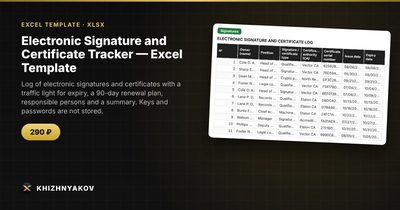
- Signatures: up to 300 signatures with owner, position, type, CA, serial number, issue and expiry dates, where it is used, token number, responsible person, a traffic-light status and days to expiry.
- Renewal plan: expired and soon-to-expire signatures within the next 90 days, in order of expiry, without duplicates and with a "what to do" hint. It is built with formulas, without macros and without FILTER.
- Summary: signatures by status, by month of expiry, by responsible person and by system, with two charts.
The package contains a blank file and a filled-in sample with fictional data. It works in Excel 2007 and later and LibreOffice, with no macros, and updates are free. Private keys, passwords and PIN codes are not stored in the spreadsheet. Thresholds are kept in the lists; check them against your local rules. The calculation is approximate.
FAQ
How far ahead should I start renewing?
At least 30 days. If the process needs an in-person visit or approval from another department, allow 60.
Who should own the register?
One responsible person, with a deputy. Owners of individual signatures should confirm their entries once a year.
Can the register include other certificates, such as SSL?
The method is the same: owner, type, issuer, expiry date and system. Add the types to your list.
Is it safe to share the file?
It holds no secrets, but it does reveal who has authority in which system. Restrict access to those who need it.