KHIZHNYAKOV
Probation Period and HR Deadline Tracker in Excel
HR Deadline Tracker: Probation and Contract Dates — Excel Template — Open the template →
A fixed-term contract expires on Friday and nobody notices until Monday. Probation ends without a decision. A medical check lapses three months ago. These are not complex problems, only forgotten dates. They happen when deadlines live in different files and different heads.
A single Excel register with automatic date calculations fixes all of it. This guide shows how to set it up, with formulas you can copy and a worked example.
One register, one row per employee
Columns to include:
- Name, department, position
- Hire date
- Probation length in months
- Fixed-term contract end date, if any
- Medical check due date, if any
- Training or certification due date, if any
Every other date is calculated or compared from these inputs. Keep the report date in a single cell, set to =TODAY(), so the file is always current.
Step 1: Calculate probation end
=IF(Months=0,"",EDATE(HireDate,Months)-1)
The "minus one day" matters. A three-month probation starting on 1 March ends on 31 May, not on 1 June. Whether your rules count it exactly this way is for you to confirm; write the convention in the file so that everyone calculates the same.
After probation has ended, stop treating it as a pending deadline. Otherwise it stays red forever and trains everyone to ignore colors. Use:
=IF(ProbationEnd<ReportDate,"",ProbationEnd-ReportDate)
Step 2: Days to each deadline
For each deadline column, create a "days left" column: =IF(Date="","",Date-ReportDate). A negative number means overdue.
Step 3: Nearest deadline and status
The nearest deadline is the smallest non-empty value among the days-left columns: =MIN(range) works if empty cells are text blanks. Then:
=IF(Nearest="","OK",IF(Nearest<0,"Overdue",IF(Nearest<=Warning,"Soon","OK")))
A warning period of 30 days is a reasonable default. Increase it for deadlines that need preparation, such as a medical check requiring an appointment.
Add conditional formatting: red fill for "Overdue", yellow for "Soon". When someone extends a deadline and types the new date in the same cell, the color disappears automatically.
A worked example
Report date: 15 June. Sarah was hired on 1 March with three months of probation and a fixed-term contract to 31 December.
- Probation end: 1 March + 3 months - 1 day = 31 May. It has passed, so it no longer counts as a pending deadline.
- Contract: 31 December, 199 days left, which is OK.
- Medical check: due 20 June, 5 days left, which is "Soon".
Her status is "Soon" because the nearest deadline is the medical check. She appears at the top of the to-do list.
Step 4: A to-do list
Create a sheet that lists only employees whose status is "Overdue" or "Soon", most urgent first. In older Excel versions, use a helper column with a rank (SMALL over days left plus row number to break ties) and INDEX/MATCH to pull rows. That keeps the list working without macros.
Common mistakes
- Typing statuses by hand. They go stale the next day.
- Forgetting open-ended contracts. Leave the date blank rather than inventing one.
- No owner. Someone should review the to-do list weekly.
- Counting probation off by one day. Decide the convention and stick to it.
- Applying rules from another country. Probation limits and renewal rules differ; check your local labor rules.
Ready-made template: HR deadline tracker
The HR Deadline Tracker: Probation and Contract Dates is a paid Excel template built on this approach.
- Settings: organization, report date (updates automatically) and how many days ahead to warn.
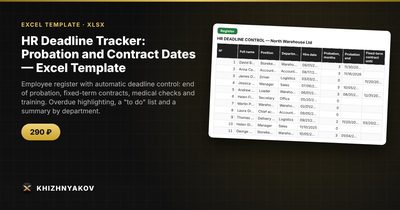
- Register: up to 60 employees with hire date, probation, fixed-term contract, medical check, training or certification; days to deadlines, the nearest deadline and a status.
- To do: an automatic list of employees with the status "Overdue" or "Soon", most urgent first.
- Summary: how many deadlines are overdue and soon to expire by type and department, with a chart.
The package includes a blank file and a filled-in sample with fictional data, where the date is fixed so you can see an example. It works in Excel 2007 and later and LibreOffice, with no macros, and updates are free. Warning periods and thresholds are in the settings; check them against your local labor rules. The calculation is approximate.
FAQ
How many days ahead should I warn?
Thirty days is a good start. Use 45 or 60 if you need time for paperwork or appointments.
What happens when the probation is shorter than planned?
Overwrite the hire-based result with the actual date, or change the months value; the status updates automatically.
Can I track more than 60 employees?
The method has no limit, but a register becomes harder to read as it grows. Split by department or site if needed.
Do I need to update the date daily?
No. With TODAY() the date refreshes every time you open the file.