KHIZHNYAKOV
Employee Absence Tracker in Excel: Vacations, Sick Leave and Team Calendar
Employee Absence Tracker in Excel: Sick Leave, Vacations, Time Off, Business Trips, Department Calendar — Open the template →
When absences are tracked through emails, chat messages and memory, the same unpleasant things keep happening: three people from one team leave on the same week, someone has 25 unused vacation days at year-end, and nobody is sure whether Thursday's sick day was recorded.
An absence tracker in Excel fixes this with one table and a few formulas. Below is a tested structure: how to log absences, calculate vacation balances, draw a monthly calendar and warn about overlaps.
The absence log
Each absence is one row:
- Employee
- Type (vacation, sick leave, time off, business trip)
- Start date and end date
- Basis or note (request, certificate)
- Calendar days and working days, calculated
Use a dropdown for the type, with short codes for the calendar: V for vacation, S for sick leave, T for time off, B for business trip. Dropdowns prevent the typos that break every later formula.
Calculate days
Calendar days: =End-Start+1
Working days, excluding weekends and your own list of public holidays: =NETWORKDAYS(Start,End,Holidays)
Which days count against the vacation balance depends on your own rules. Some organizations deduct calendar days minus holidays, others deduct working days. Decide it once and write it in the file.
The vacation balance
Per employee:
Balance = Annual entitlement + carry-over - used - planned
With SUMIFS on the log:
=Entitlement+CarryOver-SUMIFS(Days,Employee,A2,Type,"Vacation",Start,"<="&Today)-SUMIFS(Days,Employee,A2,Type,"Vacation",Start,">"&Today)
The first sum is used days (already started), the second is planned days (in the future). Keeping them apart helps managers see what has actually been taken. Add a flag for balances above a threshold, for example 15 days, to nudge people to plan their time off.
A worked example
Alex has 24 days entitlement and 4 carried over. He took 10 days in May, has 7 days booked in August and was sick for 3 days in March.
- Used: 10
- Planned: 7
- Balance: 24 + 4 - 10 - 7 = 11 days
- Sick leave (3 days) is counted separately and does not reduce the balance
If Alex splits his August vacation into two parts, each part is its own row and the balance reduces by the sum.
Build the calendar
The calendar is a grid: employees down the side, days of a month across the top. In each cell, a formula looks for an absence covering that date:
=IFERROR(INDEX(Code,MATCH(1,(Employee=$A2)*(Start<=D$1)*(End>=D$1),0)),"")
(Enter it as an array formula in older Excel versions.) At the bottom of each column, COUNTIF counts the non-empty cells to give the number of people absent that day. Compare it with a permitted maximum and color the cell red when it is exceeded.
Overlap checks
Two checks are worth adding to the log: an end date earlier than the start date, and two absences for one person overlapping in dates. The second can use COUNTIFS with date conditions. A visible warning in the row is better than discovering the clash later.
Common mistakes
- Not separating used from planned. A balance that mixes them hides real usage.
- Ignoring public holidays in working-day counts.
- Editing instead of adding. Keep each absence as its own record.
- Having no limit for simultaneous absences. Set a number per department and make breaches visible.
- Forgetting carry-over rules. Whether unused days carry over is your own policy; make it explicit.
Ready-made template: employee absence tracker
The Employee Absence Tracker is a paid Excel template that includes these features.
- Settings: year, vacation allowance, permitted number of people absent at the same time, large-balance threshold, public holidays and departments.
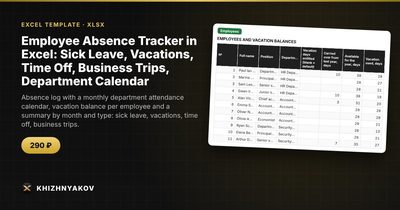
- Employees: up to 60 people with name, position, department, carry-over, used, planned, balance, sick leave, time off, business trips, status today and control.
- Absences: up to 800 records with employee, type, dates and basis; calendar and working days, status and overlap check.
- Calendar: department attendance for any month with the codes V, S, T and B, the number of absent people per day and totals per employee.
- Summary: absences by month and type, control by department and two charts.
It works in Excel 2007 and later and LibreOffice, with no macros. Rates, thresholds and standard values are in the settings, so check them against your own rules and local requirements. The calculation is approximate.
FAQ
Should sick leave reduce the vacation balance?
Usually not, but that depends on your own rules. In the method above sick days are counted separately.
How do I keep medical details private?
Record only the type and dates, not the diagnosis. Limit access to the file to people who need it, and check your local rules on personal data.
Can I split a vacation into several parts?
Yes. Enter each part as its own row with its own dates; the balance reduces by the total.
What is a sensible limit for simultaneous absences?
It depends on the team. A common starting point is no more than 20 to 25 percent of a department, adjusted for critical roles.