 KHIZHNYAKOV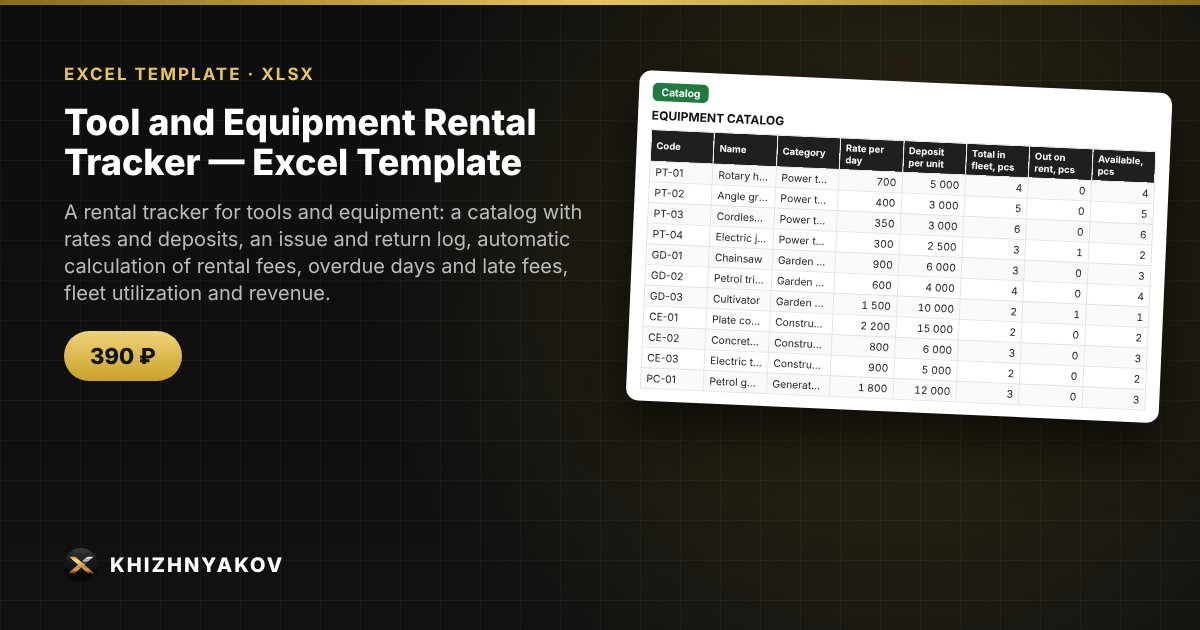
What it is for
In a rental business it is easy to lose track of who has the rotary hammer now, whether the deposit was returned and how much a customer owes for extra days. This Excel spreadsheet keeps issue and return as one row per rental: it calculates the due date, rental fee, overdue days and late fee, shows the free stock of each item and highlights customers who have not returned equipment on time.
What is inside
- «Lists»: late-fee multiplier, the «due back soon» threshold, report start month, equipment categories.
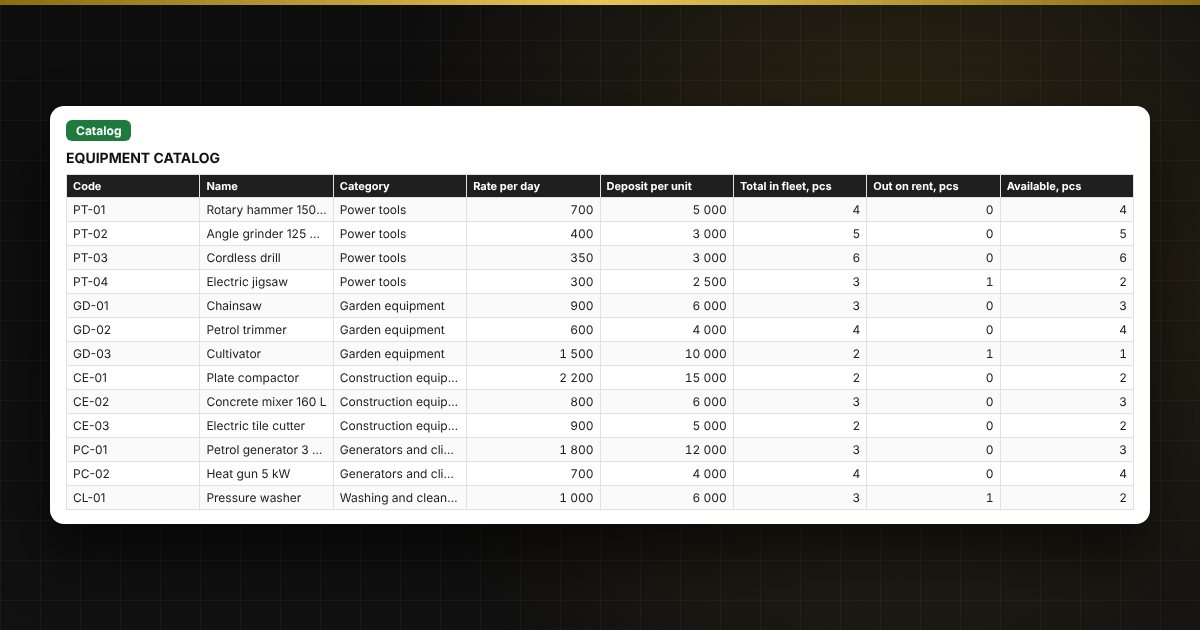
- «Catalog»: up to 40 items — daily rate, deposit, quantity in the fleet; «out on rent», «available», utilization, number of rentals and revenue per item are calculated automatically.
- «Rentals»: up to 1000 rentals — customer, phone, equipment from the list, term, due and actual return, deposit, rental fee, overdue days, late fee, total and a colored status.
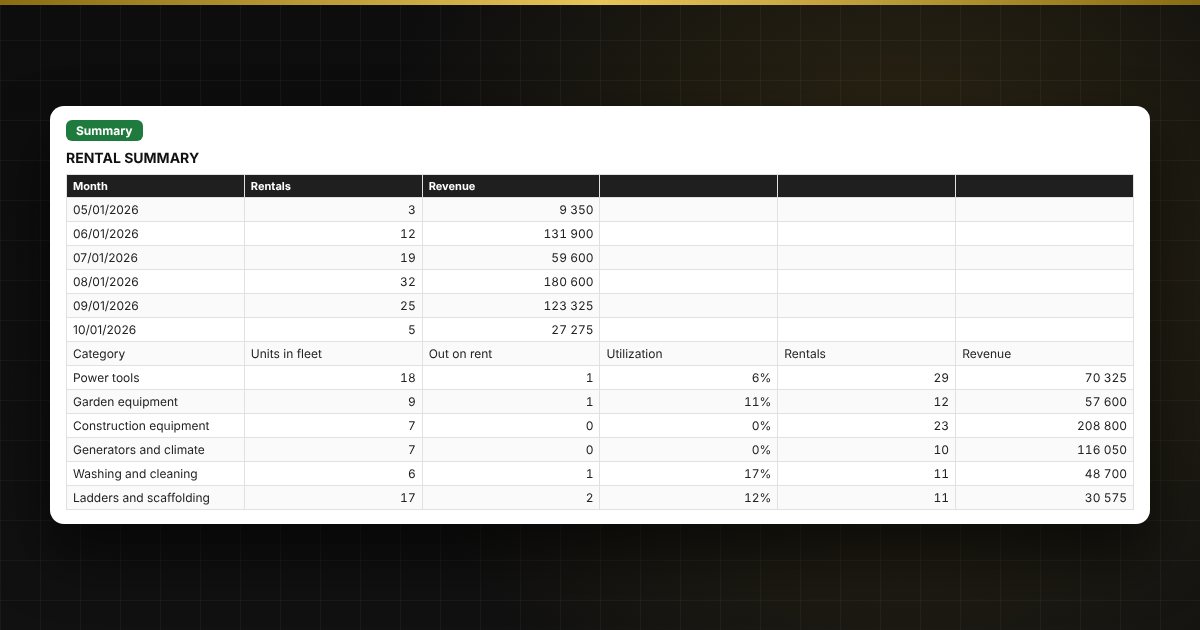
- «Summary»: what is out on rent, deposits, overdue items, revenue by month and category, average order value and two charts.
Who it is for
Owners and managers of rental points for tools, construction and garden equipment, machinery, bicycles and event equipment, and small workshops and warehouses that lend equipment against a deposit.
What you get
The package includes a blank spreadsheet and a filled-in sample with fictional data, so you can see how the formulas and checks work. It is a spreadsheet built on ordinary formulas, not an accounting program. All fixes and new versions of the project are free.
Compatibility
Excel 2007 and later, LibreOffice. No macros. Rates, thresholds and reference values are kept in settings: check them against the rules that apply to you before use. Calculations are approximate. The file is in English.