KHIZHNYAKOV
Equipment Rental Tracking Spreadsheet: Fees, Deposits and Late Days
Tool and Equipment Rental Tracker — Excel Template — Open the template →
Rental businesses run on trust and memory, and both fail at some point. Who has the rotary hammer right now? Was the deposit returned? Is a customer three days late and does the late fee apply? When these things live in a notebook, money leaks quietly: unbilled extra days, unreturned deposits, equipment that nobody can find.
An Excel sheet can run a small rental point well. This guide explains the data you need, the formulas for rental fee, overdue days and late fee, and how to measure utilization so you know which items earn their keep.
Two tables: the catalog and the rentals
Start by separating what you own from what happens to it.
Catalog: one row per item type, with the daily rate, the deposit per unit and the quantity in the fleet.
| Item | Daily rate | Deposit | Quantity |
|---|---|---|---|
| Rotary hammer | $25 | $100 | 3 |
| Concrete mixer | $40 | $150 | 2 |
| Pressure washer | $30 | $80 | 4 |
Rentals: one row per rental, with customer, phone, item, quantity, date out, term in days, deposit, and the actual return date once the item is back.
Entering the term at issue lets you calculate the due date and the fee immediately.
The formulas
Assume the item name in B, date out in D, term in days in E, quantity in C, actual return in G.
- Due back:
=D2+E2 - Rental fee:
=C2*E2*VLOOKUP(item,Catalog!A:D,2,FALSE) - Overdue days:
=IF(G2<>"",MAX(0,G2-F2),MAX(0,TODAY()-F2)), where F is the due date. The return date, or today if not yet returned, minus the due date. - Late fee:
=overdue_days*daily_rate*quantity*multiplier
The multiplier is a number you choose, such as 1.5, so a late day costs more than a planned day. Many rental points charge a late fee at the same rate or higher to cover the lost opportunity of renting the item again.
A worked example
A customer rents 2 pressure washers for 3 days at $30. The due date is 3 days after pickup. The fee is 2 x 3 x $30 = $180, and the deposit is 2 x $80 = $160. The customer returns them 2 days late. With a multiplier of 1.5, the late fee is 2 x 2 x $30 x 1.5 = $180. The total owed is $360, and the $160 deposit is returned or offset. Note that the deposit is not revenue. It is money you hold, and counting it as income makes your results look better than they are.
Free stock and utilization
Two numbers help you manage the fleet.
Available now is the fleet quantity minus the quantity currently out: =D2-SUMIFS(Rentals!C:C,Rentals!B:B,A2,Rentals!G:G,"") (with quantity in D of the catalog). Rows with a blank return date are still on rent.
Utilization is rented days divided by available days. If a rotary hammer was out for 18 days of a 30-day month, utilization is 60%. An item at 10% year-round is dead capital. An item at 90% is a candidate for buying a second unit.
A status to see problems at a glance
Add one status column with colours:
- On rent (green)
- Due soon (yellow), for example within 1 day of the due date
- Overdue (red)
- Returned (grey)
Then filter by red every morning and phone the customers. This takes five minutes and prevents the bulk of losses.
Common mistakes
- Not recording the phone number in the rental row. When an item is late, you need it right there.
- Mixing the deposit into revenue.
- Not recording the actual return date, so overdue days keep growing in the report.
- No condition check. Add a note field and record scratches or missing parts at issue and at return.
- Free-text item names. Use a dropdown from the catalog so the lookups never fail.
Ready-made template
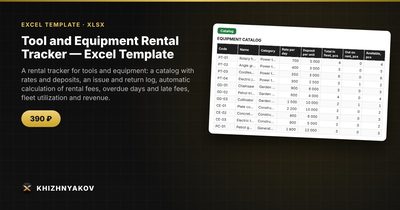
The Tool and Equipment Rental Tracker is a paid Excel template that works exactly this way. It has four sheets: "Lists" (late-fee multiplier, the "due back soon" threshold, report start month and equipment categories), "Catalog" (up to 40 items with daily rate, deposit and fleet quantity; out on rent, available, utilization, number of rentals and revenue per item are calculated), "Rentals" (up to 1000 rentals with customer, phone, equipment, term, due and actual return, deposit, rental fee, overdue days, late fee, total and a coloured status) and "Summary" (what is out on rent, deposits, overdue items, revenue by month and category, average order value and two charts).
You can use up to 8 categories. The deposit is calculated per unit times quantity, shown for equipment not yet returned, and not counted as revenue. It comes as a blank spreadsheet and a filled-in sample with fictional data. It works in Excel 2007 and later and LibreOffice, with no macros. Rates and thresholds are set in the settings; calculations are approximate.
FAQ
How should I set the late-fee multiplier?
Start at 1.5 times the daily rate and adjust it for your market. Put it in your rental terms, so customers know before they sign.
What if a customer extends the rental?
Change the term in the existing row, or add a new row for the extension. Either way, the due date and fee should update, and the change should be visible in your notes.
Do I need to track serial numbers?
For expensive items, yes. List each unit as its own catalog row with quantity 1, or note the serial number in the rental row.
How do I handle damaged equipment?
Record it in a note, keep the deposit until the damage is assessed, and keep the repair cost separate from rental revenue.