KHIZHNYAKOV
Repair Shop Order Tracking in Excel: Deadlines, Parts and Warranty
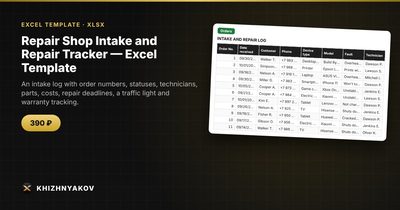
Repair Shop Intake and Repair Tracker — Excel Template — Open the template →
In a small repair shop, the orders usually live in three places: a notebook at the counter, a messaging app with the customer, and the technician's head. Then someone asks, "Is my phone ready?" and it takes ten minutes to find out. At the end of the month nobody can say how much was earned on parts, which jobs run late, or which orders are still under warranty.
You can fix most of this with one Excel workbook. This guide shows the structure that works, the formulas for deadlines and warranty, and a small example of profit on parts.
One order, one row
The core table is the order log. Number every order (for example R-0101) and give it one row:
| Column | Example |
|---|---|
| Order number | R-0101 |
| Date received | 11/02/2026 |
| Customer and phone | J. Miller, 555-0142 |
| Device | Laptop |
| Fault | No power |
| Technician | Dan |
| Status | In repair |
| Prepayment | $20 |
Use a fixed list for status, with something like Received, Diagnostics, Waiting for parts, In repair, Ready, Delivered. Dropdowns prevent "ready", "Ready!" and "done" from becoming three different states.
Calculate the deadline from the device type
Different devices take different amounts of time. Keep a small table of device types with typical repair days: phone 2, laptop 5, washing machine 7. Then the due date is received date plus that number:
=B2+VLOOKUP(D2,DeviceTimes!A:B,2,FALSE)
Add a safety net with IFERROR, so an unknown device uses a default, for example 5 days.
A traffic light for lateness
One column does the job: =IF(H2="Delivered","Done",IF(TODAY()>due,"Overdue",IF(due-TODAY()<=1,"Due soon","OK"))). Colour it red, yellow and green. Check the red ones first every morning and call the customer before they call you.
Keep parts in a separate table
Parts are the part many shops get wrong. Do not squeeze them into the order row. Use a second table with one row per part: order number, part name, quantity, purchase price, customer price, profit.
A worked example
Order R-0101, a laptop repair:
| Item | Qty | Purchase | Customer price | Profit |
|---|---|---|---|---|
| Battery | 1 | $38 | $65 | $27 |
| Fan | 1 | $9 | $20 | $11 |
| Diagnostics and labor | 1 | n/a | $40 | $40 |
Parts total at customer price is $85, plus $40 labor, which makes $125. Subtract the $20 prepayment and the customer pays $105 on pickup. Profit on parts is $38, and labor adds $40, so the order earns $78 before overhead. Add up the parts sheet by order number with SUMIF to get each order's parts total and profit. Per month, you can see how much the parts side contributes.
Warranty
After delivery, enter the delivery date. Warranty is valid until delivery date plus the warranty period: =EDATE(delivery_date,3) for three months. Then the warranty status is =IF(TODAY()<=warranty_end,"Under warranty","Expired"). When a customer returns, you can answer in seconds. The warranty period should follow your own contract and local consumer rules, so check them.
Common mistakes
- No order number on the device. Stick a label on it. Otherwise two black phones become one problem.
- Typing totals by hand. Let the total be labor plus parts, so it can never disagree with the parts table.
- Forgetting the delivery date. Without it, the warranty cannot be calculated.
- Not recording the prepayment. Debts then become guesswork.
- Ignoring average repair time. It is the best single number for planning staffing.
Ready-made template
The Repair Shop Intake and Repair Tracker is a paid Excel template built this way. It has four sheets: "Lists" (device types with repair time, technicians, a service price list, the warranty period and the "due soon" setting), "Orders" (up to 1000 orders with customer, phone, device, fault, technician, status, service from the price list, total, prepayment, due date, delivery date, traffic light and warranty), "Parts" (up to 2000 rows with order number, part, quantity, purchase price, customer price and profit) and "Summary" (orders by status, technician and device type, revenue, profit on parts, average repair time and two charts).
The due date is the date received plus the time for the device type, with a default if the type is not found. The parts total goes into the order. It suits service centers and workshops that repair phones, laptops, computers, home appliances and e-vehicles, and independent technicians. It comes as a blank spreadsheet and a filled-in sample with fictional data, works in Excel 2007 and later and LibreOffice, and uses no macros. Set the warranty period according to your own contract. Calculations are approximate.
FAQ
How do I handle a repair the customer declines after diagnostics?
Give it a status such as "Declined", charge the diagnostics fee if you have one, and keep the row. It tells you how often quotes are rejected.
Should I record the customer's device password or data?
No. Keep the order log free of sensitive data. Record only what you need to do the job and contact the customer.
How do I track the same customer returning under warranty?
Open a new order and note the original order number. The new row shows the cost of warranty work separately from paid jobs.
How many orders can one workbook handle?
Excel handles thousands of rows, but the file feels slow after a year or two of daily use. Archive each year in a separate file.