KHIZHNYAKOV
Tutor Lesson and Payment Tracker in Excel: Rates, Cancellations, Balances
Tutor Lesson and Payment Tracker — Excel Template — Open the template →
When you teach privately, the lessons are the easy part. The harder part is remembering who has had how many lessons, who paid last month, who owes you for the last three, and what to do about a lesson cancelled an hour before. Most tutors keep this in a notebook until the first misunderstanding with a parent.
An Excel workbook solves it with two logs, a student table and a few formulas. This guide shows how to charge fairly, handle cancellations and track each student's balance, with a worked example.
Set up the data
You need three tables.
- Students. Name, contacts, subject, and rate per 60 minutes.
- Lessons. One row per lesson: date, student, duration in minutes, format (online or in person), status.
- Payments. One row per payment: date, student, amount, method.
Do not write the amount by hand on each lesson. Let the formula calculate it, so rates and cancellations always apply the same way.
The price of a lesson
=rate_per_60 * duration / 60 * charge_percentage
The charge percentage depends on the status of the lesson, which you keep in a small list:
| Status | Charged |
|---|---|
| Held | 100% |
| Trial | 50% |
| Cancelled late by student | 100% |
| Cancelled in advance | 0% |
| Cancelled by tutor | 0% |
Late cancellation is the part that causes friction. The key is to agree on a rule before the first lesson, for example "cancel at least 24 hours ahead or the lesson is charged", and then to apply it consistently. A table of statuses with percentages lets you change the rule in one place, and you can use a partial charge such as 50% if you prefer a softer policy.
The student balance
The balance is the only number you need per student:
balance = paid - charged, over all time.
Negative means the student owes you. Positive means they paid in advance.
A worked example
Anna has a rate of $40 per hour. In October she has:
- 6 lessons of 60 minutes, held: 6 x $40 = $240
- 1 lesson of 90 minutes, held: $40 x 90 / 60 = $60
- 1 late cancellation, 60 minutes, charged in full: $40
- 1 lesson cancelled 48 hours ahead: $0
Charged in October is $340. Anna paid $300. Her balance is -$40, a debt of one lesson. If she had paid $400, the balance would be +$60, an advance that covers one and a half lessons: =balance/rate.
Showing "how many lessons the advance covers" is helpful for you and for parents, as it translates money into something they understand.
A traffic light for settlements
A single column does it: green if the balance is zero or positive, yellow if the debt is under one lesson, red if the debt is larger. With 20 students you can see at a glance who to remind this week.
Income overview
For planning, you want income by month in two flavours: charged (what you earned) and received (what you were paid). The difference between them is your receivables. Also count hours taught per month and the average charge per hour. If you teach several subjects, a breakdown by subject shows which one pays most for your time.
Common mistakes
- Not recording cancelled lessons. You lose the evidence you need in a dispute.
- Different rules for different students, applied from memory. Keep rules in the lists.
- Rounding. Charge by the minute proportion or in clear steps (30, 45, 60, 90 minutes), not by feel.
- Entering payments in the lessons table. Keep payments separate.
- No monthly check. Once a month, send each student a short statement: lessons, charged, paid, balance.
Ready-made template
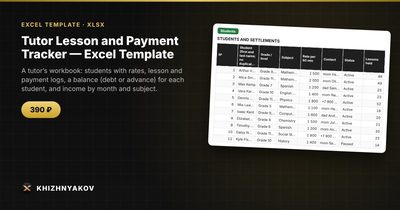
The Tutor Lesson and Payment Tracker is a paid Excel template made for this. It has these sheets: "Lists" (subjects, lesson statuses with a charge percentage such as late cancellation and trial, lesson formats and payment methods), "Students" (up to 40 students with rate, contacts, number of lessons, charged, paid, balance and a settlement traffic light), "Lessons" and "Payments" (logs for 2,000 and 1,000 records) and "Summary" (income by month charged and received, hours, average charge, breakdown by subject and charts).
The price is the student's rate per 60 minutes times the duration divided by 60, times the charge percentage of the status. By default a late cancellation by the student is charged in full, while an advance cancellation and a cancellation by the tutor are not, and you can change the percentages. Next to the balance you can see how many lessons the advance covers. It suits private tutors, music and language instructors, coaches and speech therapists. It comes as an empty template and a filled-in sample with fictitious data, works in Excel 2007 and later and LibreOffice, with no macros. It does not calculate taxes.
FAQ
Should I charge in advance or after the lesson?
Both work. Advance payment for a block of lessons reduces missed payments and awkward reminders. Payment after the month suits families who prefer a monthly bill.
How do I handle a trial lesson?
Give it its own status with a lower or zero charge, so it is visible in the log and not mixed with regular lessons.
What if a student pays for a package at a discount?
Set a different rate for that student, or enter the discounted payment and let the balance show how many lessons remain.
Do I need to keep the file private?
Yes. It contains names and contacts. Store it on your own device, and send students only their own statement.