KHIZHNYAKOV
Recruitment Tracker Spreadsheet in Excel: Vacancies, Stages and Follow-ups
Recruitment Funnel: Vacancies and Candidates — Excel Template — Open the template →
Candidates get lost in chats, inboxes and the notes app. Someone applies on Monday, you promise a call, the week fills up, and by Friday they have accepted another offer. In a small company without an applicant tracking system, this is the usual way to lose good people.
You do not need expensive software to avoid it. A well-organized Excel workbook can handle dozens of vacancies and hundreds of candidates. This guide explains the structure, the stages, and the formulas for follow-up reminders and funnel conversion.
Two tables: vacancies and candidates
Vacancies. One row per open position: job title, department, number of people needed, salary range, status (Open, On hold, Closed). Add two calculated columns: the number of candidates =COUNTIF(Candidates!B:B,title) and the number hired =COUNTIFS(Candidates!B:B,title,Candidates!F:F,"Hired"). Days open is =TODAY()-opened_date.
Candidates. One row per person per vacancy: name, vacancy, source, application date, stage, last contact date, salary expectation, and a note. Add days in the funnel =TODAY()-application_date and days without contact =TODAY()-last_contact.
Define your stages
Keep a short, fixed list so the funnel is comparable between vacancies. A good starter set is:
- Applied
- Phone call
- Interview
- Test task
- Offer
- Hired
- Rejected
Select the stage from a dropdown. Avoid inventing stages for every vacancy, since this makes the statistics meaningless.
The follow-up list
The single most useful feature is the answer to "who have I not talked to?". Define a threshold, for example 5 days. Then:
=IF(AND(stage<>"Hired",stage<>"Rejected",TODAY()-last_contact>5),"Follow up","")
Filter the candidates by this flag each morning. After you contact someone, update their last contact date, and they drop off the list. This one habit prevents most lost candidates.
You can also add a hint column, such as "Schedule interview" for candidates at the phone call stage with a positive note, or "Send feedback" for those rejected. It is a simple IF over the stage.
The funnel and conversion
For each stage, count how many candidates reached it. Conversion from one stage to the next is the later count divided by the earlier.
A worked example
Vacancy: Sales manager, over six weeks.
| Stage | Candidates | Conversion from previous |
|---|---|---|
| Applied | 60 | - |
| Phone call | 24 | 40% |
| Interview | 10 | 42% |
| Offer | 3 | 30% |
| Hired | 2 | 67% |
Overall, 2 hires from 60 applications: about 3.3%. If a large share of applicants is lost between "Applied" and "Phone call", then you are slow to respond or the ad attracts the wrong people. If few accept the offer, look at the salary range or the speed of your process.
Sources
Add a source column (job board, referral, social network, own website) and calculate for each: applications, hires and hire rate. Often one small source gives most of the hires. It tells you where to spend your advertising money.
Common mistakes
- No last contact date. Without it, reminders are impossible.
- Deleting rejected candidates. Mark them Rejected and keep the row. You may want them for another vacancy later.
- Free-text sources. Use a list.
- Ignoring time. Slow processes lose the best candidates, who have several offers. Track average days to start.
- Storing too much personal data. Keep only what you need for the process, keep the file secure, and delete data according to your retention policy and applicable rules.
Ready-made template
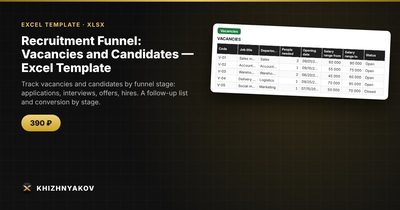
The Recruitment Funnel: Vacancies and Candidates template is a paid Excel workbook following this model. It has four sheets: "Vacancies" (job title, department, number needed, salary range and status; candidates, hires and days open are calculated), "Candidates" (source, application date, stage, last contact, salary expectations; days in the funnel, days without contact and a hint on what to do), "Follow up" (candidates not contacted for longer than the threshold in "Settings", 5 days by default) and "Funnel" (candidates by stage, conversion, applications and hires by source, average time to start and a chart).
The stages are Applied, phone call, interview, test task, offer, hired and rejected, chosen from a list. It handles up to 30 vacancies and 300 candidates. It suits HR specialists, managers, small business owners and recruitment agencies. It works in Excel 2007 and newer and in LibreOffice, uses ordinary formulas and no macros. Check thresholds against your own process; the calculation is approximate.
FAQ
How often should I check the follow-up list?
Daily if you are actively hiring, and at least twice a week otherwise.
What is a good number of days without contact?
Three to five days is common. In a competitive market for sought-after roles, consider two or three.
Can I track internal candidates?
Yes. Add "Internal" as a source, and the funnel will show how they compare with outside applicants.
Should I record salary expectations?
It helps you spot mismatches early. Compare the expectation with the vacancy's range before investing interview time.