KHIZHNYAKOV
Auto Repair Work Order Log in Excel: Labor, Parts and Mechanic Pay
Auto Repair Shop Work Orders — Excel Template for Labor, Parts and Mechanics — Open the template →
A small auto repair shop runs on paper and memory until it grows a little. Then the cracks show. A car is promised for Thursday and nobody remembers why it is still on the lift. A customer says they paid, and the notebook disagrees. At the end of the month you know the bank balance but not which jobs made money.
A work order log in Excel fixes most of this. This guide shows the structure, how to price labor and parts, how to calculate mechanics' pay, and what to watch out for.
The work order is the center
Number every order and give it one row with the facts about the customer and the car, plus the money:
| Column | Example |
|---|---|
| Order number | WO-2041 |
| Customer, phone | R. Evans, 555-0188 |
| Vehicle, plate, mileage | Honda Civic, KLM-482, 84,300 |
| Mechanic | Luis |
| Status | In progress |
| Amount paid | $150 |
The status list should be short: New, In progress, Waiting for parts, Ready, Delivered. Use a dropdown.
Line items: labor and parts
Instead of typing a total, add a second table of line items. Each row has the order number, type (labor or part), description, quantity and price. Then the order total is the sum of its lines: =SUMIF(Lines!A:A,order_number,Lines!F:F).
Why separate lines? Because labor and parts behave differently. Labor has no purchase cost, and its price comes from a price list. Parts have a cost and a markup, and they pay differently, for example for mechanics' commission.
Where prices come from
For labor, keep a price list: oil change $45, brake pads front axle $120, tire fitting $15 per wheel. The line looks up the price by job name: =VLOOKUP(job,PriceList!A:B,2,FALSE). If you need a special price, have an override column that wins when filled: =IF(custom<>"",custom,lookup).
For parts, price equals cost multiplied by one plus your markup. With a 25% markup, a $40 filter is priced at =40*(1+0.25) = $50.
A worked example
Order WO-2041, front brake service:
| Line | Qty | Unit price | Total |
|---|---|---|---|
| Brake pads, front axle (labor) | 1 | $120 | $120 |
| Brake pads set (part), cost $52 | 1 | $65 | $65 |
| Brake fluid (part), cost $12 | 1 | $15 | $15 |
The total is $200. Parts cost you $64 and were sold for $80, so the parts profit is $16. The customer paid $150 upfront, so the balance due is $50. Over a month, the sum of balance due across delivered orders is the money the customers owe you.
Mechanics' pay
Many shops pay mechanics a percentage of labor. Define the percentage per mechanic in a reference table. Then the pay is the labor total on that mechanic's orders times their percentage. For Luis at 40%, labor of $120 on this order earns him $48. Count only orders that are Ready or Delivered, so you do not pay for work that is half-done. Parts are not included in that base.
The summary the owner needs
Revenue and profit by month using SUMIFS on the order date, mechanics' workload by order count, order statuses, and a list of customers with a balance due. Sorting by balance due each Friday, and phoning the top five, is often worth more than any other change.
Common mistakes
- Totals typed by hand. They drift from the line items. Always compute.
- Order numbers that repeat. Add a check so a line cannot refer to an order that does not exist.
- No markup rule for parts. Decide a default, and keep the exceptions as custom prices.
- Forgetting mileage. It is useful for warranty and for service reminders.
- Mixing paid and unpaid revenue. Track amount paid separately from the total.
Ready-made template
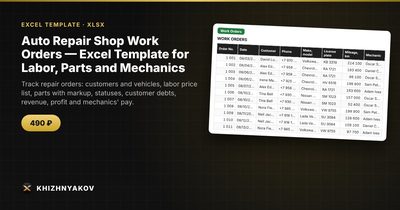
The Auto Repair Shop Work Orders template is a paid Excel workbook for labor, parts and mechanics. It has four sheets: "Reference Data" (labor price list, mechanics with their percentage of labor, parts markup and the first month of the summary), "Work Orders" (up to 1000 orders with customer, phone, vehicle, license plate, mileage, mechanic, status and amount paid; labor, parts, total, balance due, profit and mechanic's pay are calculated), "Line Items" (up to 3000 rows of labor and parts with automatic price lookup and order number validation) and "Summary" (revenue and profit by month, mechanics' workload and pay, order statuses, customer debts and two charts).
The labor price comes from the price list, matched by the job name, and a "Custom price" column overrides it. The part price is the unit cost times one plus the markup, 25% by default, and a custom price overrides that as well. Mechanic pay counts only labor on orders with the status "Ready" or "Delivered". It suits owners and managers of small auto repair shops, service stations and tire shops, independent mechanics and garage workshops. It comes as a blank template and a filled-in sample with fictitious data, works in Excel 2007 and later and LibreOffice, and uses no macros. Calculations are approximate.
FAQ
Should I give estimates before the work?
Yes. Many shops use the same sheet: enter lines with a status like New, show the total to the customer, and start work after approval.
How do I deal with a part that the customer brings?
Add a part line with a custom price of zero, or only the labor line, and write "customer's part" in the description.
How should I track warranty on repairs?
Note the date delivered and your warranty terms in the order. Check what your local rules require, since they differ between regions.
What about taxes on parts and labor?
Add a tax line or handle tax in your invoicing software. A tracking sheet is for operations and does not replace an invoice.