KHIZHNYAKOV
Rental Property Tracker in Excel: Leases, Payments and Arrears
Rental Property Tracker: Leases, Payments and Arrears — Excel Template — Open the template →
If you rent out an apartment, the work is not the rent itself. It is remembering when the lease ends, who paid for which month, who owes what, and what to do about it. One late payment is easy to remember. Four tenants and a few partial payments are not.
A simple Excel workbook with three tables is enough for most private landlords. This guide shows the structure, the formulas for balance due and lease status, and an example with real numbers.
The three tables
- Properties and leases. One row per rented unit: address or name, tenant, lease start, lease end, monthly rent, deposit, payment day.
- Payments. One row per charge or payment: month, property, amount charged, amount paid, date paid.
- Summary. Per property: total charged, total paid, balance due, lease status.
The key is to keep charges and payments by month. A single "total owed" figure is useless later when the tenant says "but I paid in March".
Lease status with a warning
Add a column "Days to lease end": =lease_end-TODAY(). Then a status:
=IF(days<0,"Expired",IF(days<=60,"Ending soon","Active"))
Sixty days is a good default. It leaves time to decide whether to renew, change the rent, or look for a new tenant. A month is often too short, particularly if the lease needs notice.
Charges, payments and balance due
On the Payments sheet, for each month enter what you charged (usually the rent, sometimes rent plus utilities) and what you received. The balance due per row is simply =charged-paid.
A worked example
Tenant of Apartment 2B pays $1,200 per month. Over the first quarter:
| Month | Charged | Paid | Balance |
|---|---|---|---|
| January | $1,200 | $1,200 | $0 |
| February | $1,200 | $800 | $400 |
| March | $1,200 | $1,200 | $0 |
Total charged is $3,600, total paid is $3,200, and the balance due is $400. In the summary, per property: =SUMIF(Payments!B:B,A2,Payments!C:C) for charged, the same for paid, and the difference. The $400 remains visible until it is paid, rather than disappearing in the monthly noise. If the tenant later pays $1,600 in April, the balance is cleared, and the record shows exactly what happened.
An overpayment shows as a negative balance, which is useful: it is a credit for the tenant.
Routine that keeps you in control
- On the payment day, check who has paid. Anyone unpaid after a few days gets a polite message.
- Record every payment on the day it arrives, with the date.
- On the first of each month, add the new charges for every active lease.
- Every month, look at the status column for leases ending within 60 days.
- Save the file with a dated name once a month.
Common mistakes
- Only tracking total debt. Always keep month-by-month rows so a dispute can be resolved.
- Deleting old rows. Keep the history. Add a new lease row when a tenant changes.
- Mixing the deposit with rent. The deposit is held money and should not be in the charged or paid totals.
- Typing dates as text. Formulas such as days to lease end then fail silently.
- Skipping written agreements. A spreadsheet is a record, not a contract. Taxes and lease terms depend on local law, so check them with a specialist.
Ready-made template
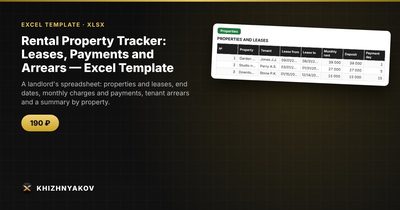
The Rental Property Tracker is a paid Excel template that gathers this in one workbook. It has four sheets: "Settings" (the report date and the warning period), "Properties" (up to 10 properties with tenant, lease term, rent, deposit and payment day; lease status is calculated automatically), "Payments" (up to 300 charges and payments, with balance due and status calculated automatically) and "Summary" (charged, paid, balance due and lease status by property, plus a chart).
The warning period is 60 days by default and you can change it. It suits owners who rent out apartments, rooms, garages and small premises, and property managers. It keeps records of leases and payments, and does not calculate taxes. It works in Excel 2007 and newer and in LibreOffice, uses ordinary formulas and no macros.
FAQ
Can I use it for commercial premises?
Yes. The structure is the same: a lease, a monthly charge and payments. Just list each unit as a property.
How do I handle utility charges?
Either include them in the monthly charge, or add a separate charge row for utilities. Separate rows make it easier to see what the tenant owes for what.
What if rent changes mid-lease?
Update the rent in the property row from the date it changes, and make sure past months in the payments table keep the old amount.
Should I keep scans of the lease in the same file?
No. Keep the documents in a folder, and use the spreadsheet as the index: a note with the file name is enough.