 KHIZHNYAKOV
What it is for
Keep incoming and outgoing correspondence in one file and never miss a deadline. Excel assigns registration numbers, calculates the due date, shows the status and colors rows like a traffic light. An outgoing reply is linked to the incoming document, and a separate sheet collects overdue and due-soon documents.
What's inside
- "Instructions": how to fill it in within 5 minutes, what the colors mean, caveats and a personal data warning.
- "Settings": organization, year, default completion deadline, number format for incoming and outgoing documents, and lists of document types (each with its own deadline), correspondents, assignees, signatories and delivery methods.
- "Incoming": up to 500 entries — reg. no., date received, sender, sender's ref. no. and date, type, summary, instruction, assignee, deadline, completion date, file index; automatic status, traffic light and checks.
- "Outgoing": up to 500 entries — number, date, addressee, summary, assignee, signatory, the incoming no. being answered, delivery method.
- "Deadline Control": a ready list of overdue and due-soon documents for team meetings.
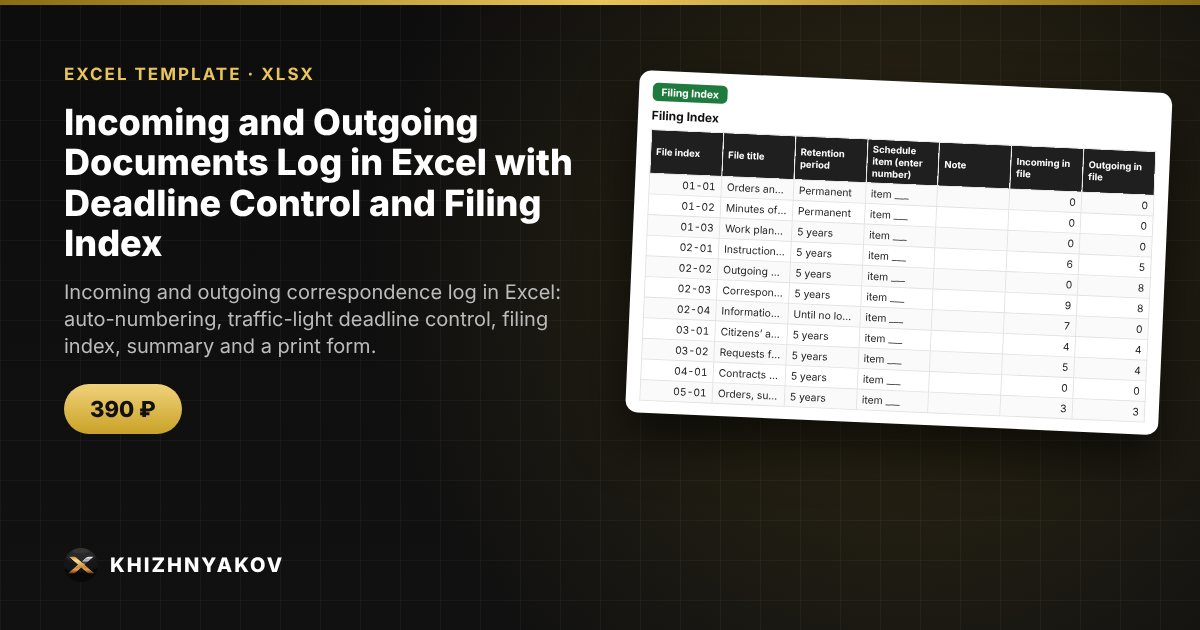
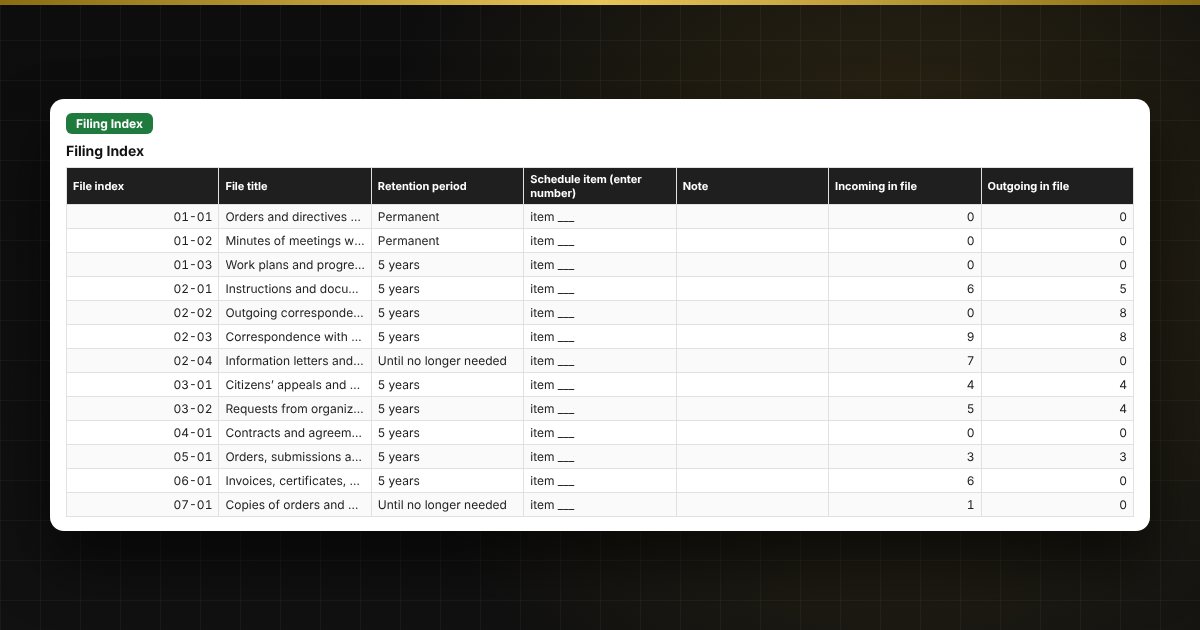
- "Filing Index": an editable list of file indexes with retention periods and a count of documents in each file.
- "Summary": by month, assignee and correspondent, share completed on time, chart.
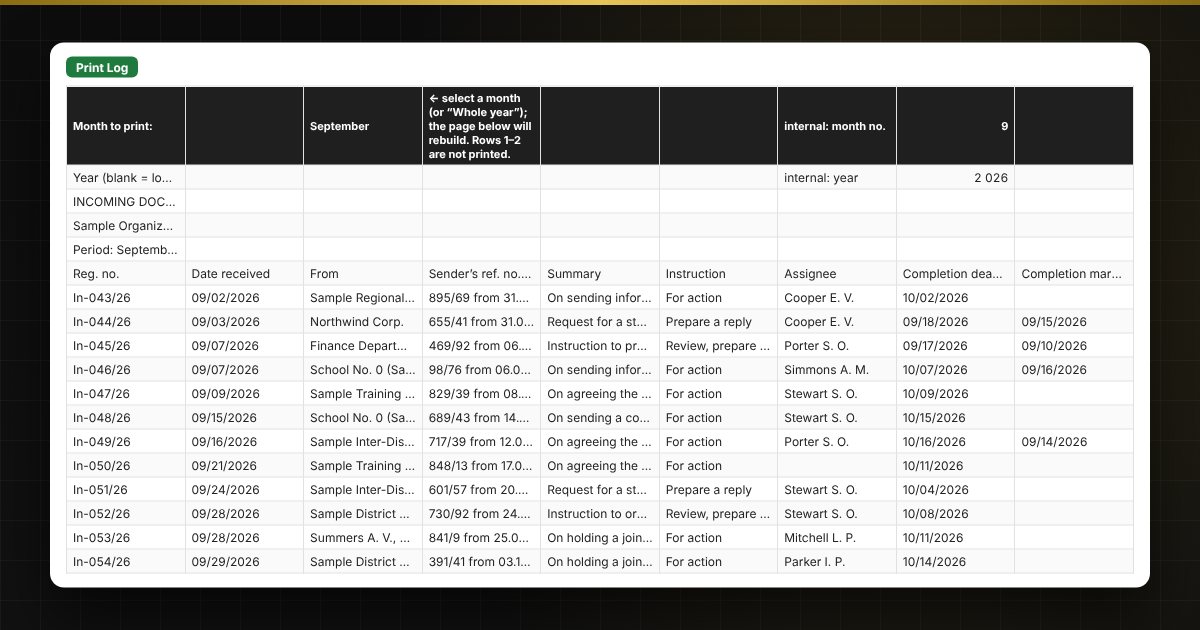
- "Print Log": the incoming registration log for the selected month with signature columns.
For public bodies and institutions
In a government office, school, hospital or local administration, the secretary and the manager's assistant can see which instructions and requests from higher-level organizations are due soon, and the manager gets a ready list for the team meeting. The assignee summary shows the workload of each unit and the share of documents completed on time, and the filing index helps you enter the file index right at registration.
Who it is for
Secretaries and records clerks, executive assistants, office administrators, school and healthcare administrators, property management companies — anyone who registers incoming and outgoing correspondence and is responsible for deadlines.
Compatibility
Excel 2007 and later, LibreOffice. No macros or external links. The file is in English. The completion deadlines, number format, retention periods and filing index in the sample are illustrative: check them against your own rules, your records retention schedule and your local requirements. This is a working log form following the log's structure, not an official form.