KHIZHNYAKOV
How to Track Product Expiry Dates in Excel
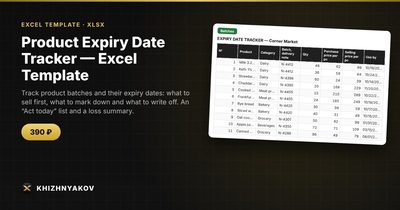
Product Expiry Date Tracker — Excel Template — Open the template →
In a shop, café, pharmacy or warehouse, expiry dates are money with a countdown. A batch of yogurt discovered two days past its date is a write-off. The same batch spotted ten days earlier could have been moved to the front, discounted and sold. The difference is not effort, it is visibility.
Excel can give you that visibility. The idea is to record each delivery as a batch with its expiry date, let formulas calculate the days left and a status, and have one list that says what to act on today.
Step 1: Record batches, not just products
The same product arrives in different deliveries with different dates, so track batches. Columns: product, category, batch or delivery number, quantity, purchase price, selling price and expiry date.
| Product | Batch | Qty | Purchase | Selling | Expiry |
|---|---|---|---|---|---|
| Greek yogurt 150 g | D-1042 | 60 | 0.80 | 1.50 | 11/11/2026 |
| Fresh salmon 200 g | D-1047 | 12 | 5.20 | 8.90 | 11/3/2026 |
| Granola bars | D-1031 | 100 | 0.45 | 0.99 | 10/28/2026 |
You do not need a barcode. Product name and delivery number are enough to find the stock.
Step 2: Calculate days left
=F2-TODAY()
On November 1 the yogurt has 10 days left, the salmon has 2 and the granola bars have -4, which means they expired four days ago.
Step 3: Set thresholds and statuses
Decide on two thresholds, for example 14 days for “Soon” and 3 days for “Critical”, and keep them in cells so you can change them:
=IF(G2<0,"Expired",IF(G2<=Critical,"Critical",IF(G2<=Soon,"Soon","OK")))
With the thresholds above, the yogurt is “Soon”, the salmon is “Critical” and the granola bars are “Expired”. Short-life products like fresh fish need different thresholds from canned goods, so you can set the thresholds by category with a lookup table.
Step 4: Attach an action and a discount
Each status gets an action. For instance, “Soon” means move to the front and give 15 percent off, “Critical” means 40 percent off, and “Expired” means write off. Put the discounts in a small table and look them up by status:
=VLOOKUP(H2,Rules!$A$2:$B$4,2,FALSE)
The discounted price is =E2*(1-I2). For the yogurt at 15 percent, $1.50 becomes $1.275, or $1.28 on the shelf. Check that the discounted price is still above the purchase price (0.80) so you are recovering cost rather than losing more. Where it is not, you are choosing between a smaller loss and a total one.
Step 5: Measure value at risk
Value at risk is quantity multiplied by purchase price for batches that are Soon, Critical or Expired. Here the yogurt is 60 × 0.80 = $48.00 at risk, the salmon is 12 × 5.20 = $62.40, and the expired granola bars are 100 × 0.45 = $45.00 already lost. Add them with SUMIFS by status. Tracking this weekly shows whether your ordering is too generous.
Step 6: Build an “act today” list
The most useful sheet is a short list showing only the batches that need action. Filter the table on status not equal to “OK”, sorted by days left, and print it for staff. A daily five-minute check is all it takes.
Common mistakes
- Using FIFO in the plan but not on the shelf. Make sure older stock goes in front.
- Entering the production date instead of the expiry date.
- A single threshold for everything. A 14-day warning is too late for fresh fish and too early for rice.
- Not recording write-offs. You cannot reduce waste you do not measure.
- Forgetting to delete sold-out batches. Set quantity to zero so they drop off the list.
Ready-made template
The “Product Expiry Date Tracker” template is a paid file built around this process.
- “Settings” sets how many days before expiry count as “Soon” and “Critical” (14 and 3 by default) and the discount for each status.
- “Batches” takes up to 300 batches with product, category, batch, quantity, purchase and selling price and expiry date; days left, status, discount and discounted price are calculated automatically.
- “Act today” is an automatic list of batches that should be marked down or written off, with the discount and the amount at risk.
- “Summary” shows how many batches are expired, critical and soon to expire, the value of goods at risk, and a chart.
Expired batches go to the write-off list, and the summary shows the purchase value of goods at risk and of expired goods. The file works in Excel 2007 and newer and in LibreOffice, with ordinary formulas and no macros. Thresholds and reference values are yours to set: check them against current rules before use. The calculation is approximate.
FAQ
How do I handle products with different shelf lives?
Use thresholds by category, or at least different ones for short-life and long-life goods. A single universal number is rarely right.
Should I discount or donate close-dated stock?
Discounting recovers some cost. Donation may suit food that cannot be sold in time, subject to local rules, which you should check.
What is the difference between “use by” and “best before”?
“Use by” relates to safety and should be respected strictly. “Best before” relates to quality. Track the date printed on the label and follow your local regulations.
How often should I update the sheet?
Whenever a delivery arrives, and review the “act today” list each morning.