KHIZHNYAKOV
How to Evaluate Employee Performance and Calculate Bonuses in Excel
Employee Performance Evaluation and Bonus Calculation — Excel Template — Open the template →
When bonuses are split by gut feeling, you eventually have to explain to someone why a colleague received more than they did. “The manager decided” is not an answer that sticks. A transparent formula is: clear indicators, agreed weights, a rating scale, and a pool divided in proportion.
This guide shows a method you can build in Excel. Use your own company's policy for the indicators and the scale; the numbers below are illustrative.
Step 1: Pick a few KPIs and weights
Choose 3 to 6 indicators that the employee can influence, and give each a weight. The weights must add up to 100.
| KPI | Weight |
|---|---|
| Sales plan achievement | 40 |
| Customer satisfaction | 30 |
| Process quality | 30 |
Add a check cell: =IF(SUM(weights)=100,"OK","Weights must total 100").
Step 2: Score each employee
Score each KPI on a common scale, for instance 0 to 100. The final score is the weighted average:
=SUMPRODUCT(scores,weights)/100
If an employee scored 95, 90 and 90 on the three KPIs, the final score is (95×40 + 90×30 + 90×30) ÷ 100 = 92.
Step 3: Convert the score to a category
A lookup table turns scores into categories and coefficients:
| Score from | Category | Coefficient |
|---|---|---|
| 0 | D | 0 |
| 60 | C | 0.6 |
| 75 | B | 1.0 |
| 90 | A | 1.2 |
=VLOOKUP(score,Scale,3,TRUE) returns the coefficient with an approximate match, which works with ascending thresholds. A score of 92 falls in category A with a coefficient of 1.2.
Step 4: Calculate each person's base
A fair base reflects salary, time worked and rating:
base = salary × (days worked ÷ standard days) × coefficient
Here is a worked example with a bonus pool of $5,000:
| Employee | Salary | Days worked / standard | Score | Coefficient | Base |
|---|---|---|---|---|---|
| Anna | 4,000 | 20 / 20 | 92 | 1.2 | 4,800 |
| Ben | 3,500 | 20 / 20 | 80 | 1.0 | 3,500 |
| Cara | 3,000 | 18 / 20 | 65 | 0.6 | 1,620 |
Cara's base is 3,000 × 0.9 × 0.6 = 1,620. The total base is 9,920.
Step 5: Split the pool in proportion
bonus = pool × base ÷ total base
Anna gets 5,000 × 4,800 ÷ 9,920 = $2,419.35, Ben gets $1,764.11 and Cara gets $816.53. Add them up: $5,000 in total, so the pool is fully used.
Often you will want a cap, for example a bonus of no more than 50 percent of salary. Apply it with =MIN(bonus, salary*cap). Decide in advance whether the excess is redistributed or stays in the pool. Keeping it in the pool is simpler and makes the cap's effect visible.
Step 6: Handle incomplete data
If a manager has not scored every KPI, the final score is wrong. Add a check like =IF(COUNT(scores)<COUNTA(weightedKPIs),"Incomplete scores","") and exclude those rows from the distribution until they are filled in.
Common mistakes
- Too many KPIs. Five or six is the limit. Beyond that, nothing stands out.
- KPIs the employee cannot influence. It breeds resentment.
- Fixed coefficients that nobody revisits. Review the scale each period.
- Mixing evaluation and compensation too early. Agree the policy before scoring.
- Not showing the formula to employees. Transparency is the point.
- Forgetting tax. The result here is before tax.
Ready-made template
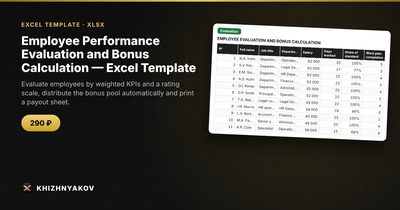
The “Employee Performance Evaluation and Bonus Calculation” template is a paid file that implements this method.
- “Settings” holds the period, bonus pool, standard working days, up to 6 KPIs with weights, a scale of categories and coefficients, and a list of departments.
- “Evaluation” takes up to 300 employees with KPI scores, final score, category, coefficient, base and bonus amount.
- “Payout sheet” is a printable form listing those who receive a bonus, the total and signature lines.
- “Summary” shows average score and bonus by department, remaining pool, distribution by category and two charts.
The weights must add up to 100, and there is a check. A row with incomplete scores is marked “incomplete scores” and excluded from the distribution. You can cap the bonus as a percentage of salary, and the excess is not redistributed but appears in the “Remaining pool” line. The download includes an empty template and a filled-in sample with fictitious data. It works in Excel 2007 and later and in LibreOffice, with ordinary formulas and no macros. Rates, thresholds and rules are kept in settings: check them against your own policy before use. The calculation is indicative and before tax.
FAQ
How many KPIs should I use?
Between three and six. Fewer is clearer, but one number rarely captures a job.
Should the bonus pool be fixed or depend on company results?
Either works. A fixed pool is easy to plan; a pool tied to results links the bonus to the business. Set the pool before scoring begins.
How do I keep scoring fair between managers?
Define each KPI and score level in writing and review the scores in a calibration meeting before payout.
Can I use it for part-time or new employees?
Yes, through the share of standard days worked, which scales the base.