KHIZHNYAKOV
How to Make a Home Inventory Spreadsheet in Excel
Home Inventory in Excel — Household Belongings Template — Open the template →
Nobody thinks about a home inventory until they need one: after a burglary, a pipe burst, or the week before the movers arrive. At that point, trying to remember every item in a three-bedroom house is close to impossible, and an insurer will ask for details you no longer have.
A home inventory spreadsheet solves this in an afternoon. This guide shows what to record, how to organize it room by room, and which Excel formulas turn the list into a total value you can compare with your coverage.
Why bother with a home inventory
- Insurance. A claim goes faster and is usually more accurate when you can list items with purchase dates, prices and serial numbers.
- Choosing coverage. Adding up what you own shows whether your policy limit is realistic.
- Moving. You know what is in each room, what is worth insuring in transit, and what you could sell instead of carrying.
- Renovation or estate matters. A clear list avoids arguments and guesswork.
Step 1: Decide the columns
Keep the list short enough that you will actually finish it. These columns are enough for most households:
| Column | Example |
|---|---|
| Room | Living room |
| Category | Electronics |
| Item | 55-inch TV |
| Purchase date | 2022-11-25 |
| Purchase price (USD) | 620 |
| Current value (USD) | 350 |
| Condition | Good |
| Serial number | SN123456 |
| Receipt location | Folder "Home 2022" |
Use real dates in the date column, not text, so you can calculate the age of each item.
Step 2: Walk through room by room
Go through the house in a fixed order, for example entrance, kitchen, living room, bedrooms, bathroom, garage. Open every cupboard and drawer. Photograph each room, then close-ups of anything valuable, and save the photos in a folder named after the room. Put the serial number from the back or underside of each appliance into the list.
Do not try to list every spoon. Group low-value things: "Kitchen utensils, about 150 USD" is perfectly acceptable. Spend your attention on anything that costs more than a few hundred dollars or that would be hard to replace.
Step 3: Current value versus purchase price
Purchase price is a fact. Current value is an estimate. For the current value, a rough guide is to check what a similar used item sells for. Be honest: a five-year-old laptop is not worth what you paid. For insurance, check whether your policy pays replacement cost or depreciated value, because the right number to track depends on that. An independent appraisal for jewelry, art or antiques is a job for a professional appraiser, not for a spreadsheet.
Step 4: Formulas that do the work
Total value, using current value where you have it and purchase price otherwise:
=SUM(IF(F2:F400<>"",F2:F400,E2:E400))
In older versions of Excel confirm it with Ctrl+Shift+Enter. A simpler approach is a helper column G with =IF(F2<>"",F2,E2) and then =SUM(G2:G400).
Value by room:
=SUMIF(A:A,"Kitchen",G:G)
Age of an item in years:
=DATEDIF(D2,TODAY(),"Y")
Most valuable item:
=INDEX(C:C,MATCH(MAX(G:G),G:G,0))
A short example: if the living room totals 3,800 USD, the kitchen 2,400 USD, the bedrooms 4,100 USD and the garage 1,700 USD, your household contents come to 12,000 USD. If your policy covers 8,000 USD, you have found a gap before it hurt.
Common mistakes
- Storing the file only on the computer in the house. Keep a copy in cloud storage or on a USB stick elsewhere, otherwise a fire destroys both the items and the list.
- No receipts or photos. The list is stronger with evidence. Note where each receipt is.
- Never updating. Add new purchases when they happen, and review the list once a year.
- Forgetting the garage, attic and storage unit.
Ready-made template: home inventory
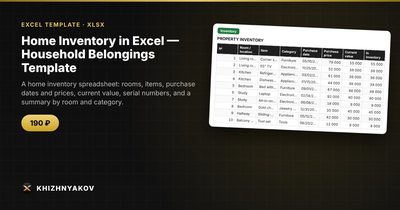
The template does the structure and the formulas for you. It is paid and works in Excel 2007 and later and in LibreOffice, without macros. It comes as a blank file and a filled-in sample with fictitious data, so you can see how everything works.
- Settings: the property, the inventory date, rooms and categories.
- Inventory: up to 400 items with purchase price, current value, condition, serial number and where the receipt is kept.
- Summary: value by room and category, the most valuable item and a chart.
The inventory value uses the current value, or the purchase price if there is no current value. The figures are approximate and are not an appraisal. It is built for homeowners, families preparing to insure or move, landlords and people with a home office.
FAQ
How detailed should a home inventory be?
Detailed for valuables, general for everything else. List each item worth more than a few hundred dollars separately and group the rest by room.
Do I need photos as well?
They are very helpful. Keep photos in a cloud folder per room and note the folder name in the spreadsheet.
How often should I update it?
Whenever you buy something significant, and with a full review once a year, for example when your insurance renews.
Should I include items I rent or borrow?
No. List what you own. If you keep business equipment at home, mark it with its own category so you can separate it later.