KHIZHNYAKOV
How to Make a Price List with Markup, VAT and Wholesale Prices in Excel
Price List with Markup, Discounts, VAT and Wholesale Prices — Excel Template — Open the template →
Updating a price list by hand is a recipe for errors. Costs go up, someone changes twenty prices, forgets another twenty, and a few items quietly sell below cost for weeks. A price list built on formulas fixes that: you change the purchase price or the markup in one place and every price follows.
This guide explains the formulas, the difference between markup and margin, and how to add VAT, rounding, promotions and wholesale tiers.
Markup versus margin
These two are confused constantly, and the confusion costs money.
- Markup is the amount added to cost, as a percentage of cost.
- Margin is the profit as a percentage of the selling price.
Take an item that costs 20.00 USD. With a 30% markup the price is 26.00 USD. Profit is 6.00 USD, which is 6 / 26 = 23% margin. If you want a 30% margin, you need a price of 20 / (1 - 0.30) = 28.57 USD, which is a markup of about 43%. Decide which one your business thinks in and be consistent.
Step 1: Set up the columns
| SKU | Name | Category | Purchase price | Markup | Retail price |
|---|---|---|---|---|---|
| A-101 | Desk lamp | Lighting | 20.00 | 30% | 26.00 |
Keep the markup percentages in a small table by category rather than typing them on every row. Then a lookup finds them:
=VLOOKUP(C2,CategoryTable,2,FALSE)
Allow an override column for items that need a special markup, and use it first:
=IF(E2<>"",E2,VLOOKUP(C2,CategoryTable,2,FALSE))
Step 2: The retail price formula
Without VAT:
=D2*(1+F2)
With VAT, where the rate sits in a settings cell called VATRate:
=D2*(1+F2)*(1+VATRate)
Put a switch for VAT on or off in the settings so one file can serve both situations. VAT rules differ by state and country and change over time, so check the current rate that applies to you rather than copying one from an example.
Step 3: Rounding
Prices like 25.97 look sloppy, and customers like clean endings. Round with one of these:
=ROUND(G2,0)to the nearest whole dollar=CEILING(G2,0.5)up to the next 50 cents=FLOOR(G2,0.5)down to 50 cents=CEILING(G2,1)-0.01for a 9.99 style ending
Put the rounding step in a settings cell so you can change it without touching every formula.
Step 4: Promotions and wholesale tiers
A promo price is simply the retail price less a discount: =H2*(1-PromoDiscount). Wholesale tiers work the same way, for example 5%, 10% and 15% off retail for increasing order sizes. Keep the tier percentages in settings.
Step 5: A check against selling below cost
This is the column that saves money:
=IF(OR(PromoPrice<D2,Wholesale3<D2),"Below cost","OK")
Add conditional formatting and any promotion that has gone too deep turns red. Worked example: cost 20.00 USD, retail 26.00 USD, a 25% promo gives 19.50 USD, which is below cost. The check flags it before you print a flyer.
Common mistakes
- Applying the markup to a price that already includes VAT. Work from the purchase price excluding VAT.
- Mixing up markup and margin when negotiating with suppliers or staff.
- Typing prices instead of formulas. One pasted value breaks the whole logic silently.
- Stacking discounts without checking the floor. A promo plus a wholesale tier can drop below cost.
Ready-made template: price list
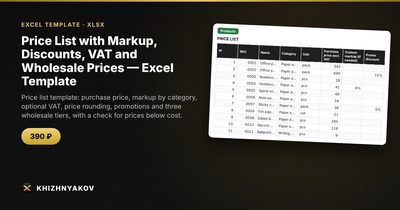
The template implements this method. It is paid, works in Excel 2007 and later and in LibreOffice, and has no macros. You get a blank file and a filled-in sample with fictitious data.
- Settings: VAT on or off and the rate, default markup, rounding step and method, three wholesale tiers, up to 12 categories with markups and units of measure.
- Products: up to 1000 items with SKU, name, category, purchase price, custom markup, promo discount, retail, promo and three wholesale prices, margin in amount and percent, and a control column.
- Summary: item count, average markup and margin, average prices by category and tier, and two charts.
The markup is picked in order: the product's custom markup first, then its category markup, then the default. Prices are rounded up, down or normally as you choose, and the control column shows where a promotion or wholesale price has fallen below cost. Check the rates in Settings before use; calculations are approximate. It suits shop owners, small wholesalers, purchasing and sales managers and marketplace sellers.
FAQ
Should I price by markup or by target margin?
Use whichever your costs and industry are built around, but check the other one too. A spreadsheet can show both for every item.
How do I handle a supplier price increase?
Change the purchase prices and let the formulas recalculate. Review the below-cost flags and decide where to absorb the increase and where to pass it on.
How many wholesale tiers do I need?
Two or three are enough for most small businesses. More tiers mostly add complexity.
Can I use one markup for everything?
You can, but categories differ. Fast-moving staples usually carry a lower markup than accessories or specialty items.