KHIZHNYAKOV
How to Manage Warehouse Inventory in Excel
Warehouse Inventory Management — Excel Template — Open the template →
A small shop, workshop or office does not need a warehouse management system. It needs to know what is on the shelf, what came in, what went out and what to order before it runs out. Excel can do that well, as long as the structure is right.
The structure matters because the common failure is a single sheet where people overwrite the stock number by hand. The fix is a ledger approach: never type the stock, only record movements and let formulas calculate the rest.
The three tables
- Items: one row per product, with a unique code, name, group, unit, minimum stock and price.
- Receipts: every delivery, one line per item: date, code, quantity.
- Issues: everything that leaves, including sales, internal use and write-offs: date, code, quantity.
Using a code instead of the product name avoids typos. In the Receipts and Issues sheets, make the code a drop-down list from the Items sheet (Data Validation, List) and fill the name with a lookup:
=VLOOKUP(B2,Items!A:B,2,FALSE)
Calculating the current stock
Stock is all receipts minus all issues for a code:
=SUMIF(Receipts!B:B,A2,Receipts!C:C)-SUMIF(Issues!B:B,A2,Issues!C:C)
Value of stock is =stock x price. Add a status that warns you:
=IF(D2<=0,"Out of stock",IF(D2<=MinStock,"Reorder","OK"))
Worked example
| Code | Item | Min | Received | Issued | Stock | Status |
|---|---|---|---|---|---|---|
| P-01 | A4 paper (ream) | 20 | 100 | 85 | 15 | Reorder |
| P-02 | Toner cartridge | 2 | 6 | 3 | 3 | OK |
| P-03 | Stapler pins | 10 | 40 | 40 | 0 | Out of stock |
At 4.50 USD per ream, the paper on hand is worth 67.50 USD. The status column tells the person ordering supplies where to look without reading the whole list.
Catch errors as they happen
The most common mistake is issuing more than you have. Add a check on the Issues sheet that compares each issue with the stock at that point or, more simply, with the current stock:
=IF(C2>CurrentStock,"Check: more than in stock","")
Highlight the row in red. Usually it means a receipt was never entered, which is exactly what you want to find out quickly.
Reorder levels that make sense
A minimum stock number should cover the time it takes to get new goods. A simple rule: average daily usage x supplier lead time in days + a safety buffer. If you use about 20 reams a week (roughly 3 a day), delivery takes 3 days (about 9 reams) and you want a buffer of 10, set the minimum at 19 or 20. Revisit the numbers each quarter.
Monthly turnover and groups
Group items (paper, cleaning, parts) so you can see where the money sits. SUMIF by group gives stock value per group, and SUMIFS by date range gives monthly issues. Slow movers with a large value are cash tied up on a shelf.
Common mistakes
- Overwriting stock instead of recording movements.
- Inconsistent names or codes, which split one item into two rows.
- Not recording write-offs. Breakage and expiry are issues too; without them the sheet drifts from reality.
- No physical count. Compare the spreadsheet to the shelf once or twice a year and correct differences with a recorded adjustment.
Ready-made template: warehouse inventory
The template follows the ledger method. It is paid, works in Excel 2007 and later and in LibreOffice, and has no macros. You get an empty file and a filled-in sample with fictitious data.
- Settings: product groups, units of measure and the organization.
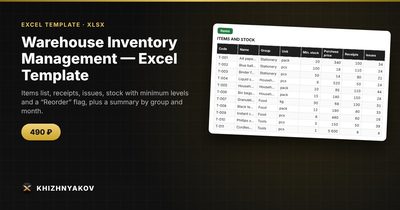
- Items: up to 300 products with minimum stock, price, stock, value and status.
- Receipts and Issues: 1,000 rows each, with the code chosen from a list, the name filled in automatically and a check for issues that exceed stock.
- Summary: stock value by group, the number of items to reorder, monthly turnover and a chart.
An issue larger than the stock is highlighted in red with a note and the item shows the status "Out of stock". A write-off is entered as an issue row. The calculation is indicative, and it is a spreadsheet, not an accounting program.
FAQ
When is Excel no longer enough?
When several people enter data at once, you track serial numbers or batches, or you need barcode scanning. Until then a well-structured workbook is fine.
Should I record prices per receipt?
If prices change often and you need exact costing, yes. For simple stock value, one current price per item is easier to maintain.
How do I deal with returns?
Record a return to a supplier as an issue, and a customer return as a receipt, with a note in a comment column.
How often should I do a physical count?
Count fast-moving items monthly and everything else once or twice a year.