KHIZHNYAKOV
How to Compare Supplier Quotes in Excel
Supplier Quote Comparison — Excel Template with Scoring — Open the template →
You asked three suppliers for a quote and got three different documents. One is cheapest, one delivers in a week, one offers a two-year warranty and thirty days to pay. Choosing by gut feeling is easy and hard to defend afterward. A scoring table makes the decision visible.
This guide shows how to line up quotes, compare totals, and turn mixed criteria into a single ranking with weights you choose.
Step 1: Put the quotes on one sheet
Make a table with one row per item and one column per supplier:
| Item | Qty | Supplier A | Supplier B | Supplier C |
|---|---|---|---|---|
| Laptop | 10 | 780 | 760 | 795 |
| Monitor | 10 | 190 | 205 | 185 |
| Docking station | 10 | 95 | 90 | 100 |
Total for each supplier: =SUMPRODUCT($B$2:$B$4,C2:C4). Here A = 10 x (780 + 190 + 95) = 10,650 USD, B = 10,550 USD and C = 10,800 USD.
Also record terms for each supplier: delivery time in days, warranty in months and payment deferral in days. These do not come from the item prices.
Step 2: Check that quotes are comparable
Before calculating anything, make sure all suppliers quoted all items, with the same specification, and the same tax treatment. A supplier who skipped one item has a lower total for the wrong reason. Mark them as incomplete and keep them out of the ranking until the gap is filled.
Step 3: Per-item best price
Often the cheapest total is not the cheapest everywhere. Find the best price for each item with =MIN(C2:E2) and the supplier with =INDEX($C$1:$E$1,MATCH(MIN(C2:E2),C2:E2,0)). In the example, B wins on laptops and docking stations, and C wins on monitors. Splitting the order would cost 10 x (760 + 185 + 90) = 10,350 USD, a saving of 200 USD against the cheapest single supplier. Whether the saving is worth two deliveries and two contracts is for you to decide.
Step 4: Score each criterion from 0 to 1
To combine price, days and months you need a common scale. A simple one:
- Price: lowest total divided by the supplier's total. The cheapest gets 1.00.
- Delivery: shortest time divided by the supplier's time.
- Warranty: supplier's months divided by the maximum months.
- Payment deferral: supplier's days divided by the maximum days.
Example for supplier A: price 10,550 / 10,650 = 0.99; delivery 5 days vs a best of 3 = 0.60; warranty 24 vs 24 = 1.00; deferral 14 vs 30 = 0.47.
Step 5: Weights and the final score
Weights reflect what matters to you. If price counts for 50%, delivery 20%, warranty 20% and deferral 10%:
=0.5*B10+0.2*B11+0.2*B12+0.1*B13
For supplier A that gives 0.495 + 0.12 + 0.20 + 0.047 = 0.86. Compute the same for each supplier and rank with =RANK(F10,$F$10:$H$10). Run the table twice with different weights; if the winner changes, you have learned that the decision is sensitive to your priorities, and that is worth discussing before you sign.
Common mistakes
- Comparing incomplete quotes.
- Ignoring terms. A 3% cheaper offer with 30 days longer delivery may be more expensive in practice.
- Choosing weights after seeing the result. Fix the weights first.
- Not writing down the reason. Keep the sheet; it is your justification.
Ready-made template: supplier comparison
The template follows this method. It is paid, works in Excel 2007 and later and in LibreOffice, and has no macros. You get a blank file and a filled-in sample with fictional data.
- Settings: the purchase name, up to 5 suppliers with their terms (delivery time, warranty, payment deferral) and criteria weights.
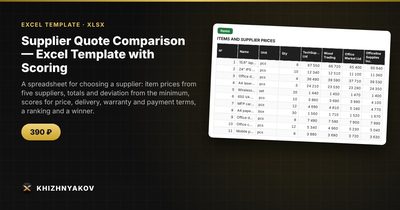
- Items: up to 40 items with name, unit, quantity and each supplier's price, plus the best price and best supplier per item.
- Comparison: totals by supplier, deviation from the minimum, scores on four criteria, final ranking, place and winner, and a chart.
- Instructions: how to fill it in and how the scores are calculated.
If a supplier did not quote every item, the template shows "incomplete" and leaves them out of the ranking, and missing prices are highlighted. It helps you compare offers and prepare a justification, but your procurement rules still define the formal procedure. For another purchase, save the file under a new name.
FAQ
Should price always have the highest weight?
Not always. For standard goods price usually leads. For equipment you will rely on for years, warranty and service can matter as much.
How many suppliers should I ask?
Three to five is practical. More just creates work.
Is the lowest price a red flag?
Sometimes. Check for missing items, a different specification or unrealistic delivery. A very low quote deserves a question, not automatic acceptance.
Can I use it for services?
Yes. Replace items with service lines and units such as hours or months.