KHIZHNYAKOV
How to Track Gym and Studio Memberships in Excel
Membership and Visit Tracker — Excel Template — Open the template →
A small studio runs on a simple question that gets complicated fast: does this person still have a valid membership? Paper cards get lost, front-desk notes disagree, and nobody notices that a regular has not shown up in five weeks until she cancels.
You do not need booking software to answer these questions. Four small tables in Excel are enough. Here is how to set them up.
The four tables
- Membership types: name, number of sessions (or unlimited), validity in days, price.
- Clients: name, phone or email.
- Memberships sold: client, type, start date, extra days if frozen.
- Visits: date, client, class.
Keeping sales and visits apart is the key idea. A membership is a sale, and a visit is an event. Remaining sessions are calculated from the two, never typed.
Step 1: End date
End date is the start date plus validity in days plus any freeze days:
=C2+VLOOKUP(B2,Types!A:D,3,FALSE)+E2
Where C2 is the start date, B2 the membership type, and E2 the extra days. Freezing a membership for two weeks means typing 14 into E2, and the end date moves.
Step 2: Used and remaining sessions
Count the client's visits that fall inside the validity period:
=COUNTIFS(Visits!B:B,A2,Visits!A:A,">="&C2,Visits!A:A,"<="&F2)
Remaining sessions are total sessions minus used. For unlimited memberships there is nothing to subtract, so only validity matters:
=IF(sessions="Unlimited","",sessions-used)
Example: a 10-session pass sold on October 1 with 30 days of validity. By October 20 the client has attended 7 classes, so 3 remain and 11 days are left.
Step 3: A status that drives action
=IF(TODAY()>F2,"Expired",IF(OR(AND(sessions<>"Unlimited",remaining<=0),F2-TODAY()<=7),"Expires soon","Active"))
Add colours. Everyone in Expires soon is a conversation to have at the front desk, which is how renewals happen. Count them at the top of the sheet so you see the number first.
Step 4: Spot clients who stopped coming
Days since the last visit:
=TODAY()-MAXIFS(Visits!A:A,Visits!B:B,A2)
MAXIFS is available in Excel 2019 and Microsoft 365. In older versions use an array formula with MAX and IF. Anyone with 21 or more days of absence and an active membership is worth a friendly message. People rarely leave suddenly; they fade out first.
Step 5: Revenue and attendance
Revenue by month is SUMIFS on the sales table by sale date. Attendance by class is COUNTIF on the visit log. A glance at the monthly numbers shows which classes are full and which are slowly dying, which is more useful than any instinct.
Common mistakes
- Typing remaining sessions by hand. They drift and nobody trusts them.
- Letting visits outside the validity period count. Always filter by dates.
- Not recording freezes. Add a field instead of changing dates silently.
- Only tracking sales. Without visits you cannot see who is about to leave.
Ready-made template: membership tracker
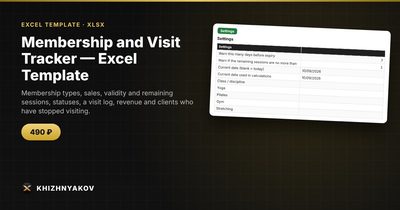
The template covers exactly this. It is paid, works in Excel 2007 and later and in LibreOffice, and has no macros. It comes with a blank file and a filled-in sample with fictional data.
- Types: membership types with sessions, validity and price.
- Clients: contacts, total visits and days without visits.
- Memberships: up to 1500 sales with end date, used, remaining and status.
- Visits: up to 8000 entries with a check for a valid membership.
- Summary: revenue, active memberships, and attendance by class and month.
A client's visits during the membership period count as used. For unlimited memberships, only the validity period is monitored. To freeze a membership, add the days in the Extra days column and the end date moves. The status Expires soon is highlighted and counted in the summary. It suits fitness clubs, yoga and dance studios, children's clubs, art schools and independent trainers. Calculations are approximate.
FAQ
How many clients can a spreadsheet handle?
A few hundred active clients is comfortable. The template allows 1500 sales and 8000 visit entries.
How do I handle drop-in visits?
Create a single-visit type with one session and one day of validity, and sell it like any other.
Can clients have two active memberships?
Yes, but decide which one a visit counts against. The template checks whether the client has a valid membership on the visit date.
What about personal data?
Keep only what you need, such as name and a contact, and protect the file with a password if several people use the computer.