KHIZHNYAKOV
How to Track Pet Vaccinations, Food and Expenses in Excel
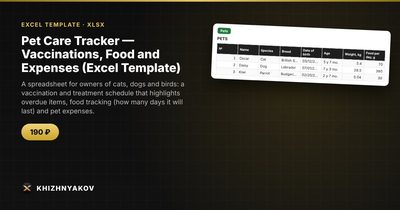
Pet Care Tracker — Vaccinations, Food and Expenses (Excel Template) — Open the template →
Pet care is full of dates that come around slowly enough to forget: the yearly vaccine, the quarterly deworming, the monthly flea treatment, the vet visit you meant to book. Add a second pet, or a partner who also feeds them, and "did anyone do the tick drops?" becomes a regular question.
A small Excel tracker settles it. Here is how to build one that tells you what is overdue, how long the food will last and how much each animal costs.
What to record
Three tables are enough:
- Pets: name, species, birthday, weight, daily food portion, and food remaining.
- Procedures: date, pet, type (rabies vaccine, deworming, flea and tick, vet check), product used.
- Expenses: date, pet, category (food, vet, grooming, toys, other), amount.
Step 1: Repeat intervals
Make a small table of procedure types with a repeat interval in days. Treat these as placeholders: the real schedule for your animal is set by your vet and depends on species, age, lifestyle and the product used.
| Procedure | Repeat every (days) |
|---|---|
| Vaccination | 365 |
| Deworming | 90 |
| Flea and tick | 30 |
| Vet check | 365 |
Step 2: Next date and alert
For each logged procedure, the next date is the date plus the interval:
=A2+VLOOKUP(C2,Intervals!A:B,2,FALSE)
An old entry should not keep alerting once you have repeated the procedure. Only the latest entry for each pet and type matters. You can find the latest date with MAXIFS (Excel 2019 and Microsoft 365):
=MAXIFS(Procedures!A:A,Procedures!B:B,B2,Procedures!C:C,C2)
Then show the alert only on the row where the date equals that maximum:
=IF(A2<>latest,"",IF(next<TODAY(),"Overdue",IF(next-TODAY()<=14,"Due soon","OK")))
Example: dewormed on June 1 with a 90-day interval means the next treatment is due on August 30. On August 20 the status reads Due soon.
Step 3: How long will the food last?
Divide remaining food by the daily portion:
=RemainingKg/DailyKg
A 12 kg bag with a daily portion of 0.25 kg lasts 48 days. Add the date it runs out with =TODAY()+days, and reorder before it does. When you buy a new bag, update the remaining amount.
Step 4: Expenses by pet and category
SUMIFS gives totals by pet, category and month:
=SUMIFS(Expenses!D:D,Expenses!B:B,"Biscuit",Expenses!C:C,"Vet")
Example for one year with a dog: food 540 USD, vet 310 USD, grooming 120 USD, toys 60 USD, total 1,030 USD, or about 86 USD a month. Seeing it makes it easier to budget for the next year and to compare insurance with a savings fund.
Common mistakes
- Treating default intervals as medical advice. Follow your vet.
- Not recording the product. If a flea treatment stops working, you want to know what you used.
- Entering only the next date. Log what was done and when, and let the formula work out the next one.
- Forgetting the weight. A record of weight over time reveals problems early.
Ready-made template: pet care tracker
The template implements this. It is paid, works in Excel 2007 and later and in LibreOffice, and has no macros. It includes a blank file and a filled-in sample with fictional data.
- Settings: the report date and repeat intervals for procedures, which you can change.
- Pets: up to 10 animals with age, weight, daily portion, remaining food and days the food will last.
- Procedures: up to 200 entries with date, pet, type and product; the next date and alert are calculated automatically.
- Expenses: up to 300 entries by category.
- Summary: expenses by pet and category, overdue procedures and a chart.
It works for cats, dogs, birds, rodents and reptiles, because you define the procedure types and intervals yourself. The alert shows on the latest entry for each pet and procedure type. The default intervals are approximate and it does not replace a vet. It suits owners, breeders and families where several people care for the pets.
FAQ
Can I track a pet's weight?
Yes, record it regularly with the date. A simple line chart shows trends.
How do I handle multiple pets?
Give every entry a pet name and use the same names everywhere. Summaries then split by pet automatically.
What if I do not know the exact interval?
Ask your vet and put their answer in the interval table. A guess is worse than a question.
Can several family members use the same file?
Yes. Keep it in a shared folder so that everyone logs what they did.