KHIZHNYAKOV
How to Track Utility Bills and Meter Readings in Excel
Utility Bills Tracker — Excel Template — Open the template →
Utility bills look simple until you try to check one. Electricity and water are charged by meter, internet is a fixed fee, some services depend on floor area, rates change in the middle of the year, and the amount paid never quite matches the amount charged. Over a year the mismatch can be quite large, and nobody notices.
A utility tracker in Excel makes the logic visible: readings go in, consumption and charges come out, and a running balance shows whether you owe anything.
Three types of charge
- By meter: consumption times a rate. Electricity, water, gas.
- By area: floor area times a rate per square meter. Maintenance fees, heating in some buildings.
- Fixed: the same amount every month. Internet, trash, some association fees.
Your tracker should handle all three, because most households and small offices have a mix.
Step 1: Meter readings and consumption
Record the meter reading at the same time each month, ideally on a fixed date. Consumption is the current reading minus the previous one:
=B3-B2
Charge for the month is consumption times the rate:
=C3*Rate
Example: electricity meter reads 12,480 kWh in March and 12,790 kWh in April. Consumption is 310 kWh. At 0.16 USD per kWh the charge is 49.60 USD.
Photograph the meter each time. If a bill is disputed, a dated photo settles it quickly.
Step 2: Rates that change
Rates change, often mid-year. Keep two rates and the month when the new one starts, and let a formula choose:
=IF(MONTH(A3)>=ChangeMonth,NewRate,OldRate)
Take the rate from your bill, never from memory. If a bill breaks the consumption into tiers, you can add a second row for the higher tier.
Step 3: Area-based and fixed charges
For area-based items: =Area*RatePerSqM. A 65 m2 apartment at 0.45 USD per square meter gives 29.25 USD a month. Fixed charges are simply entered once and repeated for all months.
Step 4: Payments and the balance
On a separate sheet, log each payment by month. Then build a grid with services as rows and months as columns, and a bottom row with the total charged, the total paid and the running balance:
=Balance_prev+Paid-Charged
With this convention a negative balance is a debt and a positive one an overpayment. Example: a household is charged 118 USD in January and pays 120, so the balance is +2. In February the charge is 131 and the payment is 120, so the balance is -9. Small differences accumulate, and by spring the household owes 40 USD it never noticed.
Step 5: Yearly summary
Total by service for the year tells you where the money goes. A simple bar chart of the totals shows at a glance that, for example, electricity is twice as large as water. For tenants and small offices, this is also the evidence for any conversation with the landlord or the utility company.
Common mistakes
- Missing a reading. Then the next month's consumption looks double. Note estimated readings separately.
- Using last year's rate.
- Skipping the payment log. Charges without payments tell you nothing about debt.
- Mixing units. Cubic meters of water, kWh of electricity and gigacalories of heat should have clearly named units.
Ready-made template: utility bills tracker
The template does this for you. It is paid, works in Excel 2007 and later and in LibreOffice, and has no macros. It includes an empty file and a filled-in sample with fictitious data.
- Settings: address, floor area, year, services with rates and the month the rates change.
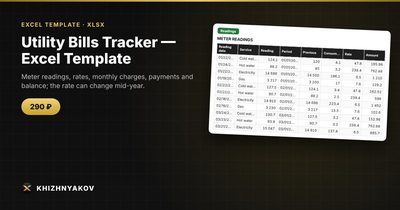
- Readings: meter consumption calculated from the previous reading.
- Payments: payments for each month.
- Charges: a matrix of services by month with total, paid and balance.
- Summary: yearly totals by service and a chart.
You can add your own service, up to 12, calculated by meter, by area or as a fixed amount. If the rates change, enter two rates and the change month and the new rate applies from the next period. In the bottom row of Charges, the balance is a running total where negative means debt and positive means overpayment. Take the rates from your bill, and treat the calculation as indicative. It suits homeowners, tenants, building managers, residents' associations and small offices.
FAQ
How often should I take readings?
Monthly, on the same day if possible. It is the easiest way to spot a leak or a fault early.
What if my bill differs from the tracker?
Compare consumption first, then the rate, then the fixed items. Usually the difference is an estimated reading or a rate change.
Should I keep paper bills?
Keep them for as long as the dispute window lasts where you live, and store photos of the meter alongside.
Can this help me cut costs?
Yes. Monthly consumption makes spikes visible, which is the first step to finding out what caused them.