KHIZHNYAKOV
How to Track First Aid Kit Expiry Dates in Excel
First Aid Kit Medicine and Expiry Date Tracker — Excel Template — Open the template →
Open the first aid kit at home or in the office and you will probably find something past its date: a tube of ointment from three years ago, eye drops opened last spring, a bandage pack with only two left. Nobody notices until the day you actually need it, and that is the worst time to find out.
A first aid kit does not need software. It needs a short list, a few dates and a habit of looking at it once a month. This guide shows how to set that up in Excel, with a worked example, the formulas that do the checking for you, and the mistakes that make most kit lists useless after two months.
What a useful first aid kit list contains
Keep it to the columns you will really maintain. Five are enough:
| Column | Example |
|---|---|
| Item | Ibuprofen 200 mg tablets |
| Form | Tablets |
| Quantity | 2 packs |
| Minimum stock | 1 pack |
| Expiry date | 03/31/2027 |
Add a second, separate list for usage: date, item, packs taken. Do not overwrite the quantity every time someone takes something. If you keep a log of what was used, you can always work out the current stock, and you can see what disappears fastest.
Where to find the expiry date
Use the date printed on the box or blister, not the date you bought it. For items that change after opening (eye drops, some syrups, ointments in open tubes) the packaging often gives a "use within X months of opening" limit. Write the shorter of the two dates in your list, and note the opening date on the package with a marker.
Step by step: set up the list in Excel
- Create a sheet called Medicines with the five columns above, one row per item.
- Create a second sheet called Usage with the columns Date, Item and Packs used.
- In the Medicines sheet, add a column "Days left" with this formula:
=E2-TODAY()where E2 is the expiry date. Format the cell as a number, not a date. - Add a column "Status":
=IF(F2<0,"Expired",IF(F2<=60,"Expiring","OK"))where F2 is Days left. Sixty days gives you time to replace the item before it becomes a problem. - Add a "Current stock" column:
=C2-SUMIF(Usage!B:B,A2,Usage!C:C), which takes the quantity received and subtracts everything logged in Usage for the same item name. - Add a "Restock?" column:
=IF(G2<D2,"Buy","")comparing current stock to the minimum. - Apply conditional formatting to Status: red for Expired, yellow for Expiring.
A worked example
Say you have these three rows:
| Item | Quantity received | Used | Minimum | Expiry |
|---|---|---|---|---|
| Antiseptic wipes | 3 | 2 | 2 | 06/30/2027 |
| Ibuprofen 200 mg | 2 | 0 | 1 | 01/15/2027 |
| Saline eye drops | 1 | 0 | 1 | 09/30/2026 |
Today is 11/01/2026. Antiseptic wipes: stock is 3 minus 2 = 1, which is below the minimum of 2, so the row shows "Buy". Ibuprofen is fine on stock and has about 75 days left, so it shows "OK" now and "Expiring" in two weeks. The eye drops expired a month ago: "Expired", and they go into the discard bag. Three rows, three different problems, found in ten seconds.
Common mistakes
- Typing quantity over quantity. When you overwrite the number, you lose the history and cannot tell whether the stock is right. Log usage instead.
- Dates as text. If you type "March 2027" the formulas cannot calculate days. Enter a full date such as 03/31/2027.
- One list for several kits. The car, the office and the home kit have different needs. Add a "Location" column or use one sheet per kit.
- No review rhythm. A list nobody opens is just a file. Pick the first day of the month and set a calendar reminder.
- Keeping expired medicines "just in case". Discard them properly. Many pharmacies accept unused medicines for disposal; check what your local pharmacy offers instead of throwing them in the trash or flushing them.
Ready-made template
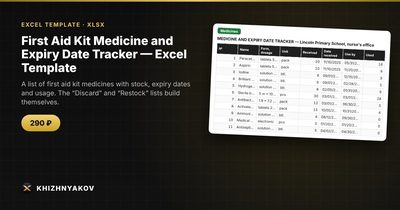
If you would rather not build the formulas yourself, the First Aid Kit Medicine and Expiry Date Tracker is a paid Excel template that does the same job. It has four sheets: "Medicines" (name, form, quantity, minimum stock, expiry date), "Usage" (packs used), "Discard" (medicines past their expiry date) and "Restock" (medicines below the minimum, plus a summary).
The practical benefit is that the Discard and Restock lists build themselves, so you print them and go. Stock is calculated as quantity received minus usage, and the warning period and minimum stocks are set in the parameters, so you can adjust them to your situation. It works in Excel 2007 and newer and in LibreOffice, without macros. It suits families, offices, school nurse's rooms, travel and sports clubs. It is a tracking spreadsheet only and contains no dosages or prescriptions.
FAQ
How often should I check the first aid kit?
Once a month for a quick look at the Status column, and a full physical check twice a year, for example when the clocks change. Also check before holidays and trips.
Do medicines become dangerous right after the expiry date?
The date is the last day the manufacturer guarantees the product. Do not use expired medicines, especially eye drops, antibiotics and anything liquid. If you have a question about a specific product, ask a pharmacist.
What minimum stock should I set?
Think about how fast you use an item and how long it takes you to buy more. Plasters and wipes that you use weekly need a higher minimum than a rarely used thermometer cover. For a family, one spare pack of the common items is a sensible start.
Should the kit list include dosage instructions?
No. Keep the list as a stock-and-dates record. Dosages belong on the package leaflet and in your doctor's advice, and mixing them into a spreadsheet only creates a second place for mistakes.