KHIZHNYAKOV
How to Track Warranties and Receipts in Excel
Warranty and Receipt Tracker — Excel Template — Open the template →
A dishwasher stops draining fourteen months after you bought it. The warranty was twelve months, or was it twenty-four? The receipt is somewhere, maybe in a drawer, maybe in an email from a store you rarely visit. Most people find out their warranty has expired at exactly the moment they need it.
A warranty tracker in Excel costs nothing and takes an evening to fill. Here is how to build it so it warns you in time.
What to record
For every purchase worth tracking, usually anything above 50 to 100 USD, note:
| Field | Example |
|---|---|
| Item | Dishwasher |
| Store | HomeMart |
| Purchase date | 2025-03-12 |
| Price (USD) | 640 |
| Warranty (months) | 24 |
| Serial number | DW-48291 |
| Receipt location | Blue folder, "Kitchen" tab |
The last column is the one people skip, and it is the one that saves you. Write exactly where the paper receipt, warranty card or email is: a physical folder, a cloud directory or an email search term.
Step 1: Calculate the end date
Use EDATE to add months to a date:
=EDATE(C2,E2)
For the dishwasher, 2025-03-12 plus 24 months gives 2027-03-12. Check this against the warranty card. Some manufacturers count from the delivery or installation date, and some warranties end on the day before the anniversary. When in doubt, follow the document.
Step 2: Add a status
A status column makes the sheet useful on a daily basis. Put the warning window in a settings cell, for example 60 days:
=IF(F2<TODAY(),"Expired",IF(F2-TODAY()<=Warn,"Ending soon","Under warranty"))
Add conditional formatting: red for expired, amber for ending soon. Sort by end date once a quarter and you will see every approaching deadline at the top.
Step 3: What is worth claiming?
Most claims are small, but items under warranty add up. Sum the price of everything still covered:
=SUMIF(G:G,"Under warranty",D:D)+SUMIF(G:G,"Ending soon",D:D)
If this comes to 4,800 USD across eleven items, it shows how much value an annual check would protect. Use a quick check: once a year, test that everything under an ending-soon warning actually works, such as the TV, the washing machine, the laptop. A fault found a month before the warranty ends is a free repair; found a month later it is your bill.
Step 4: A calm routine
- Add the purchase to the sheet the day you buy something, while the box is still in the hall.
- Photograph the receipt and store it in a folder named after the year.
- Open the sheet at the start of each quarter and look at the Ending soon rows.
Common mistakes
- Relying on thermal paper receipts. They fade within a year or two. Photograph them.
- Not recording the serial number. Manufacturers often ask for it.
- Assuming one period for everything. Different parts, such as a battery or a compressor, may have different coverage.
- Ignoring local consumer rules. Statutory rights vary by country or state and may add to the manufacturer warranty. Check what applies to you.
Ready-made template: warranty and receipt tracker
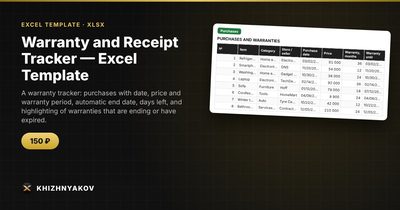
The template covers all of this. It is paid, works in Excel 2007 and later and in LibreOffice, and has no macros. It is delivered as an empty file and a filled-in sample with fictitious data.
- Settings: the report date, how many days ahead to warn, and categories.
- Purchases: up to 300 purchases with store, price, warranty period, serial number and where the receipt is. The end date and status are calculated automatically.
- Summary: how many purchases are under warranty, how many are ending or expired, and the value of items under warranty.
The warning period is 60 days by default and you can change it in Settings. The end date is the purchase date plus the warranty period in months, so compare it with the warranty card for products that count the period differently. It suits anyone who buys appliances and furniture, homeowners, car owners and small businesses with equipment.
FAQ
Do I need to keep the paper receipt?
Many stores accept a clear photo or an email receipt, but policies vary. Keep the original for expensive items if you can.
Should I add cheap items?
Only if replacing them would hurt. A 20 USD kettle is not worth a row, but a 600 USD laptop is.
What about extended warranties?
Add them as a second row for the same item, or note the extended end date in a comment, so you know the real expiry.
Does the warranty cover accidents?
Usually not. Manufacturer warranties generally cover defects. Read the terms for exclusions.