KHIZHNYAKOV
How to Make a Renovation Estimate in Excel
Renovation Estimate Template — Excel Bill of Quantities and Materials — Open the template →
A renovation estimate has two readers: the person who pays and the person who does the work. If the numbers are vague, the first reader gets a surprise invoice and the second gets an argument. A clear estimate shows what is being done, in what quantity, at what rate, and what is added on top.
This guide explains how to structure an estimate in Excel so it can be checked line by line, and where percentages for overheads, profit, contingency and VAT belong.
The logic of an estimate
Every renovation estimate boils down to the same chain:
- A list of work items and materials, each with a unit (m2, m, piece).
- A quantity for each, measured on site.
- A labor price and a material price per unit.
- Subtotals by section (demolition, walls, floors, electrics, and so on).
- Add-ons: overheads, profit, contingency and tax.
Step 1: Build a rate catalog
Put your prices on a separate sheet. One row per item: code, name, unit, labor price, material price and waste allowance.
| Code | Item | Unit | Labor (USD) | Material (USD) | Waste |
|---|---|---|---|---|---|
| W-10 | Paint walls, 2 coats | m2 | 4.50 | 2.20 | 5% |
| F-05 | Laminate flooring | m2 | 7.00 | 18.00 | 10% |
Keeping prices in one place means you update a rate once and every estimate follows.
Step 2: The estimate sheet
Each row picks an item from a drop-down list, takes the unit and prices by lookup, and multiplies by quantity:
=VLOOKUP(B2,Catalog!A:F,4,FALSE)*D2 for labor
=VLOOKUP(B2,Catalog!A:F,5,FALSE)*D2*(1+waste) for materials
Add a section column and use SUMIF to get a subtotal per section. Example: painting 80 m2 of walls gives labor 80 x 4.50 = 360 USD and materials 80 x 2.20 x 1.05 = 184.80 USD, so 544.80 USD for the row.
Step 3: Add-ons in the right order
Order matters, and it should be written down in the contract.
- Overheads and profit are often calculated as a percentage of labor. Agree the method up front.
- Contingency covers the unknown, such as hidden damage once a wall is opened. A typical range is 5 to 10% of the total.
- Tax goes last. Decide whether prices are shown without tax, with tax on top, or with tax included, and keep it consistent.
Worked example with round numbers: labor 10,000 USD, materials 8,000 USD, overheads 12% of labor = 1,200 USD, profit 8% of labor = 800 USD. Subtotal 20,000 USD. Contingency 5% = 1,000 USD, giving 21,000 USD before tax. Tax rates differ by location and change, so use the current rate that applies to you.
Step 4: Produce the documents people actually need
One workbook can feed three outputs: the full estimate for the client, a materials list for purchasing (quantity with waste allowance and amount), and a clean print form with signature blocks. When the work is done, a completion certificate based on actual quantities protects both sides, since final payment follows what was really built.
Common mistakes
- Prices typed into every row. Use a catalog so changes are made once.
- Missing waste allowance on materials.
- Mixing tax modes. Some rows with tax and some without produces a wrong total that nobody can trace.
- No contingency. Hidden problems are normal in renovation.
- No check column. A row with a quantity but no price, or a price but no quantity, should be flagged.
Ready-made template: renovation estimate
The template is built on exactly this structure. It is paid, works in Excel 2007 and later and in LibreOffice, and has no macros. It includes a blank file and a filled-in sample estimate for renovating an office, with fictitious data and a few problem rows to test the checks.
- Settings: site, client, contractor, VAT mode (no VAT, on top or included), percentages for overheads, profit and contingency, rounding and the list of sections.
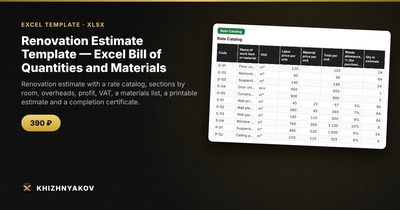
- Rate Catalog: up to 300 work items and materials with code, name, unit, labor price, material price and waste allowance.
- Estimate: up to 400 rows with section, item from the list, quantity, coefficient, labor, materials and total, subtotals by section and a row check.
- Materials List: what to buy and how much, with waste and amount.
- Summary: totals by section, overheads, profit, contingency, VAT, the grand total and a chart.
- Print Estimate: a simplified print form with sections, subtotals and signature blocks.
- Completion Certificate: based on completed quantities, with overheads, profit and tax recalculated automatically.
Overheads and profit are calculated as percentages of the labor cost. The default percentages and the VAT rate are placeholders, so set them according to your contract and check current rates. The forms are simplified working forms and not official documents.
FAQ
How accurate does an estimate need to be?
Accurate enough to compare with quotes and to agree on a price. Hidden conditions will always move it a little, which is why a contingency line exists.
Should the client see overheads and profit?
That depends on your contract. Some clients want a fully itemized estimate; others prefer a single price per item. Choose one approach and stay consistent.
How do I deal with changes during the work?
Add a new row or a revised version and date it. Do not edit the signed estimate silently.
Who measures the quantities?
Ideally a person who will be responsible for the result, measuring on site. Plans are a start, but real walls are rarely perfect.