KHIZHNYAKOV
How to Make a Contract Register in Excel
Contract Register with Term and Payment Tracking — Excel Template — Open the template →
Contracts rarely cause trouble on the day they are signed. The trouble comes later: a service agreement renews automatically because nobody noticed the notice period, a supplier is paid twice, or a client has not paid anything for three months. A contract register puts all of it in one table so that dates and amounts come to you instead of you hunting for them.
Below is a practical way to build one in Excel, with the formulas for expiry warnings, balances and a simple traffic light.
What the register should contain
One row per contract. These columns cover most small organizations:
| Column | Purpose |
|---|---|
| Contract no. | Unique key, links to payments |
| Counterparty | Who you signed with |
| Type | Supply, services, lease, etc. |
| Start / End date | End can be "open-ended" |
| Amount | Contract value |
| VAT mode | Included, on top or none |
| Responsible | Who owns the relationship |
| Paid, Balance, Overdue | Calculated |
| Status | Calculated |
Keep types, counterparties and responsible people in drop-down lists (Data, Data Validation, List) so that spellings stay consistent. Otherwise your summaries will count "Acme Ltd" and "ACME" as two companies.
Step 1: Handle VAT or sales tax once
Decide how amounts are entered and compute one comparable figure. If the amount is entered excluding tax and tax is added on top:
=IF(F2="on top",E2*(1+VATRate),E2)
Put the rate in a single settings cell. Tax rules differ by place and change, so confirm the current rate rather than relying on an example. Some contracts have no VAT at all, so give that its own option.
Step 2: Record payments separately
Payments belong on their own sheet: contract number, date, amount. A contract can have dozens of them. Then paid to date is:
=SUMIF(Payments!A:A,A2,Payments!C:C)
And the balance:
=G2-H2
A negative balance means you paid more than the contract amount, which is worth catching early.
Step 3: Expiry warnings
Days left until the end date:
=IF(D2="open-ended","",D2-TODAY())
A status with a warning threshold, for example 60 days:
=IF(D2="open-ended","Open-ended",IF(D2<TODAY(),"Expired",IF(D2-TODAY()<=60,"Expiring soon","Active")))
Add conditional formatting: red for expired with a balance, yellow for expiring soon, green for active. Worked example: a cleaning contract ending on December 31 shows yellow from November 1. If it has a 30-day notice period, you have a month to decide whether to renew or terminate.
Step 4: Overdue amounts
Overdue is the unpaid balance on a contract whose term has already ended:
=IF(AND(ISNUMBER(D2),D2<TODAY()),MAX(I2,0),0)
Example: a 12,000 USD contract expired in September with 9,000 USD paid shows 3,000 USD overdue. Either the work was not accepted, or someone owes money, and either way you now know to ask.
Step 5: A list of what needs attention
A register of 200 contracts is too long to scan. Build a second sheet that pulls only the expiring ones, sorted by urgency, using SMALL and INDEX or, in newer Excel, FILTER and SORT. Check it weekly.
Common mistakes
- Typing payments into the register row instead of a payment sheet, which breaks down after the second payment.
- Text dates. If Excel left-aligns a date, it is text and calculations fail.
- Forgetting renewal terms. Add a column for automatic renewal and notice period.
- No owner. A contract without a responsible person is a contract nobody watches.
Ready-made template: contract register
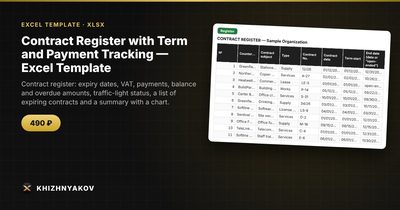
The template implements this structure. It is paid, works in Excel 2007 and later and in LibreOffice, with no macros or external links.
- Settings: VAT rate and mode, days before a warning, and lists of contract types, counterparties and responsible persons.
- Register: up to 300 contracts with the term (a date or "open-ended"), amount, VAT included or on top, renewal, responsible person, paid, balance, overdue, warnings and a traffic light.
- Payments: up to 1,500 payments linked by contract number.
- Expiring: contracts nearing their end, sorted by urgency, without macros.
- Summary: by type and counterparty, the top 10 by balance and a chart of expiries by month.
The VAT rate is an editable setting, so check the current value that applies to you. It suits lawyers, procurement staff, accountants and managers of small organizations.
FAQ
How do I record a contract with no end date?
Write "open-ended" in the end date column and make your formulas treat it separately, as above.
Should scanned contracts be stored in the spreadsheet?
No. Keep files in a folder and put the file name or path in a column. The register is an index, not an archive.
How often should I review it?
Weekly for the expiring list, monthly for balances and overdue amounts.
Does it replace legal review?
No. It tracks dates and money, and it cannot tell you whether a contract is sound.