KHIZHNYAKOV
How to Build a Payment Calendar in Excel
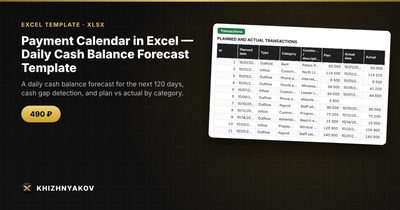
Payment Calendar in Excel — Daily Cash Balance Forecast Template — Open the template →
A business can be profitable and still run out of cash. It happens when payments leave the account before customers' money arrives: payroll on the 1st, rent on the 5th, a client who promised to pay on the 15th. Profit and loss statements will not show you this, because they do not care about the order of days.
A payment calendar does. It lists expected receipts and payments by date and shows the balance at the end of every day, so you can see a shortfall weeks ahead. This guide explains how to build one in Excel and how to use it.
What a payment calendar is
It is a day-by-day forecast of your cash balance. The logic is simple: balance today equals balance yesterday plus inflows minus outflows. The value is in the detail. A monthly view might say you will end the month with 4,000 USD more than you started with. A daily view might show that on the 12th you will be 3,000 USD short.
Step 1: Start with a transaction list
Create one table, one row per planned or actual movement of money:
| Date | Category | Description | Amount | Paid |
|---|---|---|---|---|
| Nov 1 | Payroll | Salaries | -8,500 | No |
| Nov 5 | Rent | Office | -2,200 | No |
| Nov 8 | Sales | Client A invoice | 6,000 | No |
| Nov 15 | Sales | Client B invoice | 9,500 | No |
Use positive numbers for receipts and negative for payments. Include everything with a date: tax payments, loan installments, subscriptions, supplier invoices and the invoices you expect customers to pay. Be conservative with receipts and put them on the date you realistically expect, not the due date on the invoice.
Step 2: Build the daily calendar
On a second sheet, list consecutive dates in column A (the start date, then =A2+1 and so on). Then compute inflow and outflow for each date with SUMIFS:
=SUMIFS(Transactions!D:D,Transactions!A:A,A2,Transactions!D:D,">0")
=SUMIFS(Transactions!D:D,Transactions!A:A,A2,Transactions!D:D,"<0")
The balance column is the previous balance plus the two:
=C1+D2+E2 (with the opening balance in the first row)
Step 3: Flag the danger days
Add a column that compares the balance with a minimum you set, for example enough to cover a week of expenses:
=IF(F2<0,"Cash gap",IF(F2<MinBalance,"Low","OK"))
Colour the cells red for a gap and yellow for low. A line chart of the balance column gives you the picture in one glance.
Worked example
Opening balance on November 1: 5,000 USD.
- Nov 1: payroll -8,500, so the balance is -3,500. That is a cash gap on day one.
- Nov 5: rent -2,200, balance -5,700.
- Nov 8: client A pays +6,000, balance 300.
- Nov 15: client B pays +9,500, balance 9,800.
The month ends comfortably positive, yet the account is below zero for a week. Knowing this on October 20 gives you options: ask client A to pay earlier, move the rent date, use a credit line or delay a supplier payment. Knowing it on November 1 gives you only stress.
Step 4: Update it with actuals
A forecast is only useful if you keep it honest. When a payment actually happens, enter the actual date and amount. Unpaid items whose date has already passed are still due, so treat them as happening today rather than letting them vanish from the forecast. Compare plan with actual by category once a month: it shows where your estimates are consistently too optimistic.
Common mistakes
- Using invoice dates instead of expected payment dates. Customers pay late; your calendar must reflect reality.
- Forgetting irregular payments, such as annual insurance, quarterly taxes or equipment servicing.
- Mixing profit and cash. The calendar tracks money moving, not revenue earned.
- Not updating it. A stale forecast is worse than none.
Ready-made template: payment calendar
The template sets all of this up. It is paid, works in Excel 2007 and later and in LibreOffice, and has no macros. It comes blank, plus a filled-in sample with fictitious data.
- Settings: opening balance, start date, minimum balance and categories.
- Transactions: up to 800 planned and actual transactions with a paid status.
- Calendar: 120 days with inflow, outflow and balance, a Cash gap alert and a chart.
- Categories: plan, actual and variance by category.
Unpaid payments dated in the past move to today, and if you enter the actual date and amount next to the planned ones, the forecast uses the actuals. Thresholds are yours to set, and the calculations are approximate. It suits business owners, bookkeepers in small companies and sole traders with payroll and rent.
FAQ
How far ahead should I forecast?
Three to four months works for most small businesses. Further out, guesses outweigh facts. The template covers 120 days.
How is a payment calendar different from a cash flow statement?
A cash flow statement summarizes the past by month or quarter. A payment calendar looks forward by day and answers whether you can pay on a specific date.
What minimum balance should I set?
A common starting point is enough to cover one week of regular expenses. Adjust it based on how predictable your customers are.
What do I do when I find a cash gap?
Move what you can control: ask for earlier payment, negotiate supplier terms, split a large payment, or arrange short-term financing before you need it.