KHIZHNYAKOV
How to Calculate NPV, IRR and Payback Period in Excel
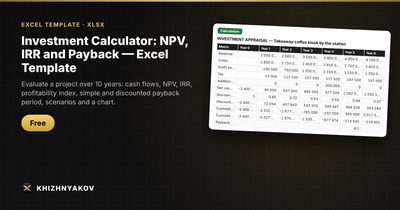
Investment Calculator: NPV, IRR and Payback — Excel Template — Download free →
Buying a new machine, opening a second location or taking on a franchise all raise the same question: will this money come back, and when? Gut feeling is a poor guide, because a dollar earned in year five is worth less than a dollar today.
Three metrics answer the question: net present value (NPV), internal rate of return (IRR) and payback period. Excel has built-in functions for the first two, and the third takes a couple of helper columns. Below is a worked example you can rebuild in ten minutes.
The example project
A small bakery considers a new oven line for $50,000. It expects extra cash flow (revenue minus costs and tax) over five years:
| Year | Cash flow |
|---|---|
| 0 | −$50,000 |
| 1 | $12,000 |
| 2 | $15,000 |
| 3 | $16,000 |
| 4 | $16,000 |
| 5 | $14,000 |
The owner requires a 12% return, a figure that reflects what the money could earn elsewhere plus a premium for risk.
Step 1. NPV
NPV discounts every future cash flow to today's money and subtracts the investment. Put the year 0 flow in B2 and years 1–5 in B3:B7, the rate in E1. Then:
=NPV(E1,B3:B7)+B2
Result: about $2,170. A positive NPV means the project earns more than the 12% you require.
The classic mistake: writing =NPV(E1,B2:B7). Excel's NPV assumes the first value happens at the end of period 1, so including the year 0 investment discounts it by a year too and understates the cost. Always add the initial investment outside the function.
If you want to see the discounting row by row, add a column with the discount factor =1/(1+$E$1)^A3 (year number in column A) and multiply it by the cash flow. The sum of discounted flows, including year 0, equals NPV.
Step 2. IRR
IRR is the discount rate at which NPV equals zero. Unlike NPV, the IRR function takes the whole range, including year 0:
=IRR(B2:B7)
Result: about 13.7%. Since that is above the 12% hurdle, the project passes. IRR is handy for comparing projects of different sizes, but it can mislead when cash flows change sign more than once (for example, a big repair in year 3). In those cases trust NPV.
Step 3. Simple and discounted payback
Add a cumulative cash flow column: in C2 =B2, in C3 =C2+B3, and fill down. Payback happens in the year the running total turns positive.
| Year | Cash flow | Cumulative |
|---|---|---|
| 0 | −50,000 | −50,000 |
| 1 | 12,000 | −38,000 |
| 2 | 15,000 | −23,000 |
| 3 | 16,000 | −7,000 |
| 4 | 16,000 | 9,000 |
Interpolating inside year 4: 3 + 7,000 / 16,000 ≈ 3.4 years.
Discounted payback uses the discounted flows instead. Here it comes out at about 4.7 years. It is always longer than simple payback because later dollars are worth less.
Step 4. Profitability index
PI = present value of future flows / initial investment. In Excel: =NPV(E1,B3:B7)/-B2. Here it is about 1.04: every dollar invested returns $1.04 in today's money. PI above 1 means the same thing as NPV above 0, but it helps when you have limited capital and several projects.
Step 5. Test scenarios
A single forecast is a guess. Build at least three cases by multiplying revenue and costs by factors: pessimistic (revenue −15%), base, optimistic (revenue +10%). If NPV stays positive even in the pessimistic case, the decision is much safer.
Common mistakes
- Using profit instead of cash flow. Depreciation is not cash; loan repayments and extra investments are.
- Forgetting later investments. Equipment upgrades in year 3 belong in the cash flow as negatives.
- Picking a rate to get the answer you want. Decide the rate before you look at the result.
- Mixing nominal and real numbers. If your cash flows include price growth, the rate should too.
Ready-made template: Investment Calculator NPV, IRR and Payback
The free Investment Calculator does all of this for a project of up to 10 years.
- On the "Inputs" sheet you enter the project, discount rate, income tax, initial investment and, for each year, revenue, costs and additional investment.
- The "Calculation" sheet builds cash flows, discounting, cumulative and cumulative discounted cash flow, and calculates NPV, IRR, PI and both payback periods, with a verdict in words and a chart.
- "Scenarios" compares pessimistic, base and optimistic cases using factors for revenue and costs, with NPV, IRR and payback for each.
- "Instructions" explains how to use the file and how each metric is calculated.
It works in Excel 2007 and later and in LibreOffice with ordinary formulas and no macros. The model is simplified and meant for an initial assessment.
FAQ
What discount rate should a small business use?
Start with what the money could safely earn (for example, a high-yield savings or Treasury rate) and add a risk premium. Small businesses often land somewhere between 15% and 25%. Run the numbers at a couple of rates to see how sensitive the result is.
What is the difference between IRR and XIRR?
IRR assumes equal periods, such as years. XIRR takes actual dates for each cash flow, which suits irregular payments: =XIRR(values,dates).
Can NPV be positive while payback is long?
Yes. A project with large late cash flows can have a healthy NPV but take many years to repay. If cash is tight, look at both.
Does this include inflation and depreciation?
The basic method above does not. Build inflation into annual growth of revenue and costs, and remember that depreciation only matters through its effect on tax.