KHIZHNYAKOV
How to Calculate Monthly Savings for a Goal in Excel
Savings Goal Planner — Excel Template — Download free →
"I'll save what's left at the end of the month" rarely works, because usually nothing is left. Saving gets much easier when the goal has a number and a date, and you know the exact amount to set aside each month.
Excel can calculate that amount in one formula, including the interest your savings account pays. In this guide you will use PMT to find the monthly contribution, NPER to see how long your current contribution will take, and a simple formula for an emergency fund.
Step 1. Define the goal
Every goal needs four numbers:
| Input | Example |
|---|---|
| Target amount | $6,000 (a family vacation) |
| Already saved | $1,000 |
| Months until the goal | 18 |
| Annual savings rate | 4% (high-yield savings account) |
If you only know the target date, the number of months between today and that date is =DATEDIF(TODAY(),B5,"m").
Step 2. Monthly contribution with PMT
PMT is usually used for loan payments, but it works for savings too. The trick is the signs: money you pay in is negative, the goal is positive.
=PMT(rate/12, months, -saved, target)
With the example numbers:
=PMT(4%/12, 18, -1000, 6000) → about −$266.66
The minus sign just means money leaving your pocket. Wrap it to get a clean positive number rounded up to the next dollar:
=ROUNDUP(-PMT(4%/12,18,-1000,6000),0) → $267 a month
Without interest you would need (6,000 − 1,000) / 18 ≈ $278. Interest saves you about $11 a month here; at larger amounts and longer terms the difference grows.
Step 3. How long will my contribution take? NPER
Say you can only afford $250 a month. NPER returns the number of months:
=NPER(4%/12, -250, -1000, 6000) → about 19.1 months
So you would reach the goal in 20 months instead of 18. To see what you would have by the original deadline, use FV:
=FV(4%/12, 18, -250, -1000) → about $5,692
Now the choice is clear: add $17 a month, move the date by two months, or lower the target.
Step 4. Several goals at once
Most households save for more than one thing: a vacation, a new laptop, a car down payment. Put each goal on its own row with the same columns and a PMT formula per row. Then add up the monthly contributions and divide by your monthly take-home pay. If the total is 35% of income, something has to give; it is better to know that now than in month seven.
Step 5. Build a savings schedule
A month-by-month table keeps you motivated. Columns: Month, Opening balance, Contribution, Interest, Closing balance.
- Interest:
=B2*$rate/12 - Closing balance:
=B2+C2+D2 - Next month's opening balance equals the previous closing balance.
Add a line chart of the closing balance and a horizontal line for the target.
Step 6. Emergency fund
Before saving for nice things, many people build a cushion for job loss or surprise repairs. The usual guideline is three to six months of essential expenses.
Emergency fund = monthly essential expenses × number of months
If essentials (rent, utilities, groceries, insurance, minimum loan payments) come to $3,200, six months is $19,200. Treat it as a goal like any other and run it through PMT.
Common mistakes
- Using the annual rate in PMT. Divide by 12 for monthly contributions.
- Getting the signs wrong. If PMT returns a huge or odd number, check that saved and contribution are negative and the target positive.
- Forgetting what's already saved. Leaving it out overstates the monthly amount.
- Counting on a fixed rate. Savings rates change; recalculate a few times a year.
Ready-made template: Savings Goal Planner
The free Savings Goal Planner does these calculations for you.
- "Goals": up to 10 goals, each with an amount, a term in months or as a date, the amount already saved, a savings rate and your contribution. It returns the required monthly contribution (PMT, rounded up), the amount saved by the deadline, the saving term in months (NPER) with the date you reach the goal, and progress.
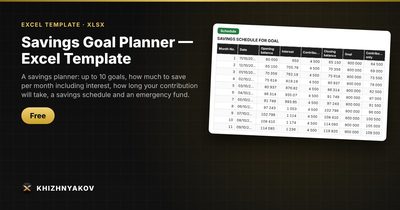
- "Schedule": a monthly table for up to 120 months with interest for the selected goal, plus a chart.
- "Emergency fund": monthly expenses × number of months, with the saving term and required contribution.
- "Summary": all goals together, the total monthly contribution and its share of income, and two charts.
It works in Excel 2007 and later and in LibreOffice, with no macros. The calculation is indicative.
FAQ
Does the calculation include taxes on interest?
No. Interest on savings is usually taxable, so your real return is slightly lower. For a quick fix, reduce the rate a little, for example use 3.2% instead of 4%.
What about inflation?
A vacation that costs $6,000 today may cost more in two years. For long goals, raise the target by a few percent per year rather than complicating the formula.
Should I save for goals or pay off debt first?
If you carry high-interest credit card debt, paying it down usually beats any savings rate. Many people still keep a small emergency fund while doing so.
What if my savings account pays nothing?
Set the rate to 0. PMT then simply divides the remaining amount by the number of months.