KHIZHNYAKOV
How to Make a Weekly Meal Planner with an Automatic Grocery List in Excel
Weekly Meal Planner and Shopping List — Excel Template — Download free →
The question "what are we eating this week?" costs more than it seems. Without a plan you shop on the way home, buy a second jar of something you already have, and throw away half a bag of spinach on Friday.
A meal plan solves that, and a spreadsheet makes it painless: you write each recipe once, choose dishes for the week, and the grocery list builds itself. Below is the method, including the one formula that saves the most money: rounding up to whole packs after subtracting what is already in the pantry.
Step 1. A grocery list with pack sizes and prices
Create a Groceries sheet. One row per item, with the unit you will use in recipes:
| Item | Unit | Pack size | Pack price | At home |
|---|---|---|---|---|
| Chicken thighs | g | 1,000 | $6.49 | 300 |
| Rice | g | 2,000 | $3.99 | 1,200 |
| Eggs | pcs | 12 | $3.79 | 4 |
| Milk | ml | 1,890 | $3.29 | 0 |
Price per unit is =D2/C2. Keep units consistent: if an item is in grams, every recipe must use grams for it.
Step 2. Recipes per serving
On a Recipes sheet, list each dish with its ingredients and quantity per serving, one ingredient per row:
| Dish | Ingredient | Per serving |
|---|---|---|
| Chicken and rice | Chicken thighs | 150 |
| Chicken and rice | Rice | 80 |
| Omelet | Eggs | 2 |
| Omelet | Milk | 50 |
The cost per serving of a dish is the sum of quantity × unit price for its rows. Look up the unit price with =VLOOKUP(B2,Groceries!A:F,6,FALSE) and total by dish with SUMIF.
Step 3. The weekly menu
Make a grid: days down the side, meals across the top (breakfast, lunch, dinner, snack), and a servings column. Use drop-down lists from your recipe names so spelling always matches.
Say chicken and rice appears twice for dinner, 4 servings each time. That is 8 servings in total.
Step 4. Turn the menu into total quantities
For each ingredient you need: the sum over all dishes on the menu of servings × quantity per serving. The easiest approach is a helper column on the Recipes sheet that counts how many servings of each dish are on the menu:
=COUNTIF(Menu!B:E,A2) (if servings are always the same), or SUMIF over the menu's dish and servings columns when they vary.
Multiply that by the per-serving quantity, then total by ingredient with SUMIF on the Groceries sheet.
For chicken thighs: 8 servings × 150 g = 1,200 g.
Step 5. Subtract the pantry and round up to packs
This is the part that turns a menu into a real shopping list:
- Still needed:
=MAX(0,needed-at_home)→ 1,200 − 300 = 900 g - Packs to buy:
=ROUNDUP(still_needed/pack_size,0)→ ROUNDUP(900/1,000) = 1 pack - Cost:
=packs*pack_price→ $6.49
Filter out rows where packs = 0, and you have a list to take to the store. Add a "Bought" checkbox column if you shop with your phone.
Step 6. Check the cost
Add up the cost column for the shopping total, and divide by days and people for a per-person-per-day figure. For a family of four, seeing that the week costs $165, or about $5.90 per person per day, makes it easy to compare plans and spot expensive days.
You will notice the shopping bill is higher than the cost of the meals eaten. That is normal: you buy whole packs, and the leftovers carry over to next week.
Common mistakes
- Mixing units. One recipe in cups, another in grams, and the totals become nonsense.
- Forgetting the pantry. Updating the "At home" column takes two minutes and saves duplicate buys.
- Planning every single meal. Leave one or two "leftovers" slots; real weeks are messy.
- Unrealistic prices. Update prices from your receipts every few weeks.
Ready-made template: Weekly Meal Planner and Shopping List
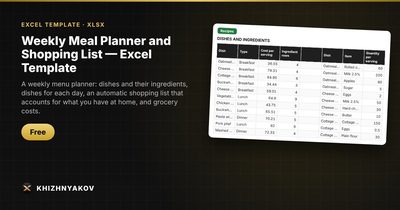
The free Weekly Meal Planner and Shopping List template has this logic ready.
- "Groceries": up to 100 items with pack price, size, stock at home and the number of packs to buy.
- "Recipes": up to 60 dishes with ingredients per serving (up to 500 rows); cost per serving is calculated automatically.
- "Menu": 7 days with 4 meals each, two dishes per meal and the number of servings, with cost.
- "Shopping": a ready list with a "Bought" mark, and a "Summary" with cost by day and meal, per person per day, and two charts.
Dishes and items are picked from drop-down lists, and the sample prices and recipes are placeholders you replace with your own. It works in Excel 2007 and later and in LibreOffice, with no macros.
FAQ
How many recipes do I need to start?
Ten to fifteen dishes your family already likes is plenty. Add new ones as you try them; after a month you will have a rotation that plans itself.
Can I use cups and tablespoons?
You can, as long as each item always uses the same unit. Grams and milliliters are easier because package sizes on most labels are given in them.
Does it work for one person?
Yes. Set servings to 1 and plan dishes that keep well, so one cooking session covers two or three meals.
How do I handle staples like salt and spices?
Leave them out of recipes and keep a separate "check pantry" list. Tracking a pinch of salt is not worth the effort.