KHIZHNYAKOV
How to Make a Family Budget in Excel: a Step-by-Step Guide
Annual Family Budget — Excel Template — Download free →
Most families know roughly what they earn, but few know where the money actually goes. The paycheck arrives, the month passes, and the balance is lower than expected. Budgeting apps help some people, but many want a simpler tool they fully control, with no bank logins and no subscription.
A family budget in Excel is exactly that. It takes about an hour to set up and ten minutes a week to maintain. Below is a method that works with or without a template: categories, a transaction log, monthly totals, limits and savings goals.
Step 1. Choose categories
Too many categories and you will stop tracking; too few and the numbers say nothing. Fifteen to twenty expense categories is a good range for most households.
| Income | Expenses |
|---|---|
| Salary 1 | Housing (rent or mortgage) |
| Salary 2 | Utilities and internet |
| Side income | Groceries |
| Other | Eating out |
| Transportation | |
| Kids | |
| Health | |
| Subscriptions | |
| Clothing | |
| Gifts and holidays | |
| Savings transfers |
Put the lists on a separate Settings sheet. You will use them for drop-down menus, which prevents "Groceries" and "groceries " from becoming two categories.
Step 2. One log for all transactions
The heart of the budget is a single table, one row per transaction:
| Date | Type | Category | Amount | Note |
|---|---|---|---|---|
| 10/01 | Income | Salary 1 | 3,400 | |
| 10/02 | Expense | Housing | 1,650 | Rent |
| 10/03 | Expense | Groceries | 142.30 | Weekly shop |
Don't create a separate sheet for each month. One continuous log is easier to fill in and to analyze. Add data validation lists for Type and Category (Data → Data Validation → List).
Step 3. Monthly totals with SUMIFS
On a Months sheet, put categories down the side and months across the top. With dates in column A of the log, categories in C and amounts in D, the formula for a category in A5 and the month starting on the date in B4 is:
=SUMIFS(Transactions!$D:$D,Transactions!$C:$C,$A5,Transactions!$A:$A,">="&B$4,Transactions!$A:$A,"<"&EDATE(B$4,1))
Fill it across and down, and you have the whole year in one grid.
Step 4. Set limits and catch overspending
Next to each expense category, enter a monthly limit. Variance = actual − limit. Add conditional formatting: if actual is above the limit, the cell turns red.
Example. Grocery limit $650, actual $712, variance +$62. One month like that is normal; three in a row means the limit is unrealistic or a habit needs attention.
A popular starting point for limits is the 50/30/20 rule: 50% of take-home pay for needs, 30% for wants, 20% for savings and debt. Treat it as a guide, not a law.
Step 5. Track your savings rate
Savings rate = (income − expenses) / income
If the family brings home $6,200 and spends $5,300, the savings rate is 900 / 6,200 ≈ 14.5%. This single number tells you more about your financial health than any category.
Step 6. Add savings goals
For each goal (emergency fund, vacation, new car) record the target, deadline and amount already saved. Monthly amount needed = (target − saved) / months left. A progress bar via conditional formatting (Data Bars) makes it visible.
Step 7. Weekly routine
- Once a week, enter receipts and card transactions (or export from your bank and paste).
- Once a month, look at the Months grid: which categories are over, what changed.
- Once a year, review the limits.
Common mistakes
- Tracking only big expenses. Small daily purchases are often what breaks the budget.
- Separate sheets per month. Year totals become a nightmare.
- No opening balance. Without it, your balance check never matches the bank.
- Giving up after one bad month. The budget is a mirror, not a judge.
Ready-made template: Annual Family Budget
The free Annual Family Budget template follows this exact structure, ready to use.
- "Settings": year, currency, opening balance, editable income and expense category lists, monthly plans and limits.
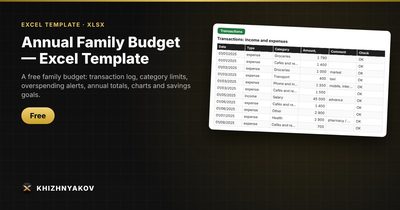
- "Transactions": up to 3000 transactions, with type and category picked from a list and a check column.
- "Months": a category × month matrix with plan, actual and variance; overspending is highlighted.
- "Year summary": income, expenses, net balance, savings rate, expense shares by category, a column chart by month and a pie chart of expenses.
- "Savings goals": amount, deadline, saved so far, how much to save per month and a progress bar.
It works in Excel 2007 and later and in LibreOffice. There are no macros, and your data stays only in your file. To start a new year, change the year in "Settings" and clear the transactions.
FAQ
Should couples keep one budget or two?
That depends on how you share money. Many couples keep one family budget for shared costs and let each person track personal spending separately. The key is that everyone agrees on which categories are shared.
How do I record credit card purchases?
Record them as expenses on the date of purchase, not when you pay the card bill. Otherwise the card payment shows up as one big mystery expense and you lose the categories.
What do I do with cash withdrawals?
Either log cash spending by category as it happens, or record the withdrawal under a "Cash" category. The first gives more insight; the second is easier.
Is Excel better than a budgeting app?
Neither is better for everyone. Excel gives you full control, privacy and no fees; apps offer automatic bank imports. If you like seeing every formula, a spreadsheet is a good fit.