KHIZHNYAKOV
How to Do ABC-XYZ Analysis in Excel
ABC-XYZ Product Range Analysis — Excel Template — Open the template →
Every shop has a few products that pay the rent and many that mostly take up shelf space. The trouble is that gut feeling about which is which is often wrong, especially once the range grows past a few dozen items.
ABC-XYZ analysis replaces gut feeling with two simple numbers per product: its share of revenue and the stability of its demand. You only need 12 months of sales. Below is the full method in Excel, a worked example and what to actually do with each group.
What ABC and XYZ mean
- ABC ranks products by contribution to revenue (or units, or gross profit). A items bring the first 80% of revenue, B the next 15%, C the last 5%.
- XYZ rates demand stability by the coefficient of variation (CV) of monthly sales. X: CV up to 10% (very stable), Y: 10–25%, Z: above 25% (erratic).
These thresholds are common defaults, not laws; you can adjust them for your business.
Step 1. Collect the data
One row per product, 12 columns of monthly sales. Use the same measure for all products: either revenue in dollars or units, not a mix. Exclude products launched in the last few months, or analyze them separately; a partial year distorts both ABC and XYZ.
Step 2. ABC: share and cumulative share
Add a total column (=SUM(B2:M2)), then sort products by total, largest first. Now:
- Share:
=N2/SUM($N$2:$N$100) - Cumulative share: in O2
=P2, in O3=O2+P3(if share is in column P) - Group:
=IF(O2<=80%,"A",IF(O2<=95%,"B","C"))
Example with six products and $100,000 in annual revenue:
| Product | Revenue | Share | Cumulative | ABC |
|---|---|---|---|---|
| Coffee beans 1 lb | 42,000 | 42% | 42% | A |
| Paper cups | 25,000 | 25% | 67% | A |
| Syrups | 12,000 | 12% | 79% | A |
| Tea | 9,000 | 9% | 88% | B |
| Cookies | 7,000 | 7% | 95% | B |
| Branded mugs | 5,000 | 5% | 100% | C |
Half of the products produce 79% of revenue. In a real range of 300 items the pattern is usually even sharper.
Step 3. XYZ: coefficient of variation
CV = standard deviation of monthly sales / average monthly sales.
=STDEV.P(B2:M2)/AVERAGE(B2:M2)
(In Excel 2007 use STDEVP.) Then: =IF(Q2<=10%,"X",IF(Q2<=25%,"Y","Z")).
If coffee beans sell 100, 110, 90, 105, 95 and 100 units over six months, the average is 100 and the standard deviation about 6.5, so CV ≈ 6.5%: group X. Branded mugs that sell 2, 0, 15, 1, 0 and 30 (spiking around holidays) have a CV well over 100%: group Z.
Step 4. Combine into a 3×3 matrix
Join the letters: =R2&S2 gives AX, BZ and so on. Count products and revenue in each of the nine cells with COUNTIF and SUMIF.
| X (stable) | Y (fluctuating) | Z (erratic) | |
|---|---|---|---|
| A | Never run out; automate reordering | Keep safety stock, watch seasonality | Order to forecast, review often |
| B | Regular reorders, moderate stock | Standard stock rules | Order carefully, minimal stock |
| C | Lean stock, consider simpler supply | Review assortment | Candidates for removal or order-only |
The two corners matter most: AX products deserve your best supply discipline because running out costs real money, and CZ products deserve a hard look, because they tie up cash and space for little return.
Common mistakes
- Mixing units and dollars. One product measured in boxes, another in revenue, and the ranking is meaningless.
- Ignoring seasonality. Sunscreen will always be Z on a 12-month view. That doesn't mean you should drop it; plan it by season.
- Analyzing too short a period. Three months says little about stability.
- Cutting C items blindly. Some low sellers drive traffic or complete a basket. Check before removing.
- Running it once. Repeat quarterly; groups shift as the range and customers change.
Ready-made template: ABC-XYZ Product Range Analysis
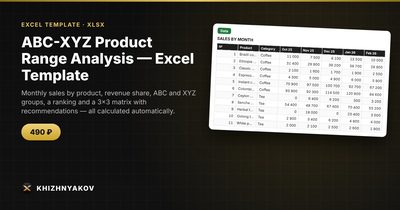
The ABC-XYZ Product Range Analysis template is a paid Excel file that runs the whole method automatically.
- "Settings": thresholds for groups A, B and X, Y, set to 80% and 95%, 10% and 25% by default, and adjustable.
- "Data": up to 300 products and 12 months of sales. To the right, the total, share, cumulative share and ABC and XYZ groups are calculated for you.
- "Ranking": products sorted by revenue with their groups, with no manual sorting.
- "Matrix": the number of products and revenue in each of the nine groups, a short recommendation for each combination and a chart.
It works in Excel 2007 and later and in LibreOffice, with ordinary formulas and no macros. The calculation is indicative.
FAQ
Should I use revenue, units or gross profit for ABC?
Revenue is the default and easiest to get. Gross profit gives a better picture if margins differ a lot between products. Units are useful for warehouse planning. Choose one per analysis and stick to it.
What if a product had zero sales for several months because it was out of stock?
Those zeros make demand look erratic when the real problem was supply. Either exclude stock-out months or flag such products and judge them manually.
How many products do I need for this to be useful?
It starts paying off at around 30–50 products. With fewer, you can usually see the picture without a matrix.
Does XYZ work for brand-new products?
Not really. You need several months of history. Keep new items in a separate "new" group until they have at least six months of sales.