KHIZHNYAKOV
How to Build a Small Business Financial Model in Excel
Small Business Financial Model — Excel Template — Open the template →
A business plan without numbers is a wish list. A bank or investor will ask the same questions you should ask yourself: how much money do you need, when will you make a profit, will cash run out before that, and how long until the investment pays back?
A financial model answers those questions. It doesn't need to be complex: a page of assumptions, a monthly calculation and a summary. This guide walks through the structure, with a small coffee shop as a running example.
Step 1. Separate assumptions from calculations
Put every input on one sheet and color the input cells (yellow is traditional). Formulas elsewhere only reference these cells. When the bank asks "what if sales are 20% lower?", you change one number instead of hunting through formulas.
Example assumptions for a coffee shop:
| Assumption | Value |
|---|---|
| Average ticket | $6.50 |
| Orders in month 1 | 2,400 |
| Monthly growth | 4% |
| Capacity cap | 4,000 orders a month |
| Variable costs (beans, milk, cups, card fees) | 32% of revenue |
| Fixed costs (rent, staff, utilities, software) | $9,500 a month |
| Start-up investment | $60,000 |
| Own funds / loan | $30,000 / $30,000 |
| Loan rate and term | 9%, 36 months |
Step 2. Revenue by month
Volume in month 1 is the starting figure; each next month is =MIN(previous*(1+growth),cap). Revenue = volume × price. If the business is seasonal, add a row of seasonal factors (e.g. 0.85 in January, 1.15 in December) and multiply.
Month 1: 2,400 × $6.50 = $15,600.
Step 3. Profit and loss
For each month:
- Revenue: $15,600
- Variable costs (32%): $4,992
- Gross profit: $10,608
- Fixed costs: $9,500
- EBITDA: $1,108
- Interest on the loan, depreciation if you track it, then tax
- Net profit
For tax, keep it simple and transparent: a rate on profit, on revenue or on revenue minus costs, depending on your regime. Check the actual rules with an accountant; the model only needs a reasonable approximation.
Step 4. Loan schedule
The monthly payment comes from PMT: =PMT(9%/12,36,-30000) ≈ $954. Split it into interest (=balance*rate/12) and principal (payment − interest). Interest goes into the P&L; the full payment goes into cash flow.
Step 5. Cash flow statement
Profit and cash are not the same. Cash flow by month:
- Opening cash
- + Cash from operations (EBITDA − tax)
- − Start-up investment (month 0 or the first months)
- + Loan received
- − Loan payments
- = Closing cash
In month 1 of the example, EBITDA of $1,108 minus a $954 loan payment leaves very little before tax. A slower start than planned would push cash below zero.
Step 6. Find the cash gap
A cash gap is any month in which closing cash is negative. Use =MIN(closing_cash_row) to find the deepest point. If it is −$8,000, you need at least $8,000 more in own funds, a larger loan or a cheaper start. This is the single most useful output of the model: it tells you how much money to raise before you open.
Step 7. Break-even and payback
Monthly break-even revenue = fixed costs / (1 − variable cost share). Here: 9,500 / 0.68 ≈ $13,971, or about 2,150 orders a month. The model shows from which month you are above it.
Payback is the first month in which the cumulative project cash flow (EBITDA − tax − start-up investment, ignoring the loan) is no longer negative. Find it with MATCH: =MATCH(TRUE,INDEX(cumulative_row>=0,0),0).
Common mistakes
- Hockey-stick growth. Ten percent growth every month for three years is rarely realistic. Add a capacity cap.
- Forgetting the ramp-up. The first months often run below plan while customers discover you.
- Confusing profit with cash. A profitable month can still empty the bank account if a loan payment or equipment purchase lands in it.
- No owner's salary. If you work in the business, put your pay in fixed costs.
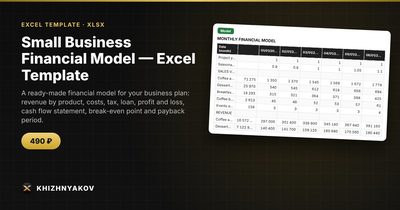
Ready-made template: Small Business Financial Model
The Small Business Financial Model is a paid Excel template that implements this structure for 36 months.
- "Assumptions": parameters and tax regime (a turnover tax, a revenue-minus-costs tax or a profit tax, with rates you set), products with price, costs, volume, growth and cap, start-up investment, fixed costs, a loan and seasonality, all in yellow input cells.
- "Model": 36 months of volumes, revenue, profit and loss statement, loan schedule, cash flow statement, break-even point and cumulative cash flow.
- "Summary": payback period, first profitable month, cash gap, totals for three years, revenue by product and two charts.
It works in Excel 2007 and later and in LibreOffice, without macros. The tax calculation is simplified; check rates against current rules in your country. The calculation is indicative.
FAQ
How detailed should a model for a bank loan be?
Monthly for the first one to three years is the norm for small businesses. More important than detail is that every assumption is explained and defensible.
Should I build a pessimistic scenario?
Yes. Lower sales by 20–30% and see whether you survive the cash gap. If the business only works in the optimistic case, it is risky.
What growth rate is reasonable?
Base it on capacity and evidence: seats, opening hours, comparable businesses, pre-orders. Growth should slow as you approach capacity.
Do I need an accountant to build a model?
Not to build it, but it is worth having one review the tax assumptions and the structure of costs before you show it to a lender.