KHIZHNYAKOV
How to Make a Social Media Content Calendar in Excel
Social Media and Website Content Plan — Excel Template — Open the template →
Posting without a plan usually looks the same: a burst of activity, then two quiet weeks, then a panicked "we need something for tomorrow." It's also hard to learn anything, because nobody remembers which posts worked.
A content calendar in Excel fixes both problems. You keep every post in one list with a date, platform, topic and status, see the month as a calendar, and add results after publishing so you can tell which content categories deserve more effort. Here is how to build one.
Step 1. Lists first
Before the plan itself, create a Lists sheet with the values you will reuse in drop-downs:
| Platforms | Categories | Formats | Owners |
|---|---|---|---|
| Product | Photo | Anna | |
| Behind the scenes | Carousel | Mark | |
| Tips and how-to | Short video | Anna | |
| Newsletter | Customer stories | Article | Mark |
| Blog | Offers | Story |
Categories (sometimes called content pillars) are the most important column. They keep the mix balanced and let you compare results later. Four to six categories are plenty for a small business.
Also add a lead time for each format in column E, next to the owners: how many days before publishing the content must be ready. A photo post might need 2 days, a video 7.
Step 2. The plan: one row per post
Columns: Publish date, Platform, Category, Topic, Format, Owner, Status, Link, then results: Reach, Likes, Comments, Shares, Clicks.
Use data validation lists for platform, category, format, owner and status. Statuses can be simple: Idea, In progress, Ready, Published.
If the same piece goes to two platforms, make two rows. Results differ by platform, and you want to see that.
Step 3. Deadlines and a traffic light
Deadline = publish date − lead time for the format:
=A2-VLOOKUP(E2,Lists!$C:$E,3,FALSE)
Now a status column with a formula can warn you:
- Deadline passed and not ready → "Deadline missed"
- Deadline within 2 days → "Urgent"
- Status Ready → "Ready"
- Publish date passed and status not Published → "Not published!"
With the deadline in column N:
=IF(G2="Published","",IF(A2<TODAY(),"Not published!",IF(G2="Ready","Ready",IF(N2<TODAY(),"Deadline missed",IF(N2-TODAY()<=2,"Urgent","In progress")))))
Add conditional formatting with red, orange and green, and the plan shows at a glance what needs attention this week.
Step 4. A monthly calendar view
Lists are good for work, calendars are good for overview. Build a 7-column grid (Mon–Sun) where each cell is a date. The first date is the Monday on or before the 1st of the month:
=B1-WEEKDAY(B1,2)+1
In each cell, show the number of posts that day (=COUNTIF(Plan!A:A,date)) and the topic of the first one (=IFERROR(INDEX(Plan!D:D,MATCH(date,Plan!A:A,0)),"")). Gaps and overloaded days become obvious.
Step 5. Measure engagement
After a post has been live for a few days, enter its results. Engagement rate by reach:
Engagement rate = (likes + comments + shares) / reach × 100
Example: reach 2,400, 96 likes, 12 comments, 8 shares → 116 / 2,400 × 100 ≈ 4.8%.
In Excel: =IF(I2>0,(J2+K2+L2)/I2*100,""), so posts without reach data stay blank instead of showing an error.
Step 6. What's working?
Summarize by platform and by category with COUNTIFS (number of posts), SUMIFS (reach) and averages of engagement. A table like this quickly reveals patterns:
| Category | Posts | Avg reach | Avg engagement |
|---|---|---|---|
| Tips and how-to | 12 | 3,100 | 5.2% |
| Product | 15 | 1,800 | 2.1% |
| Customer stories | 6 | 2,600 | 6.0% |
If customer stories outperform product posts with fewer publications, that is where to put more time next month.
Common mistakes
- Planning topics but not deadlines. The publish date alone doesn't tell you when to start.
- Never filling in results. Without them, the calendar is just a to-do list.
- Comparing raw likes across platforms. Audiences differ; compare engagement rate, and within one platform.
- Too many categories. Ten categories with two posts each tell you nothing.
Ready-made template: Social Media and Website Content Plan
The Social Media and Website Content Plan is a paid Excel template with this structure ready to fill in.
- "Lists": platforms, categories, formats, people responsible and lead time in days before publication. You define the platforms yourself; the sample includes Facebook, Instagram, Telegram, Medium, YouTube, a website and a newsletter.
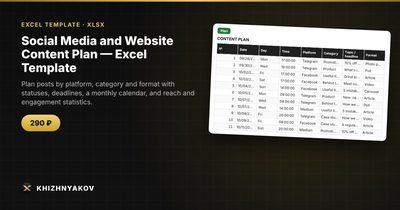
- "Plan": up to 600 posts with date, platform, category, topic, format, owner, status, link, reach, likes, comments, shares and clicks, plus a deadline traffic light ("Deadline missed", "Urgent", "In progress", "Ready", "Not published!").
- "Calendar": enter the first day of the month and see posts by day with the topic of the first post of the day.
- "Summary": posts by platform and category, reach, engagement and charts. Engagement is calculated automatically.
It works in Excel 2007 and later and in LibreOffice, with ordinary formulas and no macros.
FAQ
How far ahead should I plan?
Two to four weeks in detail and a rough list of themes for the next month or two is a good rhythm for small teams. Leave room for timely posts you can't plan.
How often should a small business post?
Consistency matters more than volume. Pick a frequency you can sustain with quality, for example three posts a week on your main platform, and adjust based on results.
Should I track clicks as well as engagement?
Yes, if posts are meant to drive traffic or sales. A post with modest engagement but many clicks to your site may be more valuable than a popular one.
Can I use the same plan for a blog and a newsletter?
Yes. Treat them as platforms in the list. Their "reach" is page views or opens, so compare them with each other over time rather than with social posts.