KHIZHNYAKOV
How to Plan a Wedding Budget and Guest List in Excel
Wedding Budget and Guest List — Excel Template with Seating Plan — Open the template →
A wedding is a project with dozens of vendors, hundreds of decisions and a fixed date that cannot move. Most budgets don't blow up because of one big item, but because of many small ones: an extra hour of photography, delivery fees, a few more guests than expected.
A wedding spreadsheet keeps the money and the people in one place. In this guide you will set a budget with a reserve, track contracts, deposits and balances, catch payments before they are overdue, and build a guest list that counts RSVPs and checks table seating.
Step 1. Total budget and reserve
Start with the number you can actually spend, then set aside a contingency reserve of 5–10%. With a $30,000 budget and a 10% reserve, you plan with $27,000 and keep $3,000 for surprises.
Step 2. Categories with plan, contract and paid
One row per vendor or item. Key columns: category, item, planned amount, contract amount, paid so far, balance due date.
| Category | Item | Plan | Contract | Paid | Balance due |
|---|---|---|---|---|---|
| Venue | Venue rental | 9,000 | 9,500 | 3,000 | 05/01 |
| Catering | Dinner, 120 guests | 10,800 | 0 | ||
| Photo | Photographer | 3,200 | 3,400 | 1,000 | 05/20 |
| Attire | Dress and suit | 2,500 | 2,350 | 2,350 |
The "committed" amount for each row is the contract if you have one, otherwise the plan:
=IF(D2<>"",D2,C2)
- Balance:
=committed-paid - Variance:
=committed-plan(positive means over plan)
Step 3. Available budget
Available = total budget − reserve − sum of committed amounts.
In the example, if all committed amounts add up to $26,400, available = 30,000 − 3,000 − 26,400 = $600. That is your remaining room for new ideas. A negative number means you are already spending the reserve.
Step 4. Don't miss a payment
Add a status column based on the balance due date:
=IF(G2-E2<=0,"Paid",IF(F2="","",IF(F2<TODAY(),"Overdue",IF(F2-TODAY()<=14,"Due soon","Scheduled"))))
(G = the committed amount from step 2, E = paid, F = balance due date.) Color it red, orange and green. A summary of "still to pay" by month helps you plan cash flow in the final weeks, when most balances come due at once.
Step 5. The guest list
One row per invitation (a couple or family), with: name, group (bride's family, groom's friends, colleagues), number of adults, number of children, invitation sent, RSVP (Attending, Declined, No reply), table, menu choice.
Useful totals:
- Attending guests:
=SUMIFS(adults,RSVP,"Attending")+SUMIFS(children,RSVP,"Attending") - Still waiting: COUNTIF on "No reply", so you know whom to call.
- Menu counts for the caterer: SUMIFS by menu type for attending guests.
Step 6. Seating checks
Two errors are common on the day: a guest with no seat, and a table with more people than chairs.
- Guest without a table:
=IF(AND(RSVP="Attending",table=""),"needs a table","") - People per table:
=SUMIFS(people,table,table_number), compared with the number of seats. Flag anything over capacity.
Step 7. Watch the per-guest cost
Divide the total budget by the number of attending guests. With $30,000 and 120 guests, that's $250 per person. It's the clearest way to see what each additional invitation costs, and often the most effective lever for the budget.
Common mistakes
- Forgetting tips, taxes and service fees. Add them to plans from the start; they can add 20% or more to catering.
- Tracking plan only. Once you sign, the contract amount is what matters.
- No due dates. Balances often fall due in the same two weeks before the wedding.
- RSVP chaos. Guests reply by text, email and in person. Record every reply in the list the same day.
Ready-made template: Wedding Budget and Guest List
The Wedding Budget and Guest List template is a paid Excel file with seating checks built in.
- "Settings": event name and date, total budget, reserve, tables and seats, expense categories, guest groups and menu types, so it also works for an anniversary, corporate party or graduation.
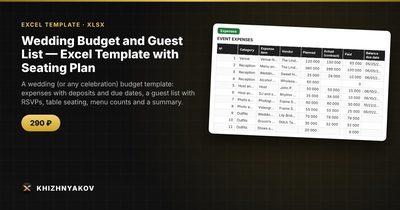
- "Expenses": up to 300 items with plan, contract amount, paid, balance due date, balance, variance and a payment status traffic light that switches to "Due soon" and "Overdue."
- "Guests": up to 500 rows with number of people and children, invitation, RSVP, table and menu; the "Check" column catches attending guests without a table and overfull tables.
- "Summary": budget by category, available balance, amount still to pay, guests by reply, the menu order for the venue and two charts.
It works in Excel 2007 and later and in LibreOffice, without macros. Calculations are approximate.
FAQ
How do I split a wedding budget by category?
There's no universal rule. Venue and catering are usually the largest share, often around half of the budget together. Start with your priorities: decide the two or three things that matter most, fund them first, and keep the rest modest.
When should I send invitations and set the RSVP deadline?
Commonly six to eight weeks before the wedding, with an RSVP deadline three to four weeks before, which leaves time to give the caterer final numbers.
Who should have access to the spreadsheet?
Both partners, and anyone helping with payments. Agree who updates what to avoid two versions of the truth.
How many no-shows should I expect?
It varies. Some guests who said yes won't come, and others will bring a plus-one. Keep a few extra seats and confirm numbers with the venue as late as their contract allows.